Chapter 6: Peripherals and Accessories 00.053.204, Revision A SonixTouch Q+ Service Manual
6-2
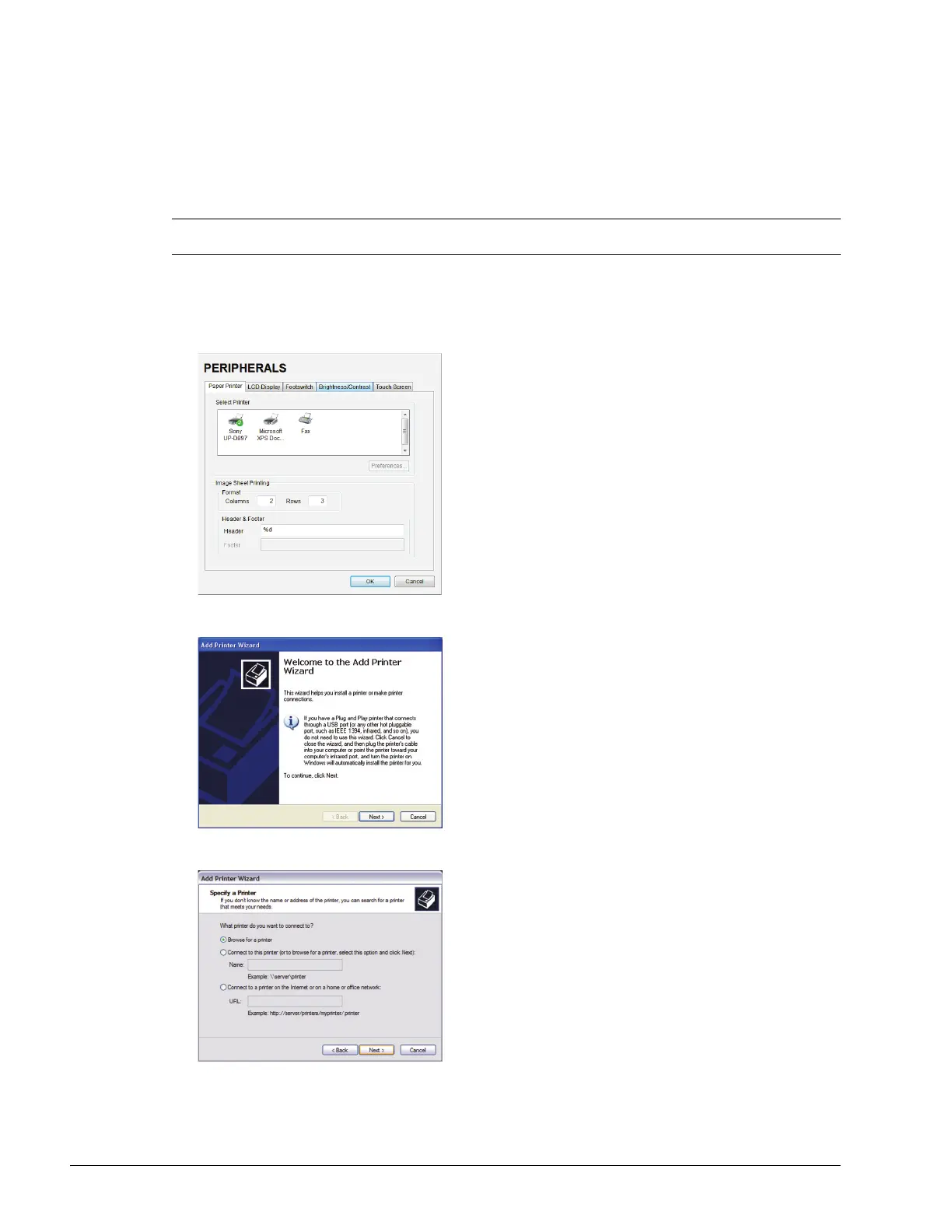
6.3.2 Network Printer Setup
This section uses the HP DeskJet 5440 as the example Network Printer and is meant only as a guide as not all
networks are identical.
These instructions can also be used as a reference for installing other system network printers.
To Connect the Network Printer to the System:
1. Tap the touch screen Menu button.
2. Select Administrator > Peripherals.
3. In the Paper Printer dialog, select (double click) Add Printer.
4. Select Next.
5. Select Browse for a printer.
6. Select Next.
7. Select the appropriate shared (network) printer and select Next.
8. Select Yes to continue.
Note: Before proceeding, ensure that the network has a shared printer. Contact your System Administrator when
unsure.



 To Next Page