Chapter 7: Field Service Components 00.053.204, Revision A SonixTouch Q+ Service Manual
7-24
7.3.4 Testing the Modulo and UPS
After the modulo or UPS have been removed and reinstalled – for whatever purpose – test the UPS and modulo to
ensure all cables have been properly connected.
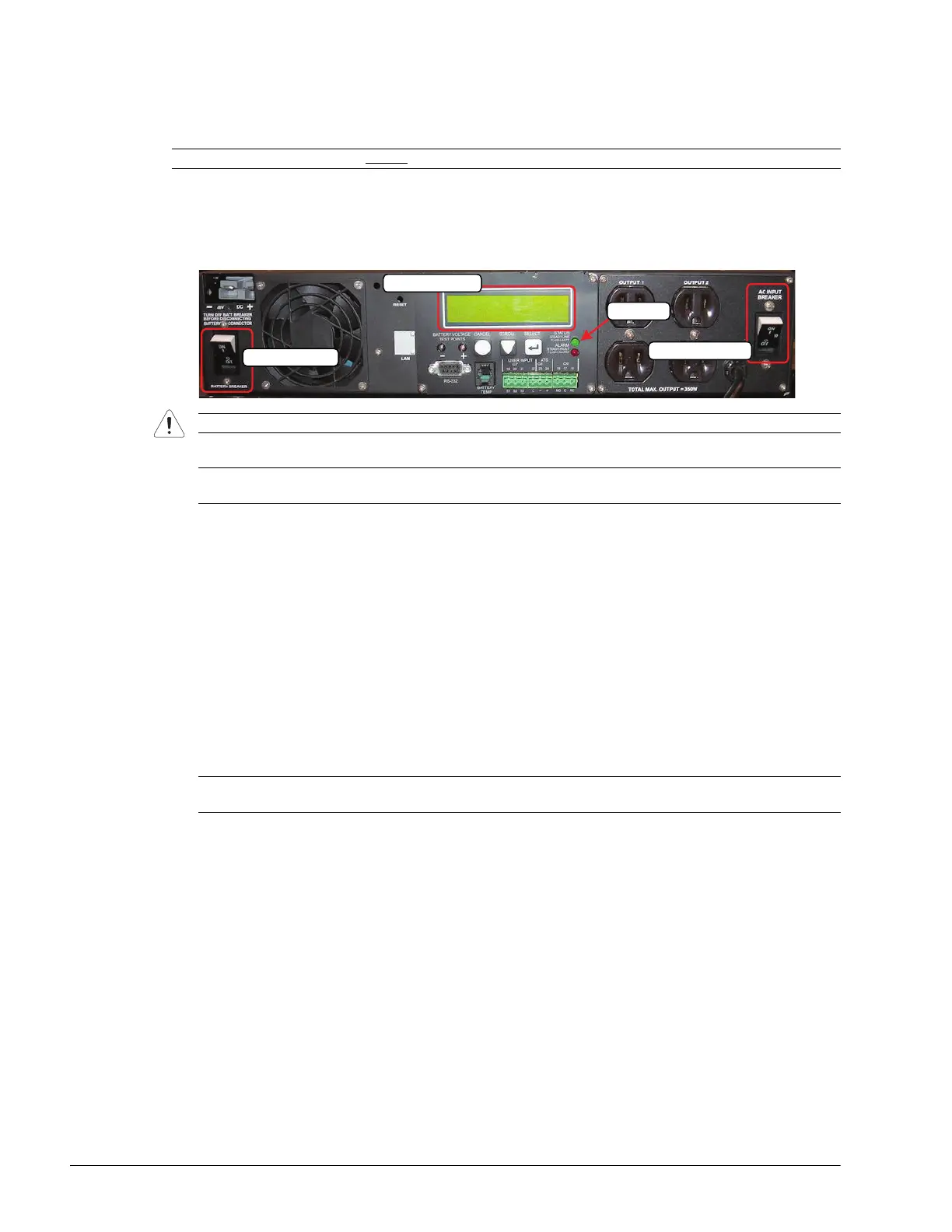
To Test the UPS and Modulo:
1. Turn 1: Battery Breaker to the ON position.
2. Turn 2: AC Input Breaker to the ON position.
3. Plug in the power cord.
4. Press and hold the console POWER button for one second to turn on the system.
5. As confirmation that the UPS is charging, the bottom right corner of the UPS LED readout should display the
word LINE.
6. After initialization, plug in a transducer.
7. Tap the touch screen Presets… button and select the relevant transducer.
8. Ensure that the system is imaging properly (i.e., there are no oddities such as black lines, excessive noise,
etc.).
9. Once the system is working, power it off and unplug it.
10. Turn 2: AC Input Breaker to the OFF position.
11. Turn 1: Battery Breaker to the OFF position.
Note: If the system was ordered without
a UPS, follow the test instructions in 7.3.5 .
Caution: It is important to turn the breakers ON in the order specified.
Note: The LCD Readout will display the word RETRAN, then LINE or BUCK or BOOST. The Status LED will
also be turned on and the fan will run for approximately one minute.
Note: After completing all maintenance procedures, be sure to turn on the UPS breakers and leave the
system plugged in (step 1 to step 3, in this section) to ensure the battery charges properly.
1: Battery Breaker
2: AC Input Breaker
UPS LED Readout
Status LED



 To Next Page