SonixTouch Q+ Service Manual 00.053.204, Revision A Chapter 3: System Installation
3-13
3.3.2 EMI Filter and Power Panel
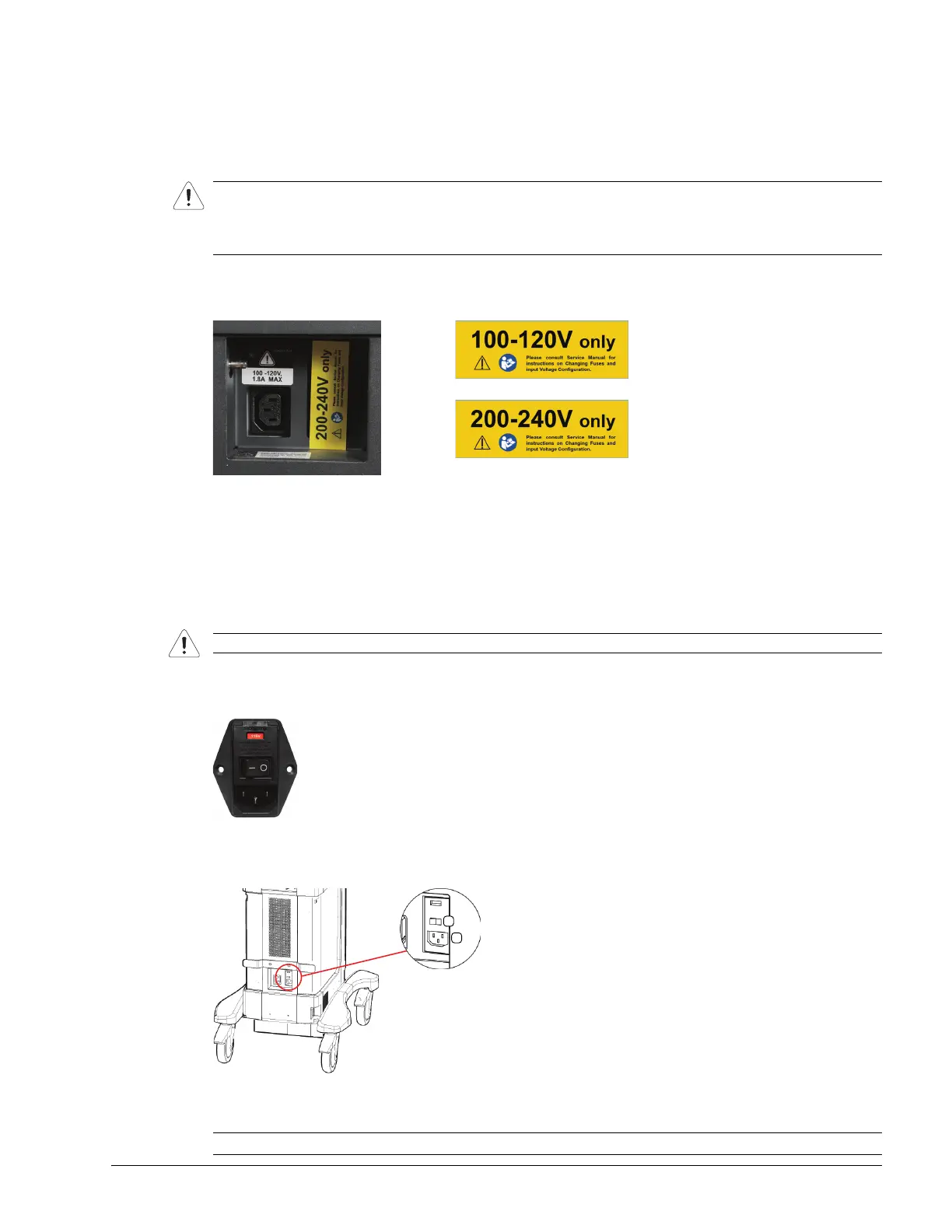
The system is delivered with a voltage rating label over the power switch and EMI filter. The precise wording on the
label is determined by the voltage setting on the EMI filter.
Double check that the voltage rating on the label matches the voltage configuration on the EMI filter, then remove
the label.
Figure 3-3: Voltage Rating Label
3.3.2.1 Voltage Configuration
Figure 3-5 shows the location of the EMI Filter which houses the system's fuses and the main power switch. The
EMI Filter also controls the system voltage setting.
When changing the voltage settings, the EMI filter must be adjusted to the relevant setting and the fuses must be flipped
to match the selected voltage. Refer to 3.3.3.2 for details on how to remove the fuse box and replace the fuse(s).
Figure 3-4: EMI Filter
Figure 3-5: EMI Filter and System Power Button Location
Table 3-2: System Power Panel
Caution: The system voltage setting is configured in the factory. It should not need to be changed in the field, but
it should be double-checked.
If the settings are incorrect, refer to the SonixTouch Q+ Service Manual for details on voltage and fuse
configuration (3.3.2.1).
Caution: The system voltage setting is configured at the factory. It should not need to be changed in the field.
1 Main Power Switch 2 Peripheral Receptacle (AC Power Cord)



 To Next Page