SonixTouch Q+ Service Manual 00.053.204, Revision A Chapter 8: DICOM
8-17
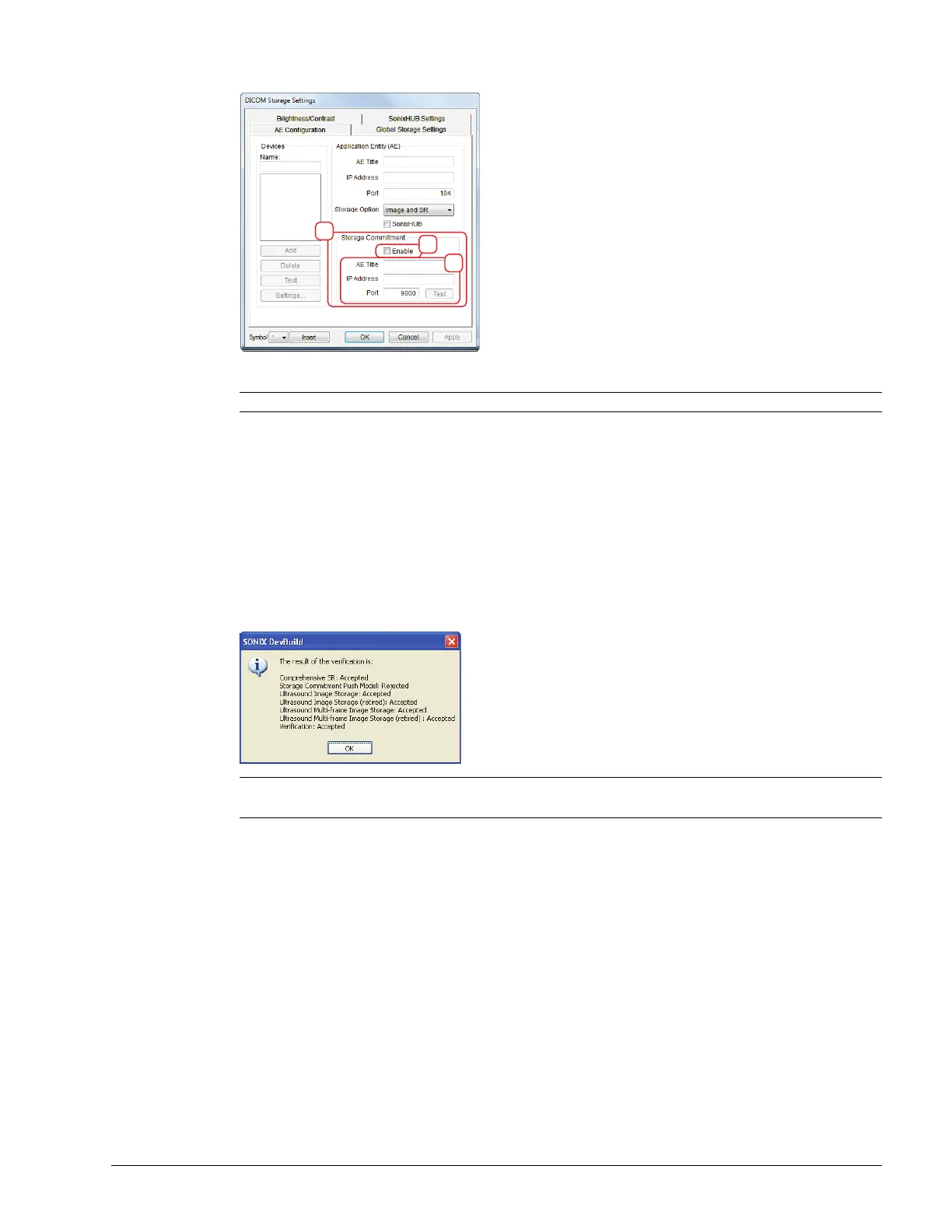
7. Select the Enable checkbox (3a) to enable Storage Commitment.
8. Populate the Storage Commitment fields with data collected for 8.2.1 (3b): AE Title, AE Address and Port.
9. Select OK to accept the changes or Cancel to exit without saving.
To Test DICOM Storage Devices:
1. Tap the touch screen Menu button.
2. Select Administrator > DICOM > Storage….
3. Under Devices, highlight the relevant Name.
4. Select Test to activate the C-Echo command for the highlighted SCP.
5. If successful, the Test result will produce a message similar to this example.
6. Select OK to continue.
Note: Storage Commitment fields (3) are usually disabled as they can negatively affect system performance.
Note: The network must be connected with the relevant server running.
Rejected is a normal result for any service not supported by the SCP.



 To Next Page