Hold mode
This page applies only to the BCT15X. For other models see:
● BCD396XT and BC346XT Hold Mode
● BCD996XT Hold Mode
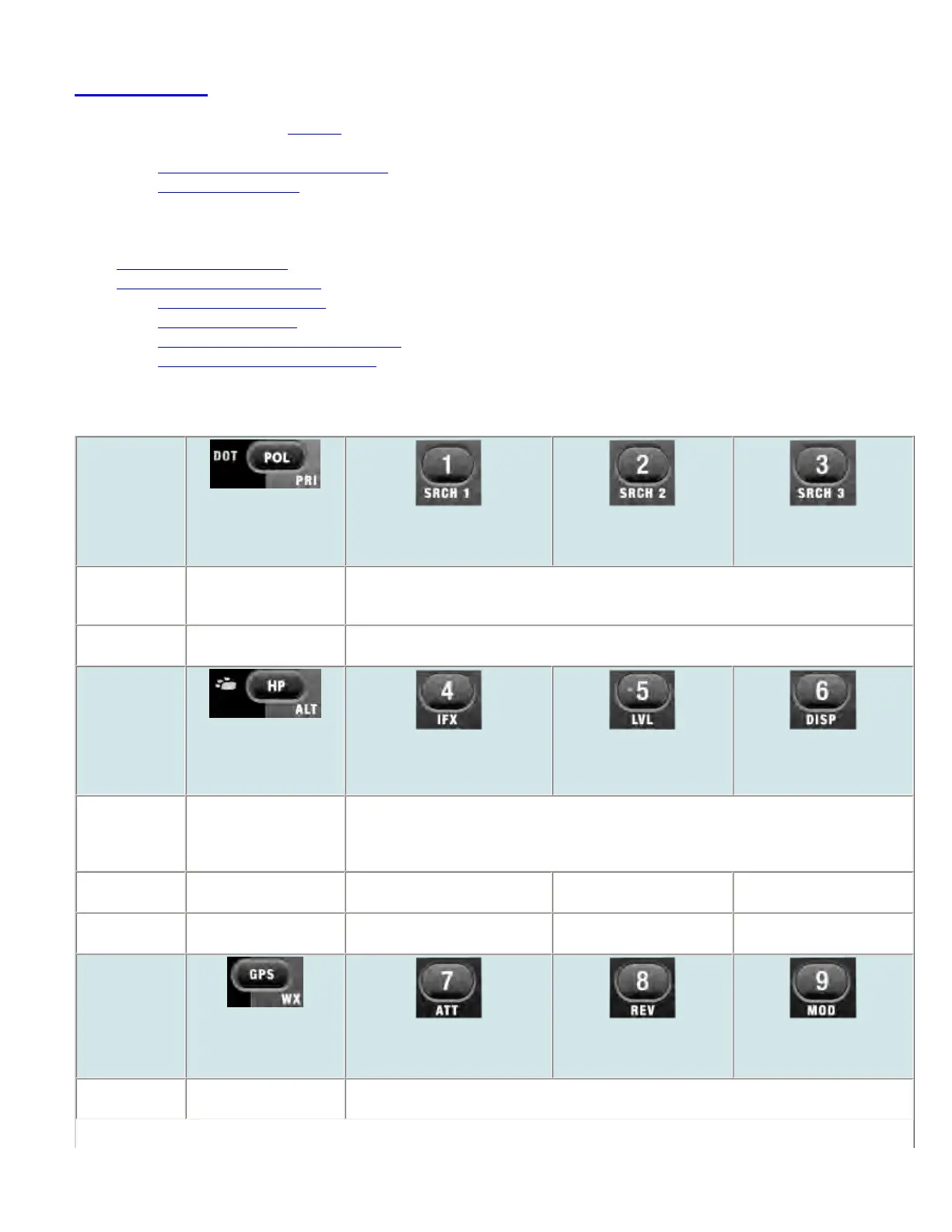
Hold mode lets you edit the current frequency, system, site, or channel. You can access these functions by using the different key operations:
● Key Operation in Hold Mode
● Reading the displays in Hold mode
❍ Conventional system display
❍ Trunked system display
❍ Hold on a trunked system control channel
❍ Service search with scan hold display
Key Operation in Hold Mode
Key Name
(2nd operation)
Action On
DOT / Police/
PRIORITY
1 (Search 1)
2 (Search 2)
3 (Search 3)
Tap Toggle DOT and Police
State-by-State search
mode.
Enter the digit in Direct Entry.
FUNCTION +
Tap
Toggle priority mode. Start the search range assigned to this Search Key.
Key Name
(2nd operation)
Action on:
BearTracker / Highway
Patrol / Alert
4 (IF exchange)
5 (Level offset)
6 (Display mode)
Tap Toggle the BearTracker
Warning System and
Highway Patrol State-by-
State search mode.
Enter the digit in Direct Entry.
FUNCTION +
Tap
Start scanning in Alert
Plus mode.
Toggle the IF for that the current
frequency.
Change the volume offset for
the current channel.
Change the display mode.
FUNCTION +
Press & Hold
NA NA NA NA
Key Name
(2nd operation)
Action on:
GPS / Weather
7 (Attenuation)
8 (Reverse freq.)
9 (Modulation)
Tap Switch to the GPS
Navigation display.
Enter the digit in Direct Entry.
file:///C|/Documents%20and%20Settings/POpitz/My%20...nts/temp/CDImage_090515/Manual/BCT15XHoldMode.html (1 of 6)5/26/2009 11:16:17 AM



 To Next Page