Videojet DataFlex 6530 Service Manual - Rev AA 3-7
Main Parts
Note: The touch screen display and the PSU can be connected remotely using the supplied cable.
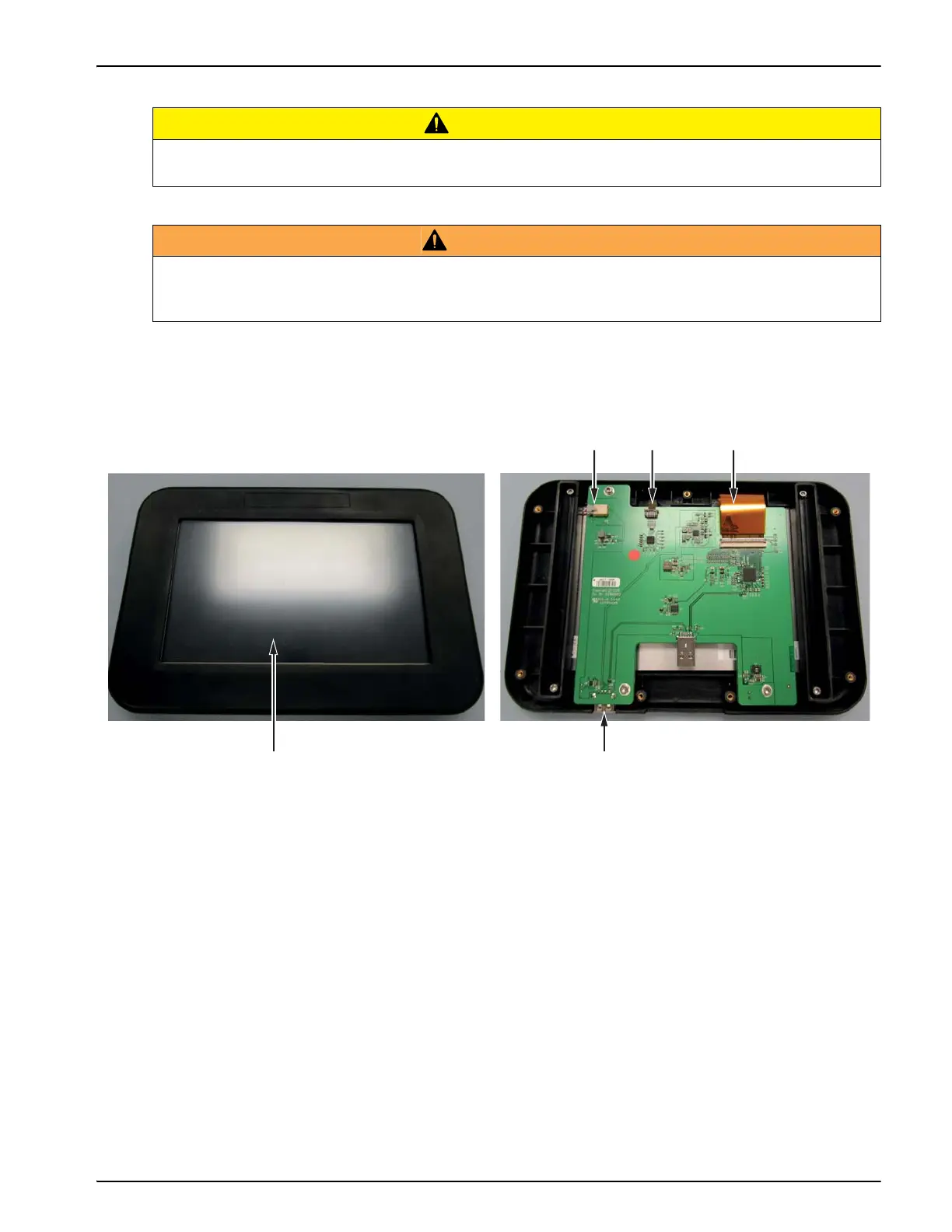
3.1.2.1 CLARiTY HMI Display
CAUTION
EQUIPMENT DAMAGE.
Ensure that the interconnecting cables are fitted correctly before power on.
WARNING
PERSONAL INJURY.
The CLARiTY display should be mounted in a convenient location to eliminate the potential
entanglement with the exposed rotating parts.
Figure 3-12: CLARiTY HMI Display
1. LCD Power Cable
2. Touch Screen Cable
3. LCD Data Cable
4. USB Port
5. LCD Touch Screen



 To Next Page