E-6 Videojet DataFlex 6530 Service Manual - Rev AA
Once the Master has been configured and communication established between printers, the
warning message can be cleared from the Slave printer screen.
Repeat the above steps to install the remaining Slave printers in the group.
E.1.8.2 Basic Configuration - Configuring the Master Printer
To configure the master printer proceed as follows:
1. Establish communications between CLARiTY Configuration Manager and the master printer
(“Connecting the CLARiTY Configuration Manager to the Printer” on page 4-8).
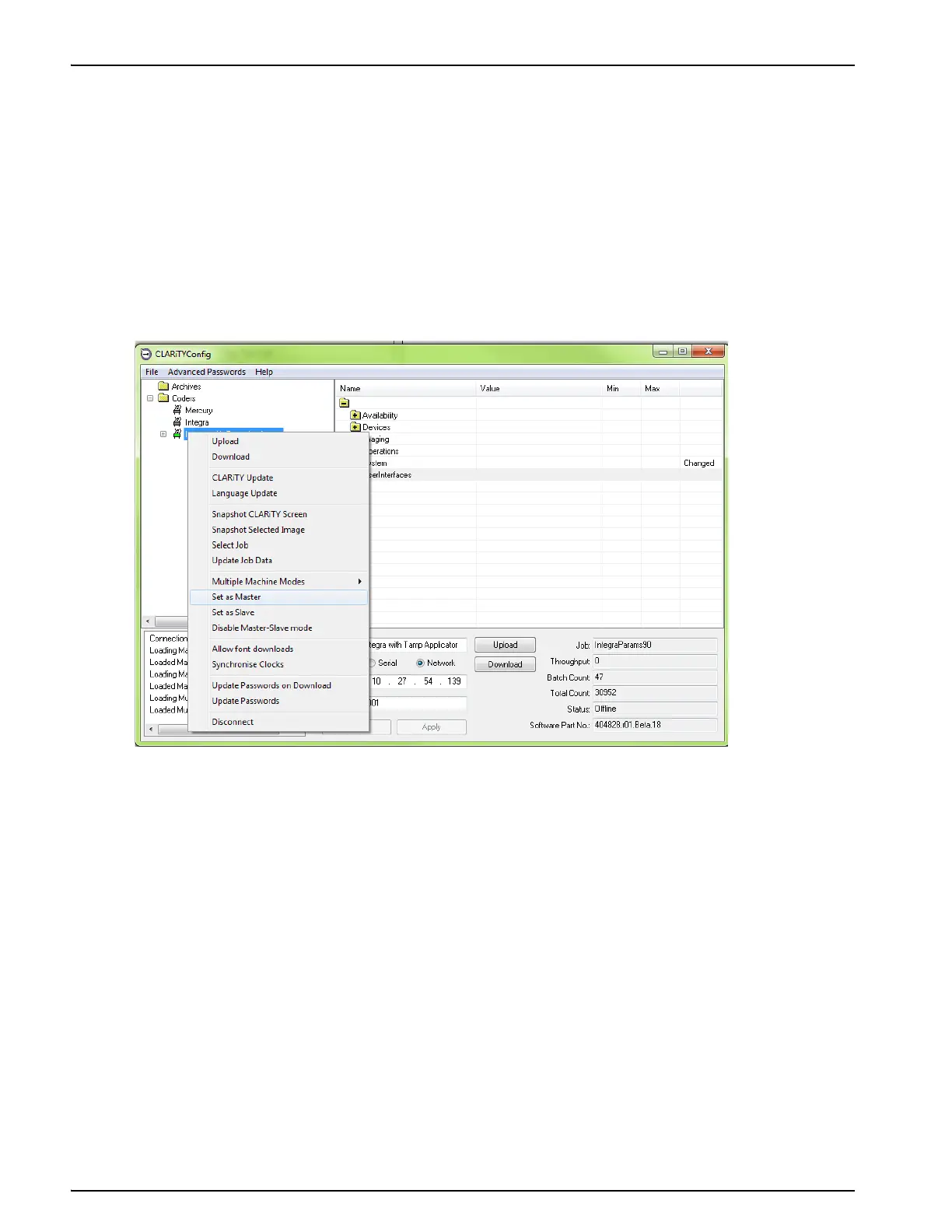
2. Right click on the New Printer icon when the icon turns ‘green' and Select Set as Master, from
the list as shown in Figure E-6.
Figure E-6: CLARiTY Config - Master Setup



 To Next Page