4-14 Videojet DataFlex 6530 Service Manual - Rev AA
Installation
4.7.8 Creating, Editing and Restoring a USB Archive on Printer
This procedure describes how to save an archive of printer’s settings to a USB memory stick so
that it can be transferred to printer, or opened and edited with CLARiTY Configuration
Manager. This feature is useful for setting the IP address of the printer, or other initial settings, if
user don’t have the capability to connect serially (RS-232).
4.7.8.1 Creating the Archive
Do the following tasks to create the archive:
1. Insert a USB memory stick into the printer’s USB port.
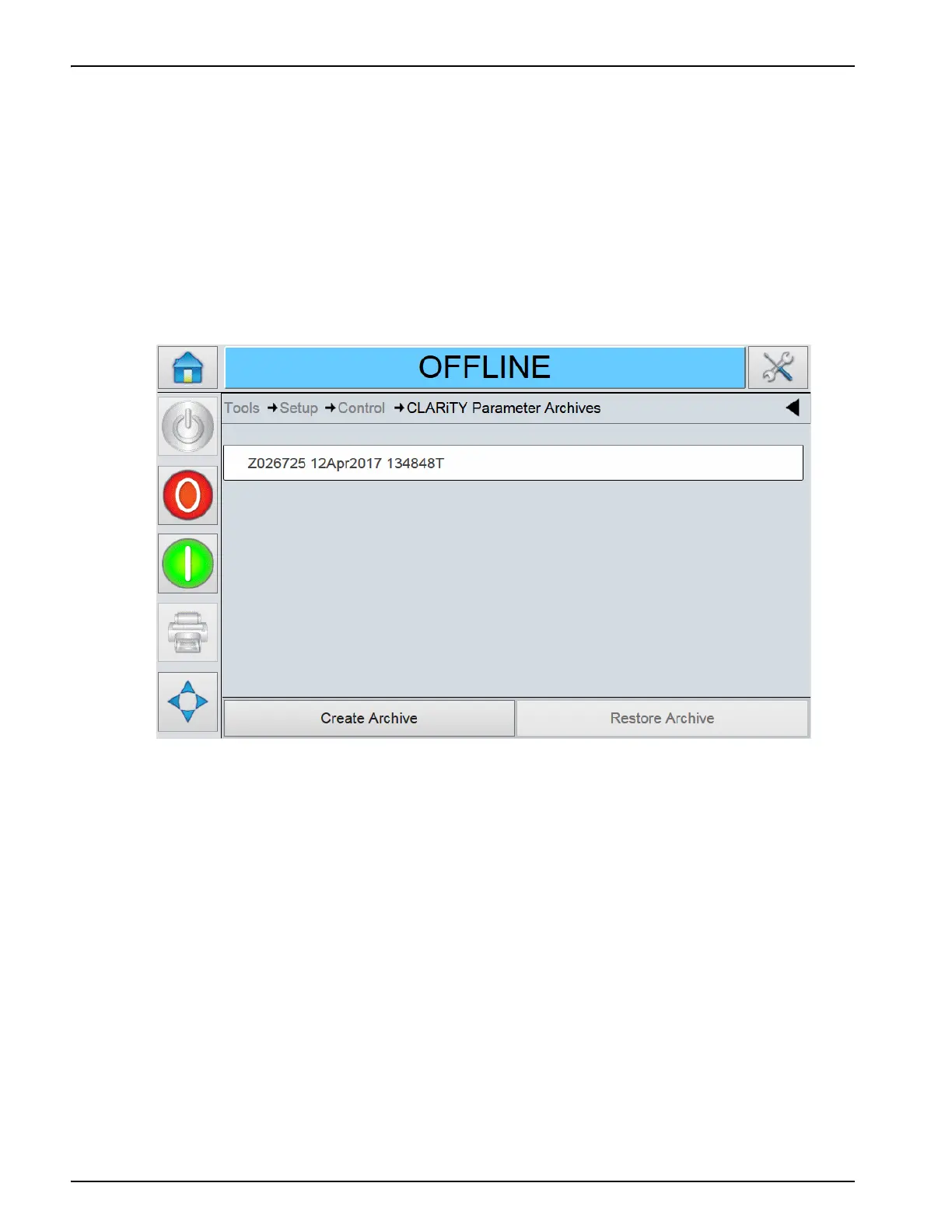
2. Navigate to Tools > Setup > Control > CLARiTY Parameter Archives (Figure 4-14).
3. Select the Create Archive button at the bottom of the screen.
4. Name the Archive file (or keep the default name) and press OK.
5. Once the screen indicates the Archive was created successfully, press OK.
6. Remove the USB memory stick from the printer.
Figure 4-14: CLARiTY Parameter Archives Screen



 To Next Page