5-4 Videojet DataFlex 6530 Service Manual - Rev AA
CLARiTY Operating System
5.3.1.1 Using the Printhead Screen
The printhead can print in either of the following modes:
• Intermittent Mode (i.e., while the substrate is stationary)
• Continuous Mode (i.e., while the substrate is moving)
Printhead Setting in Intermittent Mode:
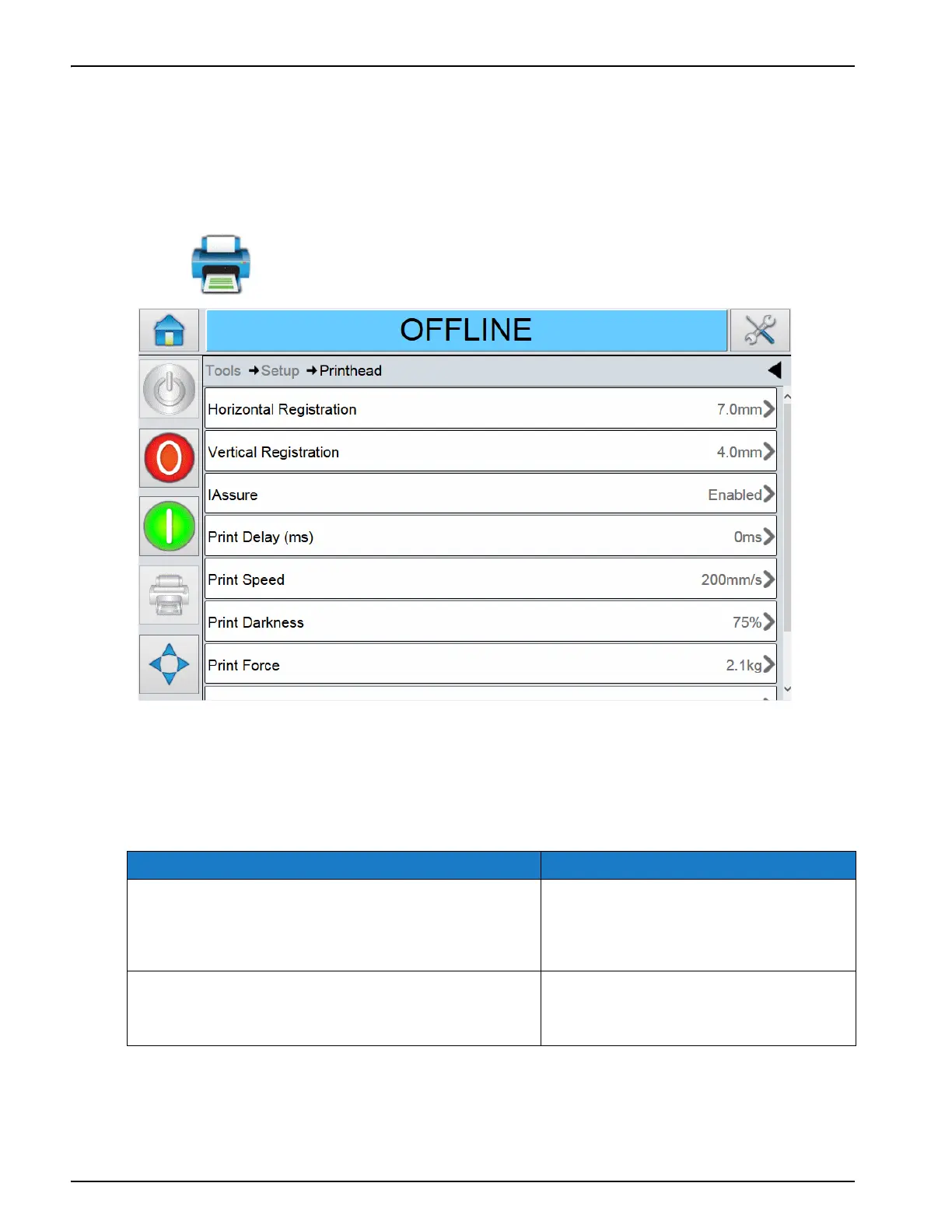
Touch on the Setup screen to access the printhead parameters (Figure 5-4).
Note: Use finger to slide the screen up and down. The scroll bar indicates the position on the screen.
The Printhead screen in intermittent mode provides access to the following parameters:
Option Description
Horizontal Registration Adjusts the print position (in
millimeters) horizontally (in the
direction perpendicular to the
printhead).
Vertical Registration Adjusts the print position (in
millimeters) vertically (along the
width of the printhead).
Table 5-3: Printhead Parameters in Intermittent Mode Description
Figure 5-4: Printhead Parameters in Intermittent Mode



 To Next Page