Videojet DataFlex 6530 Service Manual - Rev AA 4-17
Installation
4.8 Working with the Configurable Inputs and Outputs
The printer has a fully software configurable input/output system for interfacing the printer to
the packaging equipment or the packaging line.
The configuration system allows the installer to define:
• Which logical printer events are assigned to each input
• When any input is logically On (in its high or low state)
• Which logical printer events cause each output to switch on
• Which logical printer events cause each output to switch off
• Whether an output is latched on or whether it is a 100 mS pulse event
The inputs and outputs are all configured using CLARiTY Configuration Manager.
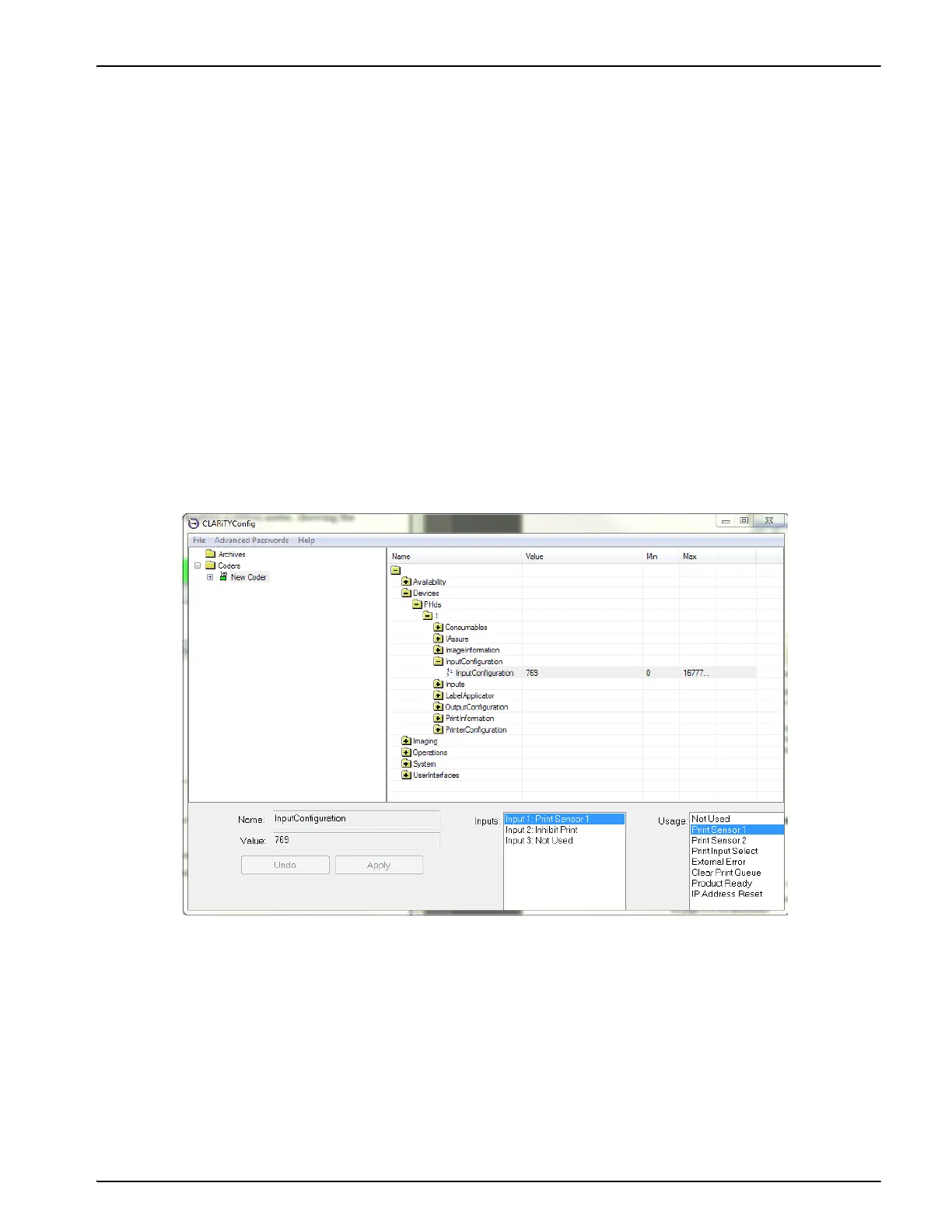
4.8.1 Configuring the Inputs
To configure the inputs, proceed as follows:
1. Connect CLARiTY Configuration manager to the printer and upload the parameters.
2. Open the input configuration folder.
3. The three physical inputs are displayed in the lower area of the screen. Click the one you
wish to configure. The available options for that input are displayed in the Usage List.
4. Click the usage you wish to assign to that input and then click the radio button to set whether
that input should be considered 'On' when it goes high or low.
5. Click Apply to save these settings.
Figure 4-18: Input Configuration Window



 To Next Page