5-10 Videojet DataFlex 6530 Service Manual - Rev AA
CLARiTY Operating System
5.3.1.3 Using the Control Screen
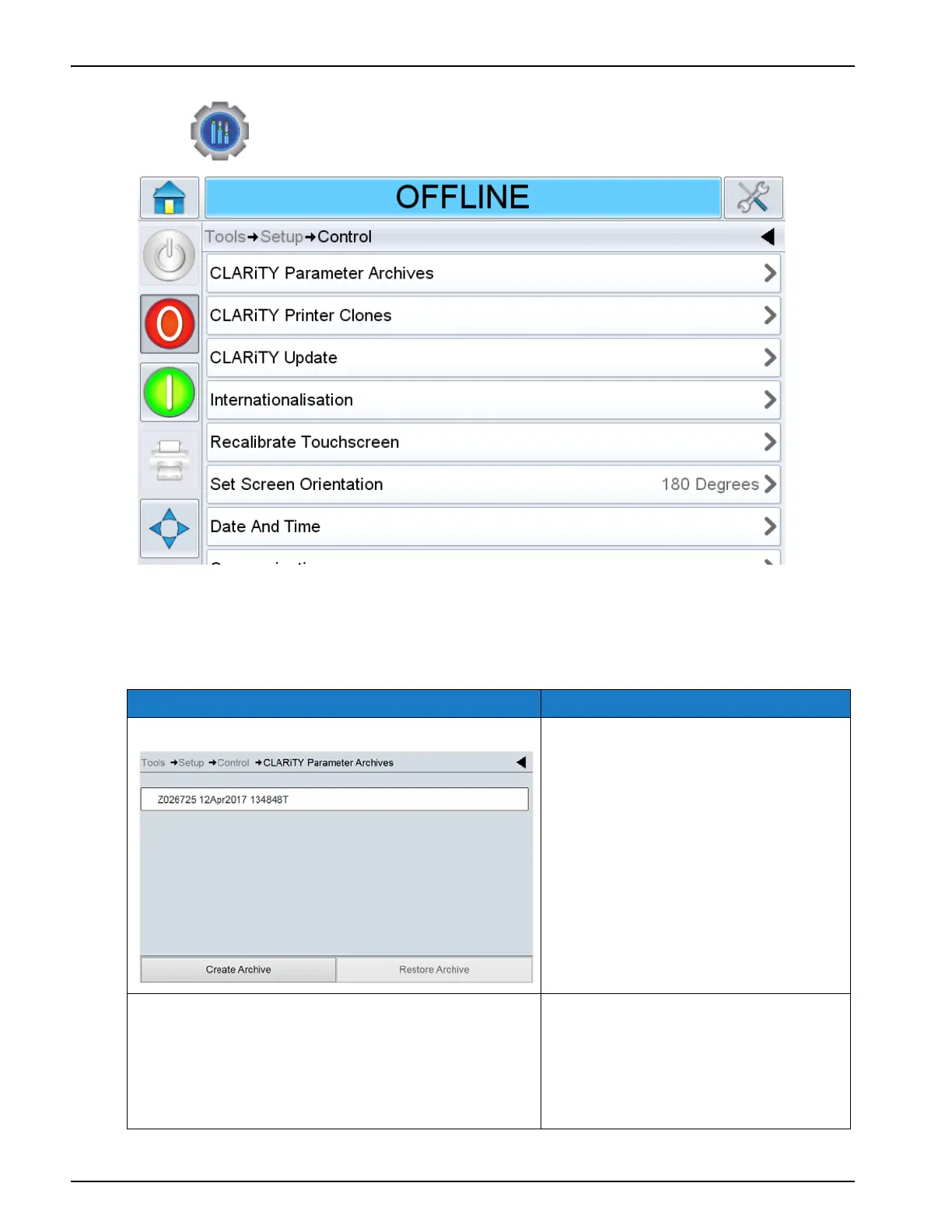
Touch on the Setup screen to access the control parameters (Figure 5-7).
The Control screen provides access to set the following parameters:
Option Description
CLARiTY Parameter Archives Displays the saved printer
configurations. The following options
are available:
• Create Archive - Saves current
printer configurations.
• Restore Archive - Restores
previously saved printer
configurations.
CLARiTY Printer Clones Creates or restores a clone file to and
from the USB memory stick. A Clone
file contains all of the printer settings
and job files.
Note: Only present when a USB memory
stick is inserted.
Table 5-6: Control Screen Description
Figure 5-7: Control Screen



 To Next Page