4-6 Videojet DataFlex 6530 Service Manual - Rev AA
Installation
4.6 Understanding Printhead LEDs
Table 4-2 lists the printhead LEDs that indicate the status of the printer.
Note: The red LED also flashes when the printer is being powered on and the printhead is initializing.
4.7 Configuring the Printer
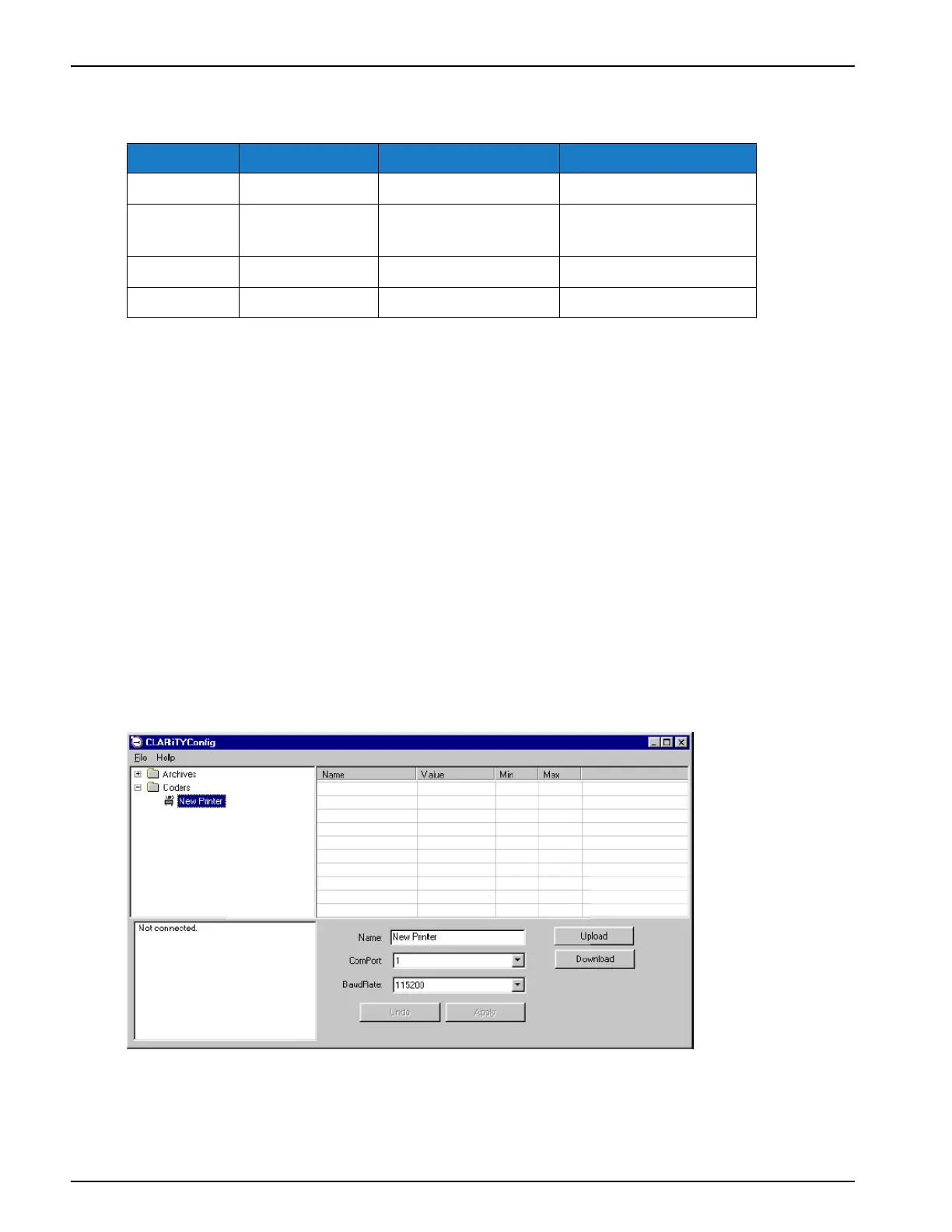
4.7.1 CLARiTY Configuration Manager
As coding and labelling equipment have become increasingly versatile and flexible with a wide
range of applications, the number of variables that can be configured within a printer, has
become very large. Although printers are pre-programmed with default values, as the extent of
the application increases, it becomes less likely that the default configuration is ideal. This can
lead to a large and cumbersome Menu Tree on the printer’s HMI display that users have to work
with.
Most printer variables are set during the installation process. The variables are set to values that
tailor the printer to the application. Once set, these variables only need to be changed when the
application for the printer changes. As such, there is no need to make these installation
parameters available at the printer interface. They are set through a configuration programme
called CLARiTY Configuration Manager.
Color On Flashing Off
Red Printer Offline Printer in fault —
Amber Warning Printer is printing
with warning
No warning or fault
Green Printer Online Printhead is printing —
Blue Power on — No power to printhead
Table 4-2: LED Indicators
Figure 4-7: CLARiTY Configuration Manager



 To Next Page