4-24 Videojet DataFlex 6530 Service Manual - Rev AA
Installation
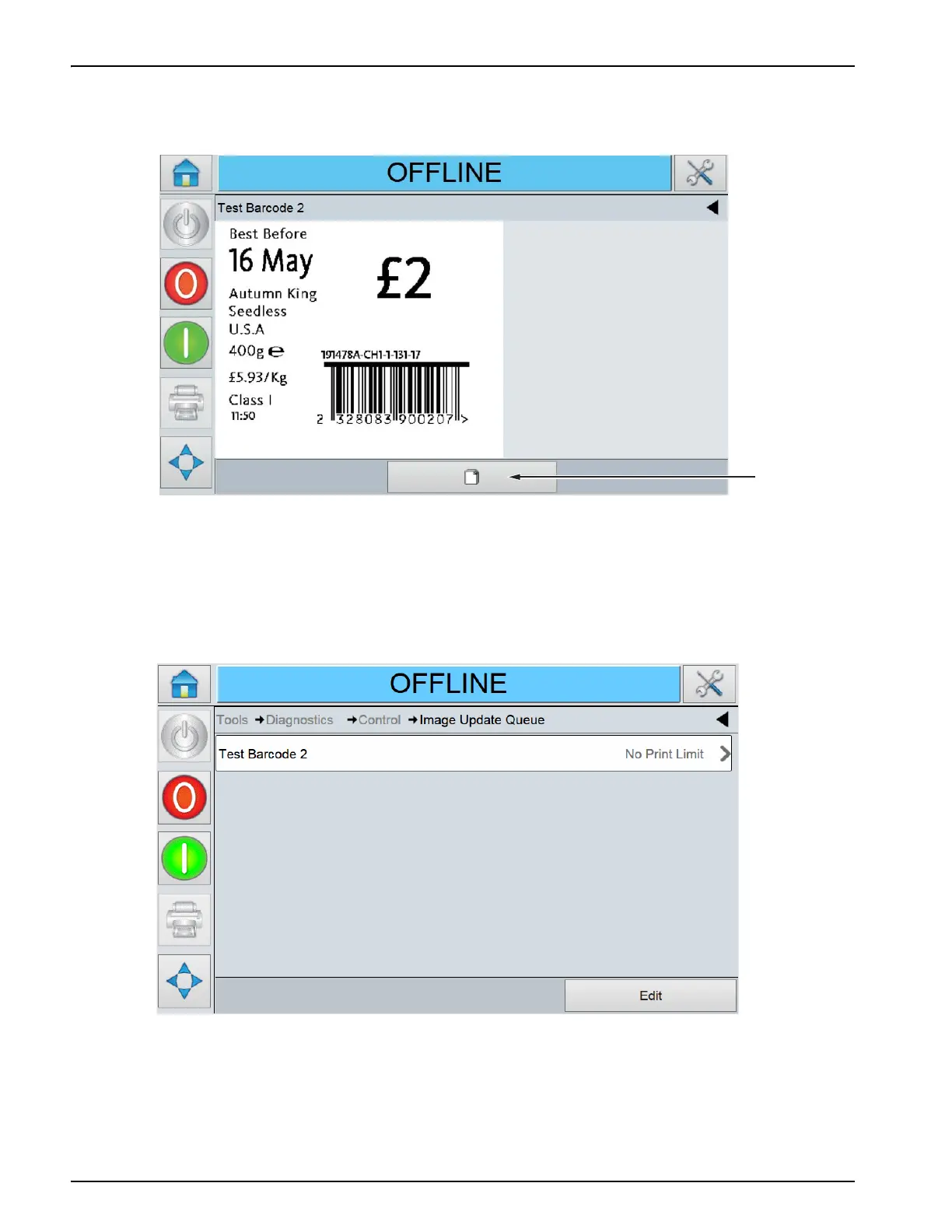
To view job queue, proceed as follows:
1. Touch the Job Preview button on the Home screen to access the Job Preview page.
2. Touch the job queue button, to display the Job Queue page. The queue of jobs can be viewed
and the progress of the current job and allocation can be seen.
3. Touch the Edit button beside each of the jobs in the queue, to delete a job or view print
information from the queue.
Alternately, navigate to Tools > Diagnostics > Control and touch Image Update Queue.
This shows the image queue in the same way as the Job Preview screen but there is also the option
to delete an entry in the job queue by selecting an option and touching delete.
The printer requests confirmation of the deletion before the entry is deleted from the queue.
Figure 4-22: Job Preview Page
Figure 4-23: Job Queue Page



 To Next Page