CHAPTER 8 - CFW-09 OPTIONS AND ACCESSORIES
At the ‘Configuration’ tab of the WEB page shown in figure X set, if needed,
the ‘Network Parameters’. Set also the value of parameter P309
address on the network belongs to the reserved range
‘192.168.0.X’, it is possible to use the DIP-switches of the communication
board for addressing purposes. In this case, the DIP-switch represents the
binary value of the last byte in the IP address.
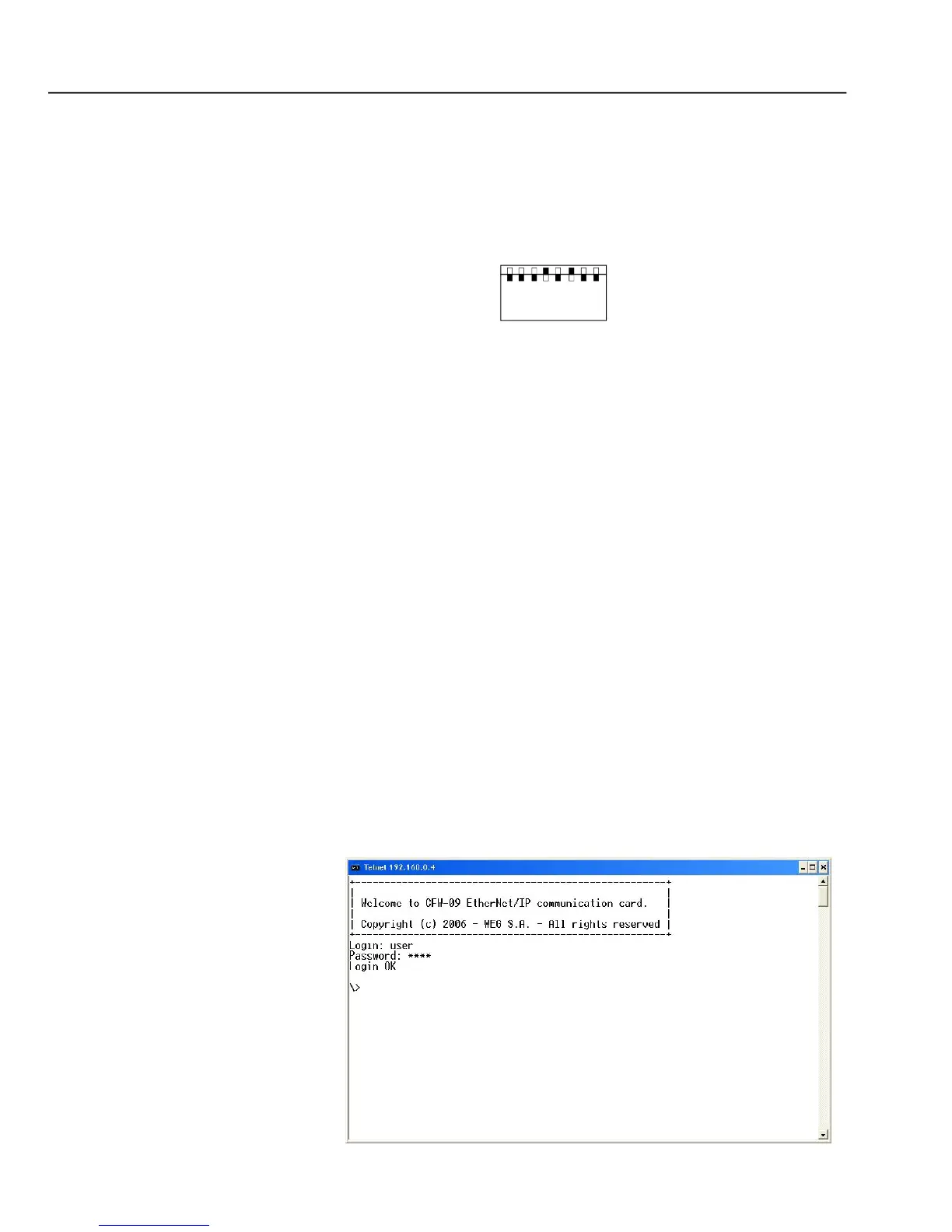
Telnet session for the CFW-09 with IP address 192.168.0.4.
The DIP-switch is set to 00010100 (20 in decimal format).
Thus, the inverter address on the network is 192.168.0.20
has an IP address out of the default range (192.168.0.X),
deactivate the hardware addressing by setting the DIP-switches to zero
If the network addressing is performed through a DHCP server, select the
box ‘DHCP enabled’ and set the DIP-switches to zero (00000000)
Click on the button ‘STORE CONFIGURATION’ to save the new settings
Access to the communication board
The communication board supports FTP and Telnet services. In such a way, it is
possible to upload/download files to/from the board and also access the file
system in an interactive way.
In order to use these services follow the instructions below:
Open a MS-DOS command window
Type thedesiredservice(FTPorTelnet) followed bythe IPaddress or hostname
of the CFW-09 on the network



 To Next Page