CHAPTER 8 - CFW-09 OPTIONS AND ACCESSORIES
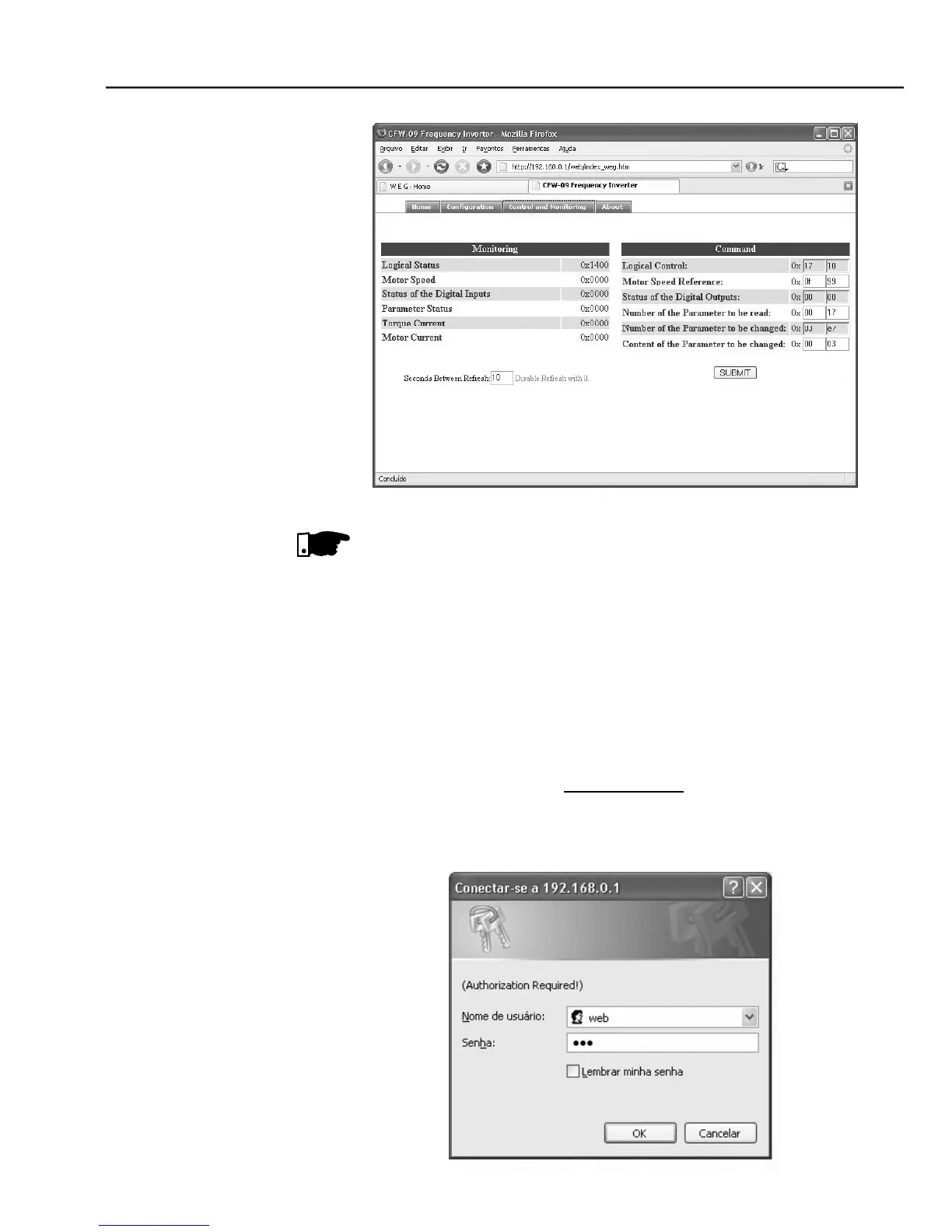
Control and monitoring window when accessing the CFW-09 through the WEB
Itis necessaryto havea PCwith an EtherNetcard connectedtothe samenetwork
of the CFW-09 and a WEB browser (MS Internet Explorer or Mozilla/Firefox
Follow the steps below to operate the CFW-09 in an EtherNet/IP network
Installthe KFB-EN kit into the CFW-09 variable frequencyinverter.
At parameter P309 select the EtherNet/IP protocoland the number of input/
output words, P309 = 7, 8 or 9.
Connect the RJ-45 plug of the EtherNet cable to the inverter andmake sure
that the Link LED is ON (LED 1).
Open your WEB browser and typethe inverter address on the network. The
factory default value is ‘
’. Make sure that JavaScript and
cookies are enabled in the WEB browser.
The data access is protected by username andpassword. The CFW-09has
the following factory default values: Username: we



 To Next Page