CHAPTER 4 - KEYPAD (HMI) OPERATION
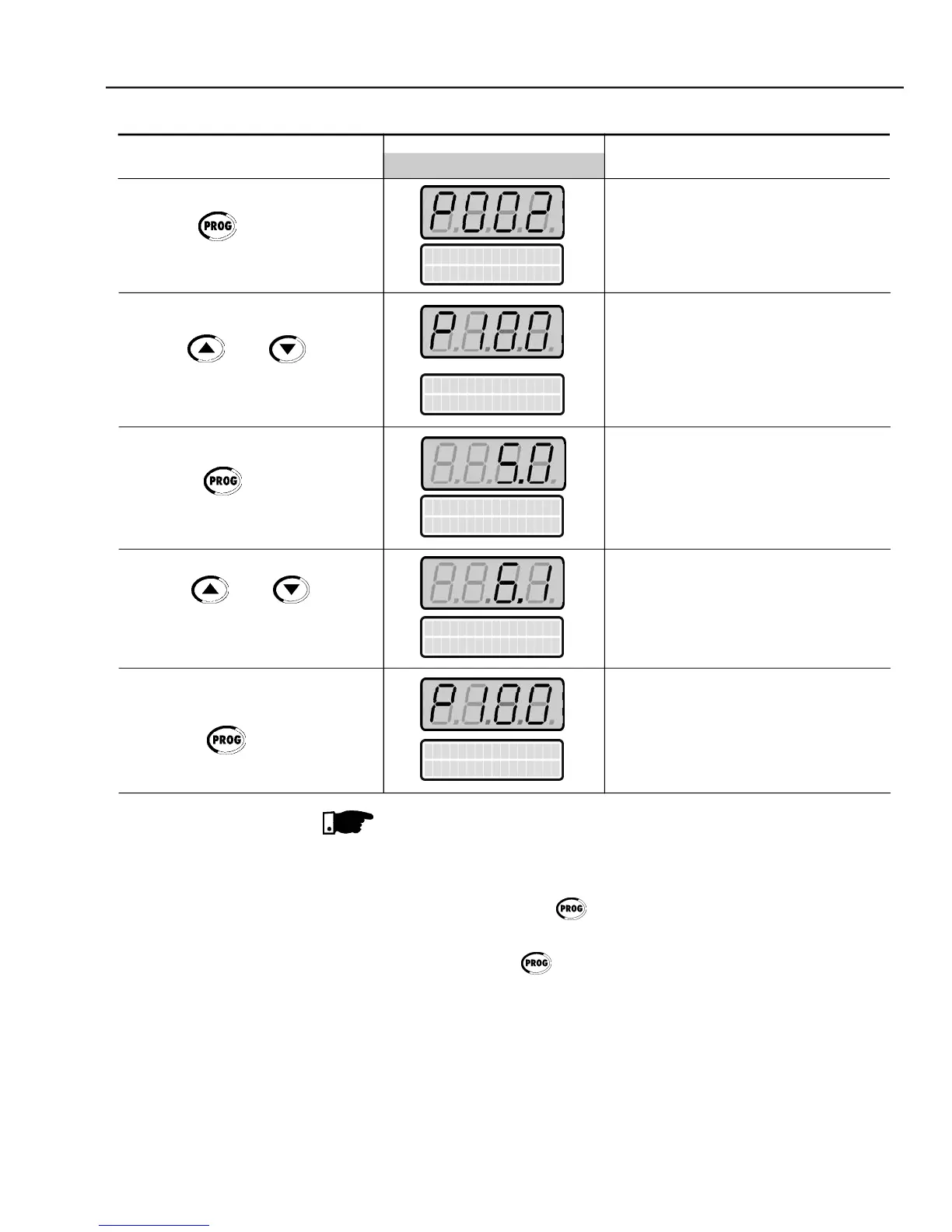
Select the desired parameter
Numeric value associated to the
Sets the new desired value.
For parameters that can be changed with the motor running, the inverter
will use the new value immediately after it has been set. For the parameters
that can be changed only with motor stopped, the inverter will use this new
set value only after the key is pressed.
By pressing the key after the reprogramming, the new programmed
value will be stored automatically and will remain stored until a new value is
If thelast valueprogrammedintheparameter is notfunctionallycompatible
withother parametervaluesalreadyprogrammed, anE24- ProgrammingError
Example of programmingerror:
Programming two digital inputs (DIx) with the same function. Refer to table
4.2 for the list of programming errors that will generate an E24 Programming



 To Next Page