ZEISS OPERATION Axio Imager 2
Operating the motorized microscope via the touchscreen of the TFT display
110 430000-7544-001 01/2016
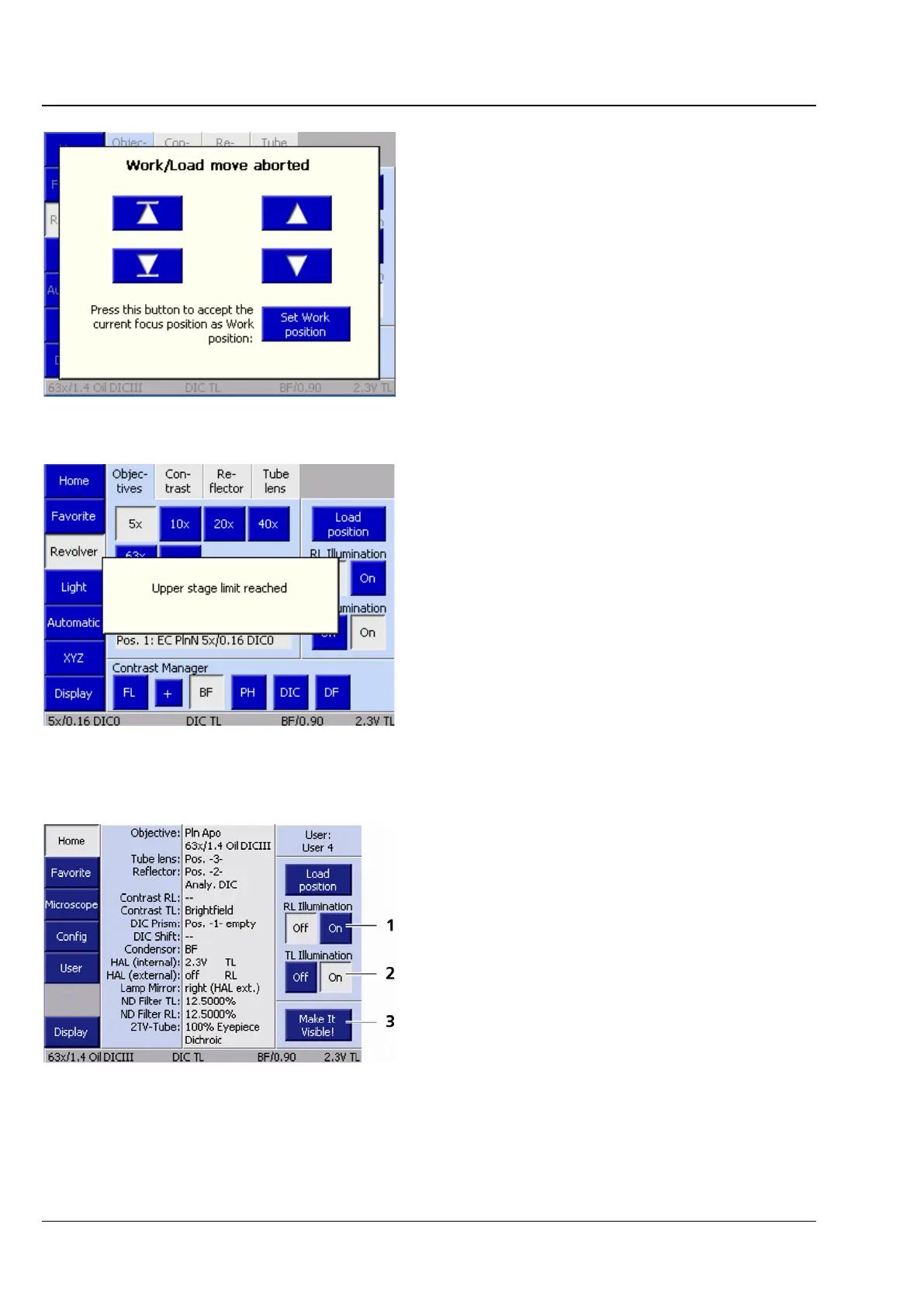
When the STOP button is pressed, the load travel
is aborted and a pop-up window (Fig. 98) is
displayed. The additional button which appears
here serves to move the stage to the load position
which was originally intended.
When the lower stage stop is reached, the
message "Lower stage stop reached" appears.
Under normal focusing drive operation, a pop-up
window (Fig. 99) appears as soon as the upper or
lower limit stop is reached.
− Reflected-light illumination button
(Fig. 100/1)
The Off and On buttons serve to open or
close the shutter for reflected light (RL).
− Transmitted-light illumination button
(Fig. 100/2)
The Off and On buttons serve to open or
close the shutter for transmitted light (TL). If
there is no shutter in the transmitted-light
path, the voltage of the configured lamp will
be adjusted instead.
Fig. 99 Motorized focusing drive reaches
stage limit switch








 To Next Page