Axio Imager 2 OPERATION ZEISS
Operating the motorized microscope via the touchscreen of the TFT display
01/2016 430000-7544-001 117
The light path can be controlled by pressing the
buttons. Various options are available,
depending on the type of component.
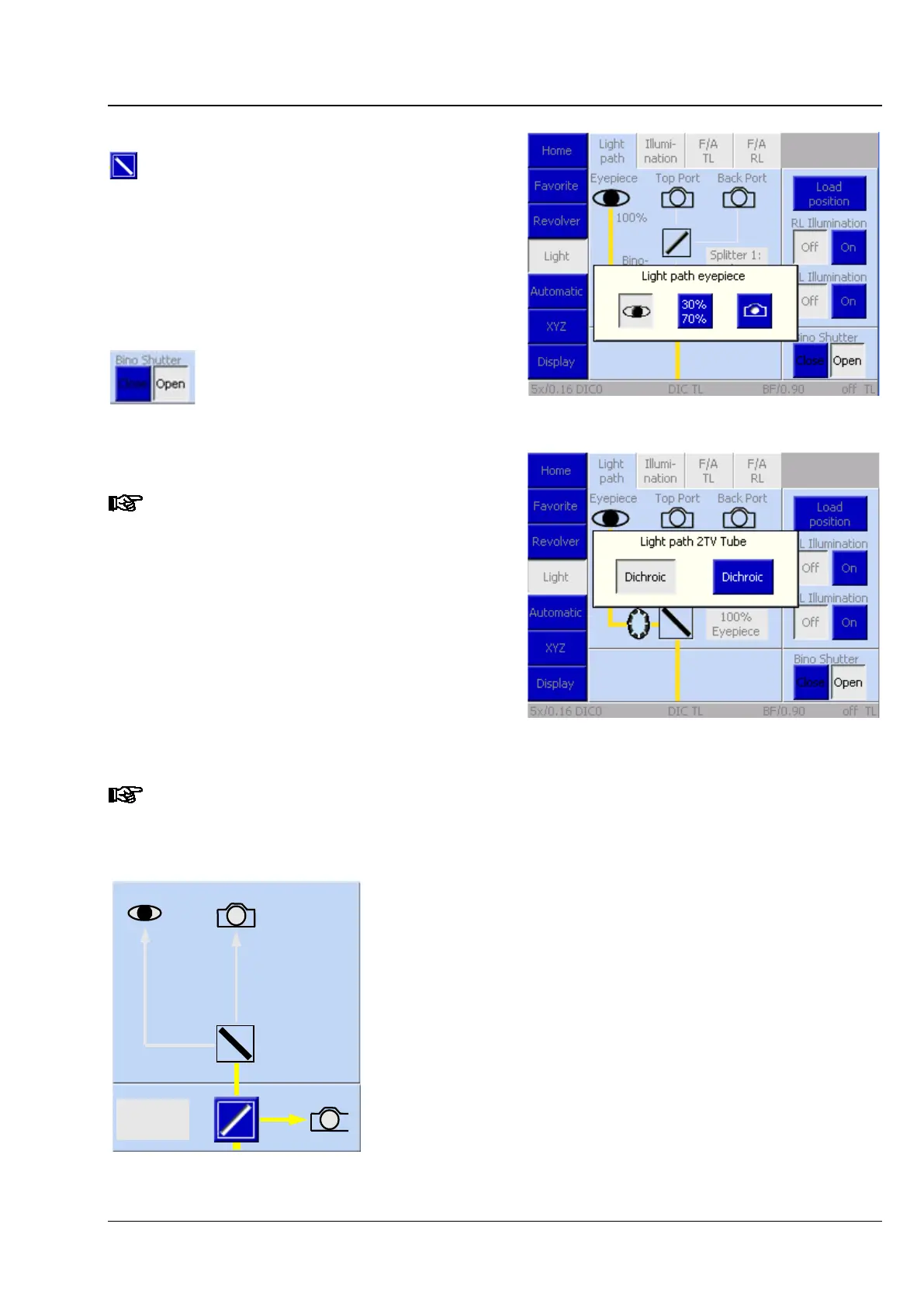
The first light path switch in the 2TV tube is
controlled in Fig. 113. Fig. 114 shows the controls
of the second light path switch in the 2TV tube.
If an eyepiece shutter is installed, the Bino Shutter
option is displayed in the Light path tab.
The eyepiece shutter is controlled independently of
the remaining light path by pressing the Open and
Close buttons.
This tab will not be available if there is
no light switch.
One of the following schematic diagrams, or a similar one, is displayed in the control area to
show the light path. The configuration is determined during the microscope initialization
process, which is why tube changes must take place while the microscope is switched off.
Side Port
Eyepiece
50/50%
50%
Top Port
− The motorized camera path deflection is
Port. The deflection plane mirror is active.
−
A manual tube (no 2TV tube, no Bino Shutter (eyepiece
shutter)) is installed. The "Eyepiece" mirror is inactive and the
light path unknown.
Fig. 113 Light path switch 1 in 2TV tube
Fig. 114 Light path switch 2 in 2TV tube








 To Next Page