Axio Imager 2 OPERATION ZEISS
Operating the motorized microscope via the touchscreen of the TFT display
01/2016 430000-7544-001 135
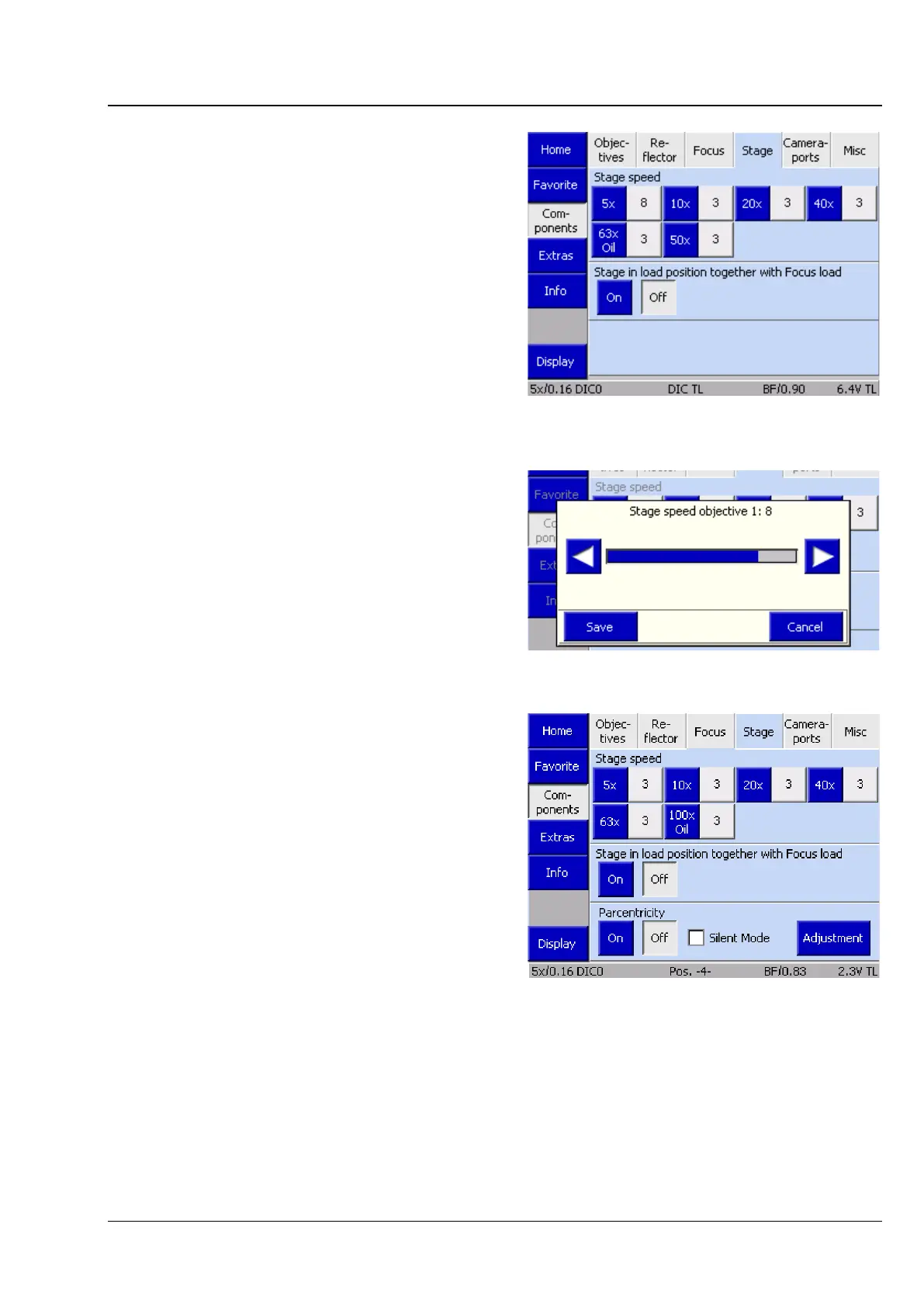
(4) Stage tab
If a motorized microscope stage (equipped with a
CAN bus controller) is used, this tab will be
displayed. Once an objective has been configured,
the stage is assigned a defined travel speed for the
objective position concerned.
Pressing one of the position buttons allows the
travel speed of the motorized stage to be adapted
to the individual objective magnification using the
◄► buttons.
Use the Stage in load position function to
activate or deactivate the XY stage movement for
the load position / operating position. This has an
effect on the functionality of the Load position
button available on the Microscope operation
page.
When the function is activated, the focusing drive
will first move into the load position. The stage
subsequently travels forward toward the user. This
allows the specimen to be changed easily.
Parcentricity
In this section a so-called parcentricity alignment
can be carried out for the objectives configured in
the objective nosepiece. The purpose of this
function is to detect mechanical and optical
tolerances between the objective nosepiece and
objectives in the Z and Y axis for each position of
the objective nosepiece, and to offer these as a
compensatory offset during objective changes. For
this, a reference point is positioned centrally in the
field of view for each objective.
For this function to be used effectively, a reticle
must be inserted in an eyepiece. This crossline is
overlaid with the reference point in the specimen.
If a camera is used, it is also recommended to use
an adjustable camera adapter. In the live image of
the software, the middle of the live image can now
be superimposed on the reference point of the
specimen by adjusting the camera adapter.
Fig. 143 Microscope -> Config ->
Components -> Stage
Fig. 144 Setting the stage speed
Fig. 145 Parcentricity








 To Next Page