ZEISS OPERATION Axio Imager 2
Operating the motorized microscope via the touchscreen of the TFT display
150 430000-7544-001 01/2016
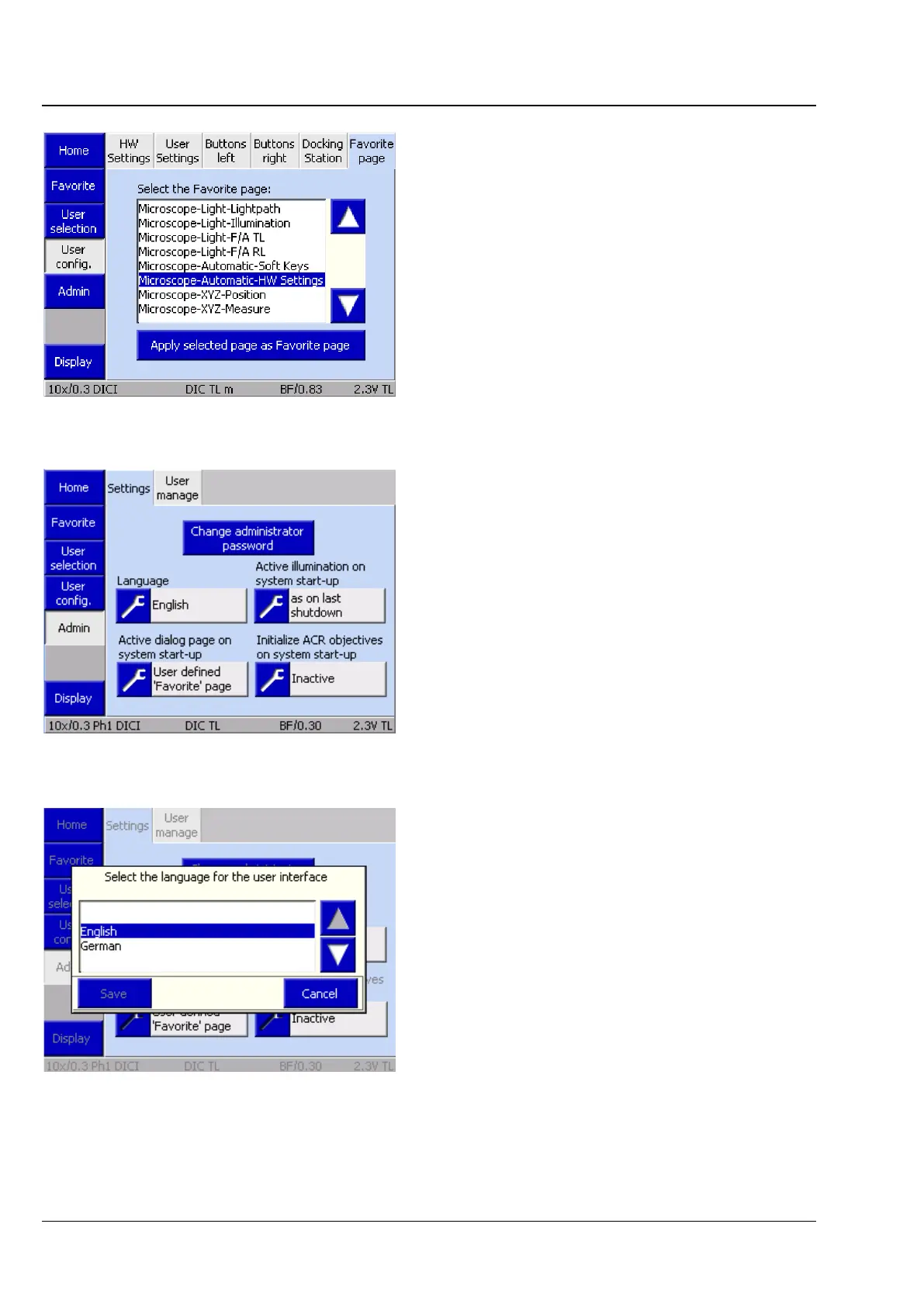
(6) Favorites page tab
On this page, the user can define one of the listed
tabs as a direct link.
• Use the arrow buttons to select the Favorites
page.
• To acknowledge, press the Adopt page as
favorite page button.
Important: This function is executed without
any confirmation prompt.
4.8.7.3 Admin page
There are two tabs on the Admin page:
− Settings
− User administration
(1) Settings tab
The following settings can be defined on this tab:
− Language
− Active illumination after switch-on
− Start page after switch-on
− Initialization of ACR objectives after switch-on
Language
German or English can be selected here.
Pressing the Save button results in the instrument
being restarted. After the restart, the microscope is
initialized with the selected language.
Fig. 180 Microscope -> User -> User
configuration ->Favorites page
Fig. 181 Microscope -> User -> Admin ->
Settings
Fig. 182 Select language








 To Next Page