Axio Imager 2 OPERATION ZEISS
Operating the motorized microscope via the touchscreen of the TFT display
01/2016 430000-7544-001 151
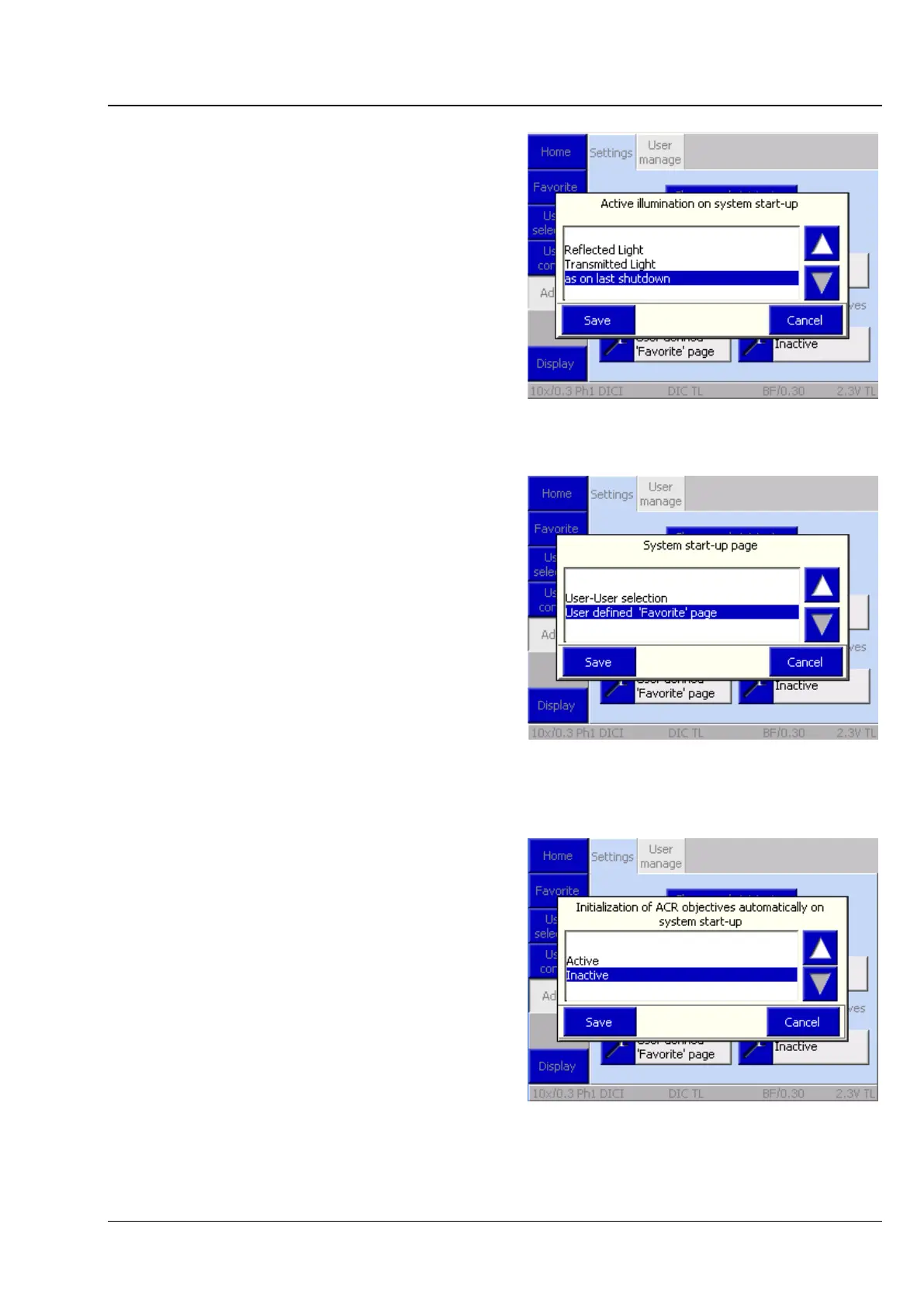
Active illumination after start-up (light path)
Here, the user can select the active light path when
the microscope is switched on.
− Reflected light:
The microscope starts with the reflected-light
illumination previously activated.
− Transmitted light:
The microscope starts with the transmitted-light
illumination previously activated.
− As on last shutdown:
The microscope launches in the state in which it
was turned off.
Start page after start-up
The page to be shown after starting the
microscope can be defined here. There are two
options:
− User selection
Primarily of interest for multi-user operation.
− Favorites page
Particularly useful whenever a specific page is
preferred.
Initialization of ACR objectives after start-up
There are two options:
− Active
When the instrument is started, a recognition
cycle may (!) be triggered by the user. A
confirmation prompt is displayed prior to the
recognition cycle.
− Inactive
The recognition cycle is triggered only if a
specific instruction is given in the settings menu.
Fig. 183 Light path upon switch-on
Fig. 184 Start page after switch-on
Fig. 185 Initialization of ACR objectives after








 To Next Page