ZEISS FIRST-TIME SET-UP Axio Imager 2
Mechanical stage 75x50 mot. CAN
78 430000-7544-001 01/2016
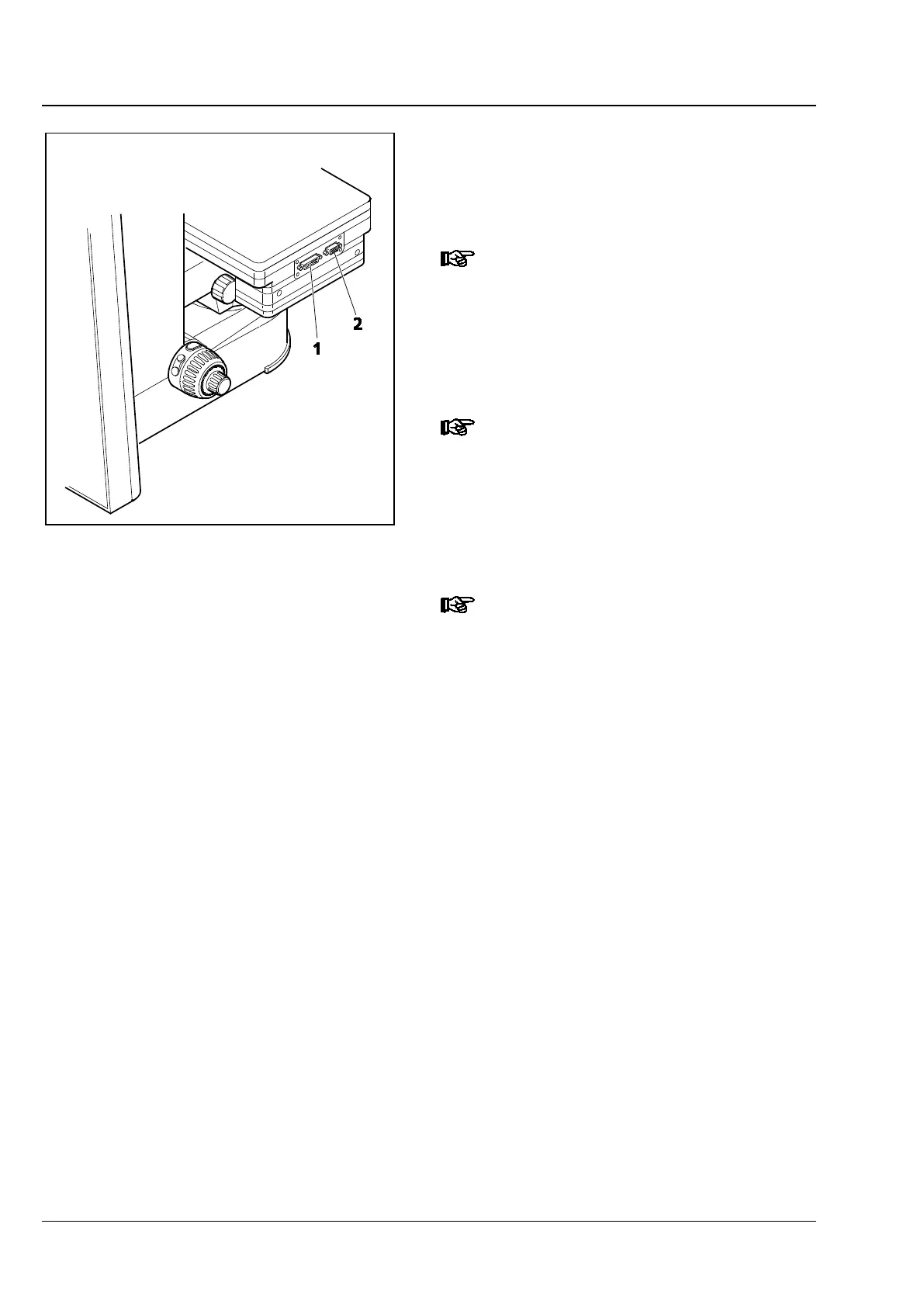
• Insert the mechanical stage-coaxial drive cable
with angled CAN bus connector (Fig. 70/3) into
one of the two sockets on the coaxial drive, and
the other plug into the socket (Fig. 71/1) of the
mechanical stage.
The connector panel of the mechanical
stage 75x50 mot.
mot. standard) is located on the left-
hand side.
• Connect the CAN connection socket on the
mechanical stage (Fig. 71/2) to that on the rear
of the stand using a CAN-bus cable.
The motorized stages can be connected
directly to the M2 /. M2m /. Z2 /. Z2m
stands via CAN-
bus. In this case the
travel speed can be adjusted via the TFT
display in accordance with the objective
magnification (see Section
Focus tab on
page 131).
If the objectives are specified when you
switch on the stand (.M2 / .M2m / .Z2 /
.Z2m), the optimum speed of stage
travel is calculated directly. However,
you may change (and store) this speed,
if necessary.
Fig. 71 Connecting Mechanical Stage 75x50
mot. CAN (Version 2 and mot.
standard)








 To Next Page