Instructions for Use 4 Installation
2660021169042 Rev. A 2018-03 4.3 Install Review Station Software
2660021169042 Rev. A 2018-03 51 / 246
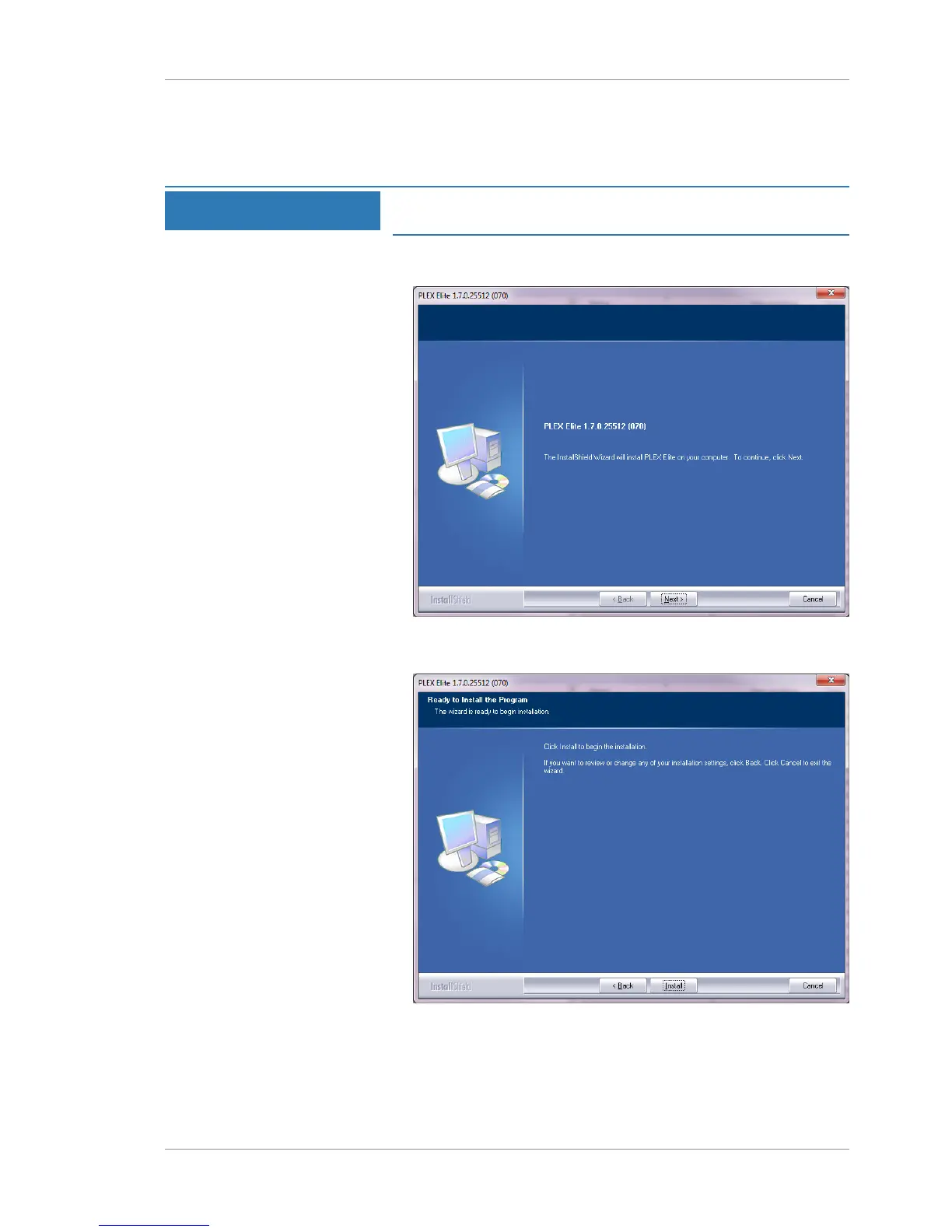
2. Navigate to the USB drive.
3. Double-click Setup.exe.
NOTE
Installation takes a few moments to prepare before the
installation wizard opens.
ð The installation wizard opens, prepares the installation and
opens installation settings.
4. Click Next.
ð The installation start prompt opens.
5. Click Install.






 To Next Page