Instructions for Use 6 Configuring Software
2660021169042 Rev. A 2018-03 6.1 System Administration
2660021169042 Rev. A 2018-03 63 / 246
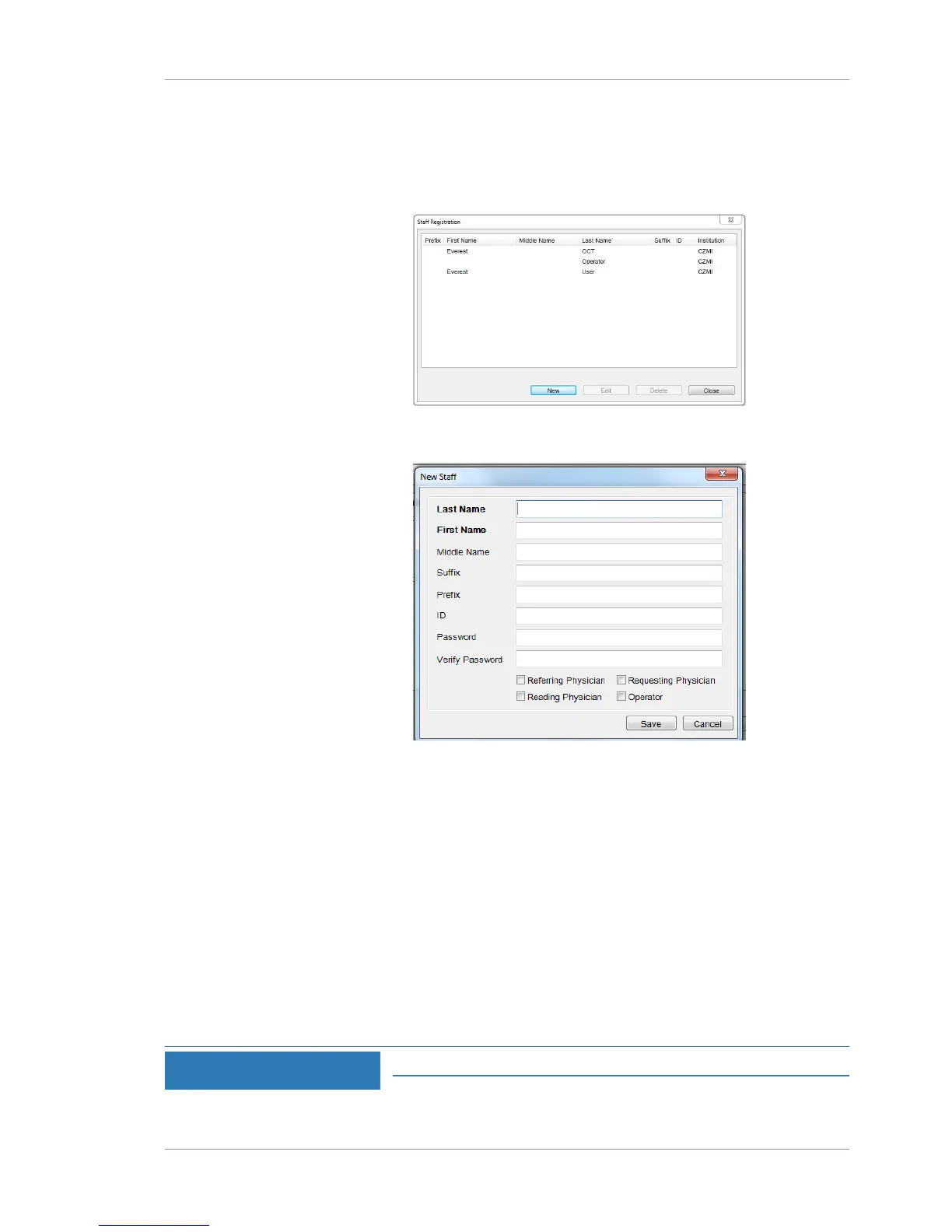
Action 1. Select Tools >Options > Users.
ð The Staff Registration dialog opens listing the users
already added to the system. If no users exist, the list is
empty.
2. Click New.
ð The New Staff dialog opens.
3. For Last Name, type the user's last name
4. For First Name, type the user's first name.
5. If available, complete Middle Name, Suffix, Prefix, and ID.
6. For Password, type a temporary password for the user.
7. For Verify Password, retype the temporary password.
8. Check the user type (see User Types [}62]). Make sure to check
Operator for anyone using the instrument or review software.
9. Click Save.
10. Provide the user with the password and ask them to log in and
set a different password.
6.1.4.4 Editing User Information and Password
NOTE
Only Administrators can complete this task.














 To Next Page