Instructions for Use 8 Operation
2660021169042 Rev. A 2018-03 8.5 Acquire Data (Scan)
2660021169042 Rev. A 2018-03 83 / 246
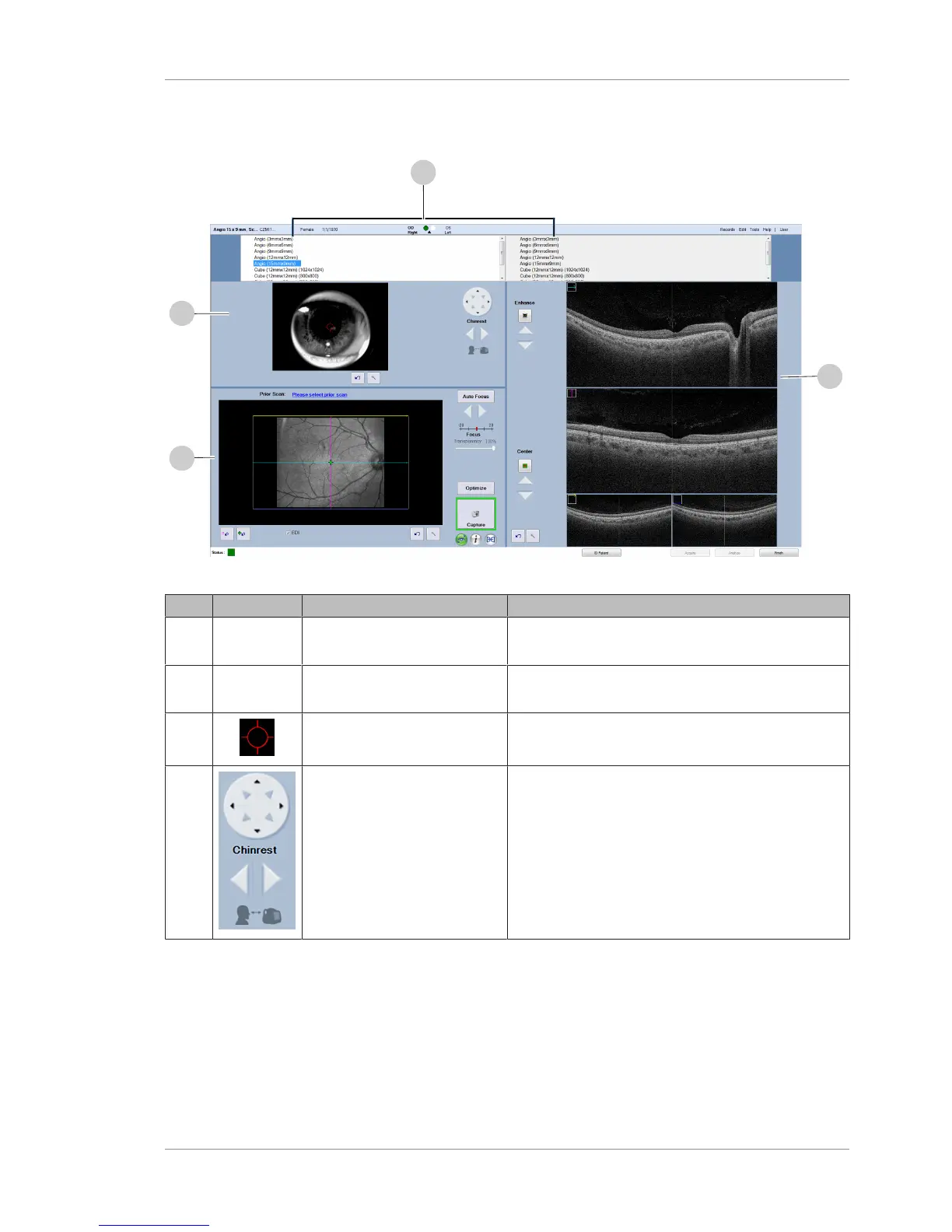
8.5.1.1 Acquire Angio, Cube, and HD 51 Scans Screen
Figure19: Angio Scan, Cube Scan, and HD 51 Scan: Acquire Screen
Pos. Symbol Name Explanation
1 <Select
one>
Scan Selection Selection list of scans available for OD (right eye) and
OS (left eye).
2 Live Iris
Viewport
Iris Viewport Displays the live image of the iris.
Pupil Target Indicates the pupil center alignment.
Chinrest Controls Adjusts the patient chinrest up, down, right or left.
Lower left arrow moves chinrest toward patient.
Lower right arrow moves chinrest toward device.













 To Next Page