8 Operation Instructions for Use
2660021169042 Rev. A 2018-038.5 Acquire Data (Scan)
84 / 246 2660021169042 Rev. A 2018-03
Pos. Symbol Name Explanation
3 Live
Fundus
Viewport
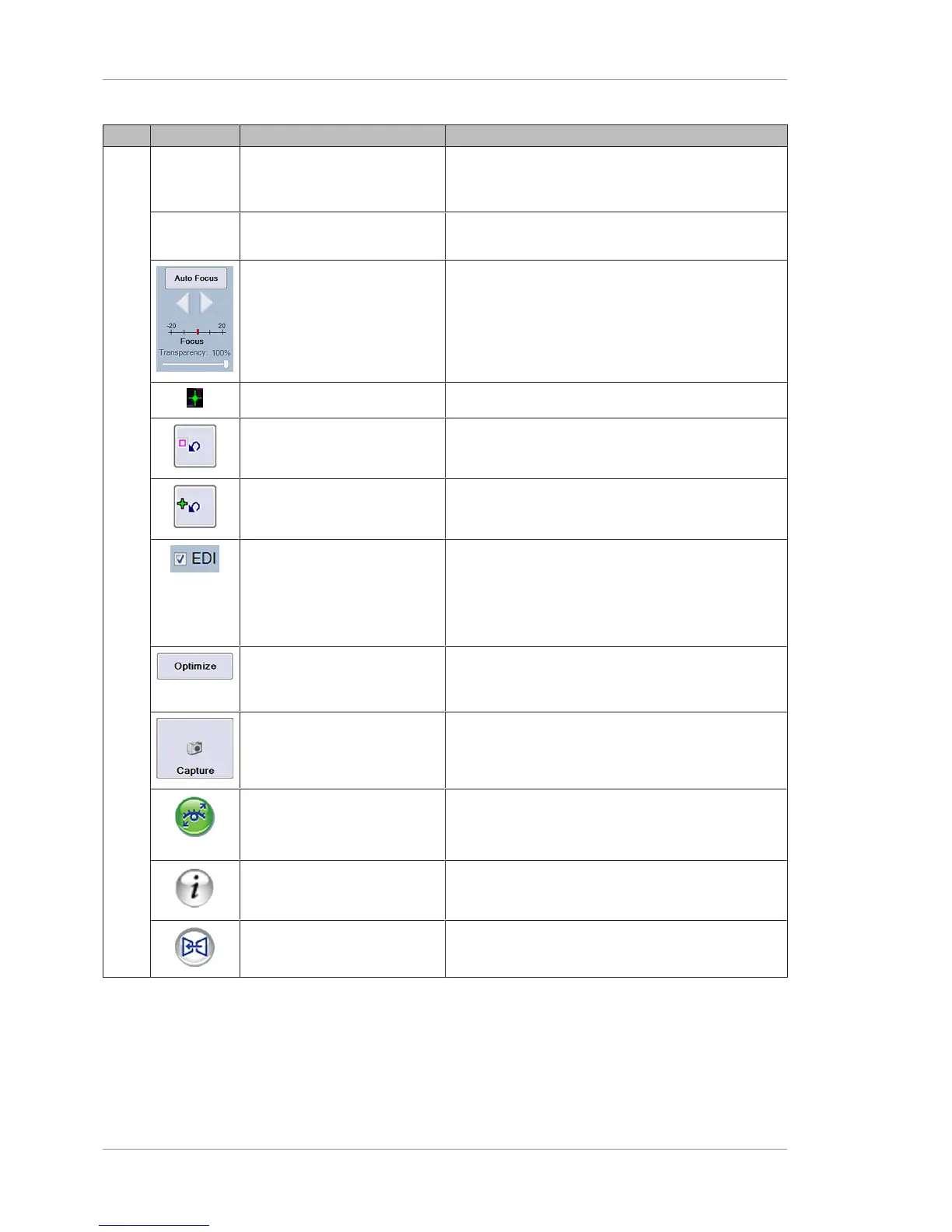
Fundus Viewport Displays the live image showing the scan pattern
limits.
Prior Scan Identifies Selected Prior Scan Replicates the settings of a prior scan (to compare
same scans of the same eye using the same settings).
Auto Focus Automatically focuses the live scan or use the focus
slider or arrows to adjust manually.
Adjusts transparency (slider).
Fixation Target Displays the location of the fixation target.
Reset Scan Pattern Returns to the default scan pattern position.
Reset Fixation Target Returns the fixation target to the center.
EDI Check Enhanced Depth Imaging to improve the
visibility of structures in B-scans.
Because the signal-to-noise ratio in OCT scans varies
across the axial range, you can change this setting to
obtain the best signal-to-noise ratio in the B-scan.
Optimize Automaticall ypositions the B-scan in the B-scan
viewport and runs the enhancement (polarization)
feature.
Capture Captures the scan.
FastTrac Indicates whether FastTrac is on or off.
NOTE!Tracking to prior automatically enables
FastTrac.
Help Displays the Instructions for Use.
Track to Prior Sets tracking to match the selected prior scan.













 To Next Page