Instructions for Use 8 Operation
2660021169042 Rev. A 2018-03 8.5 Acquire Data (Scan)
2660021169042 Rev. A 2018-03 93 / 246
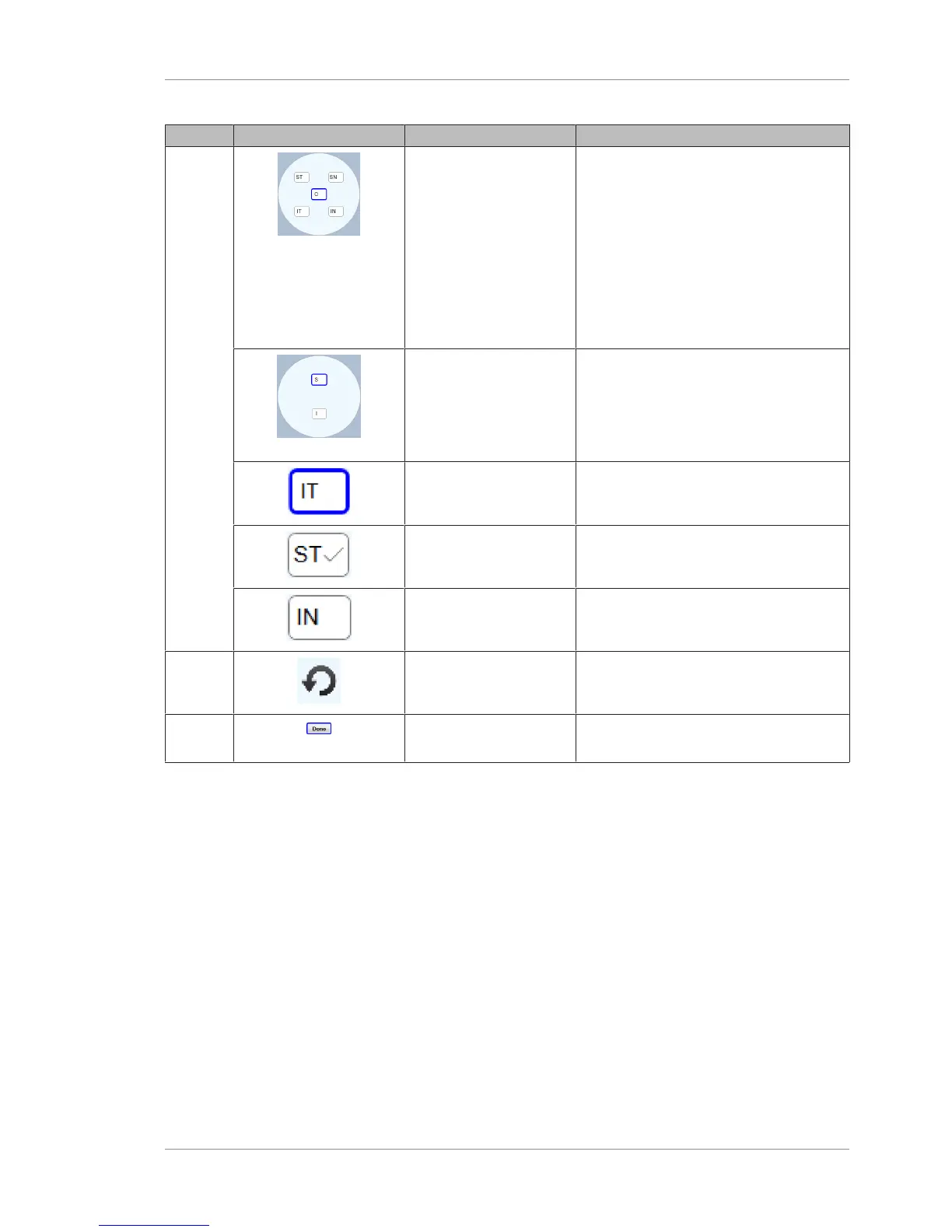
Pos. Symbol Name Explanation
2 Scan Positions (12mm x
12mm)
Preset positions for each of the five
component scans that are stitched
together to create a 12mm x 12 mm
montage.
• ST: Superior Temporal
• SN: Superior Nasal
• C: Center
• IT: Inferior Temporal
• IN: Inferior Nasal
Scan Positions (15mm x
9mm)
Preset positions for both component scans
that are stitched together to create a
15mm x 9mm montage.
• S: Superior
• I: Inferior
Selected Scan Position Indicates which scan will be acquired next
(outlined in blue).
Acquired Scan Indicates which scans were already
acquired.
Scan Not Yet Acquired Indicates scans they are not yet acquired.
3 Retake Scan Enables you to retake a component scan
while acquiring the montage series.
4 Done Ends the montage series before all
component scans are acquired.
8.5.3.2 Acquiring Montage Scans
To repeat the settings for a prior scan, see: Repeating an Earlier
Scan [}96].
To acquire Montage Scans:
Prerequisite
þ Select the Patient [}74]
þ Prepare the Patient [}78]
þ Determine Scan Type [}80]
Action 1. Select Acquire.
ð The Acquire Screen opens.
2. Select the appropriate Montage Angio (1) scan size under OD
or OS.













 To Next Page