ACF5000 FTIR ANALYZER SYSTEM | OI/ACF5000-EN REV. A 131
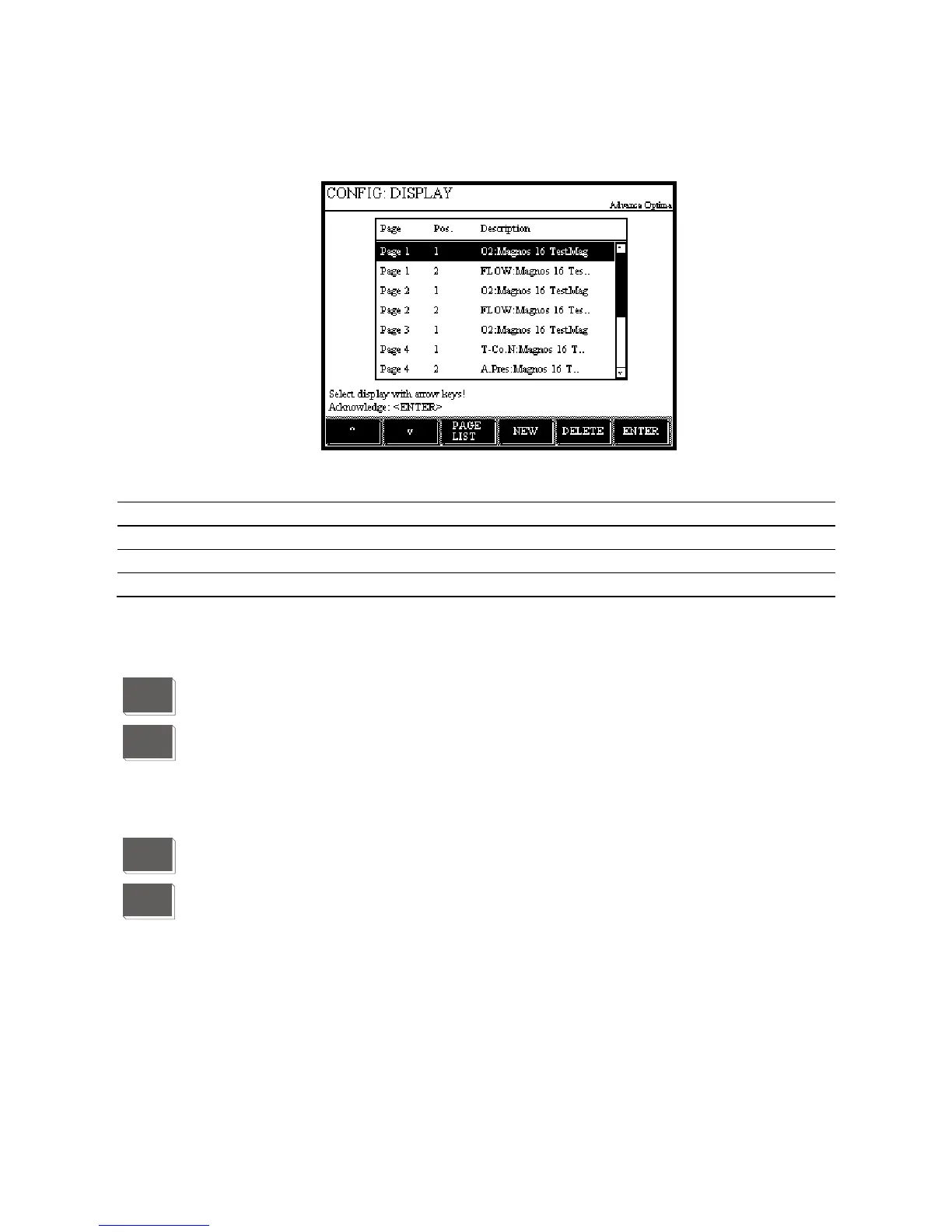
Display overview
Display overview
Parameter
Parameter Explanation
Page
Name of page on which the value is displayed
Pos.
Position of the display on the page
Description
Name of the value
Softkeys in the screen overview
The screen overview softkeys have the following functions:
With the PAGE LIST softkey, the user calls up the page overview
(see page 132).
With the NEW softkey, the user starts the configuration of a new display
element, e.g.
Configuring the bar display or point display (see page 137),
Value input (see page 139),
Key entry (see page 141).
With the REMOVE softkey, the user deletes the selected display element.
With the ENTER softkey, the user calls up the parameter overview
(see page 133) of the selected display element.
PAGE
LIST
NEW
DELETE
ENTER


 To Next Page