Attaching the Module
If there is a camera module currently mounted on the PCR II Plus,
follow the instructions in the next section, Removing the Module, to
remove it.
Follow this procedure to attach the 35mm camera module:
Step 1: Clean any dust from the circular glass plate in the center of
the recessed area on the PCR II Plus.
Note: If there are finger prints or dirt on the glass
plate, use the same cleaning materials and tech-
niques you would use for cleaning a camera lens.
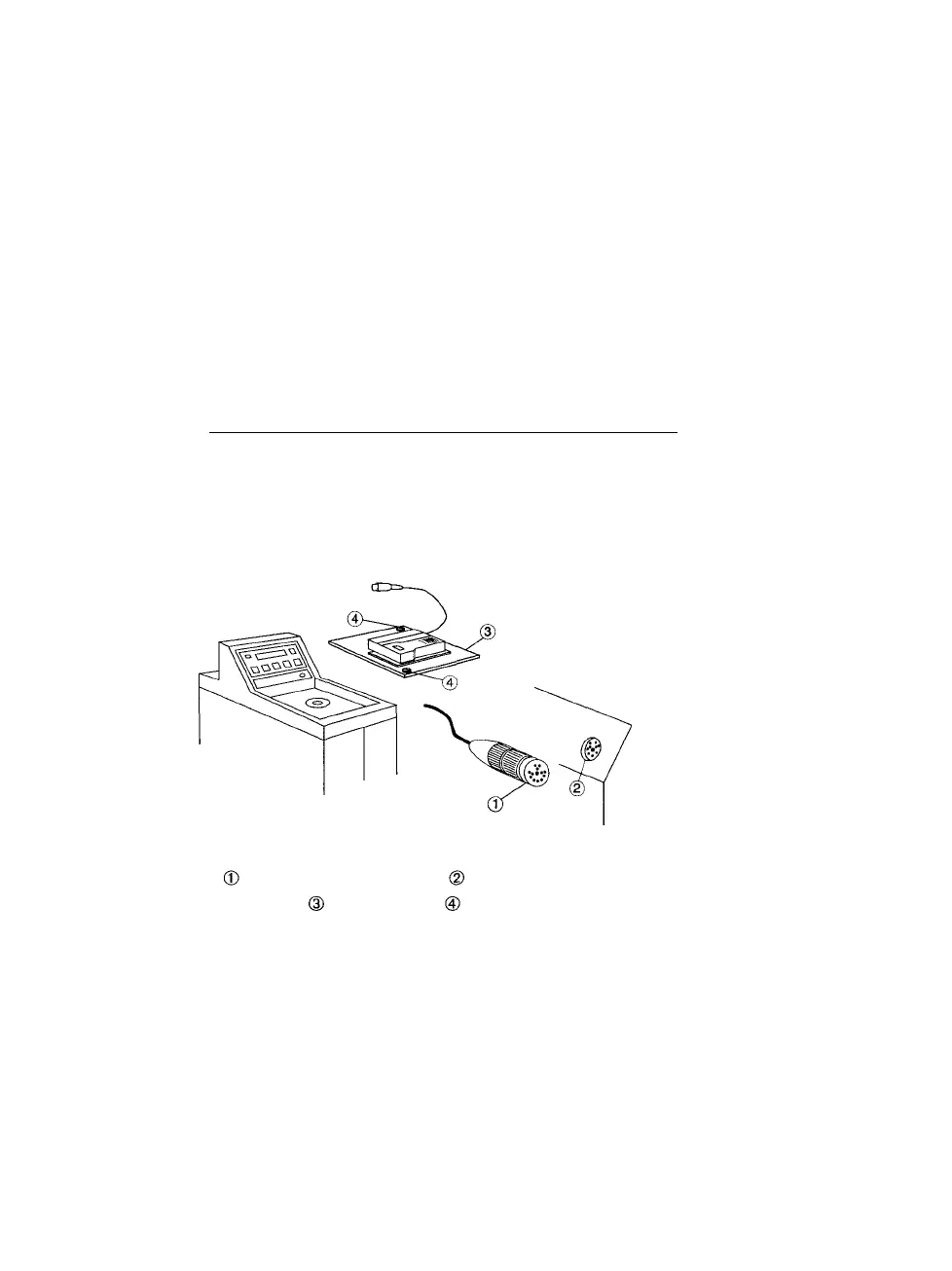
Step 2: Align the module inside the recessed area on top of the
PCR II Plus. The module plate fits tightly on the two regis-
tration pins on the film recorder, and it can only be oriented
in one direction. See Figure 1.
Figure 1. Attaching the camera module.
-Module cable connector. -Module cable receptacle.
-Module plate. -Thumb screws.
Step 3: Push down both thumb screws on the module plate and turn
them clockwise until they are tight.
Step 4: Insert the module cable connector into the module cable
receptacle. Tighten the connector by turning the outer ring
clockwise.
2 • PCR II Plus 35mm Camera Module



 To Next Page