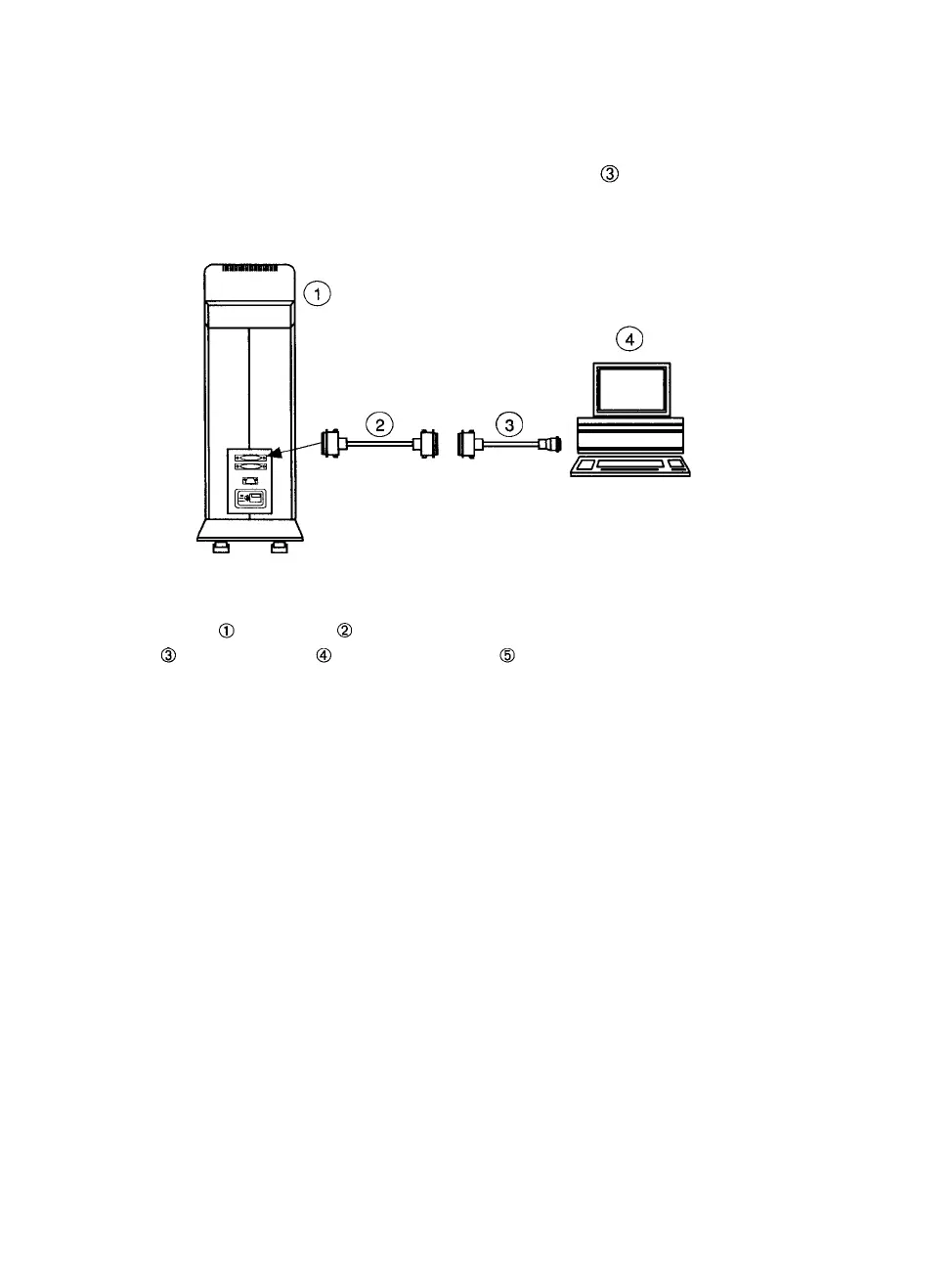
SCSI Interface Single Device Configuration
Connect the SCSI cable to either SCSI interface connector on the PCR
II Plus. You can also add the cable extender (item in Figure 2.7) if
you need a longer cable to reach from the Macintosh to the film re-
corder.
Figure 2.7. Single device setup. Both the PCR II Plus and
the host computer are terminated internally
-SCSI ports. -PCR II Plus with internal termination on.
-Cable extender. -SCSI system cable. -Macintosh host computer.
SCSI Interface Multiple Device Configuration
Peripheral devices, such as the PCR II Plus film recorder, have two
SCSI ports. These ports are used for terminators, incoming data, and
outgoing data and can be used interchangeably. See Figures 2.8 and
2.9.
The PCR II Plus can be internally terminated. The film recorder's posi-
tion in the SCSI chain determines whether you should turn internal
termination on or off:
• At the end of the chain, turn on internal termination.
• Anywhere else on the chain, turn off internal termination.
2-8 • PCR II Plus User Guide



 To Next Page