Loading the Film Cartridge
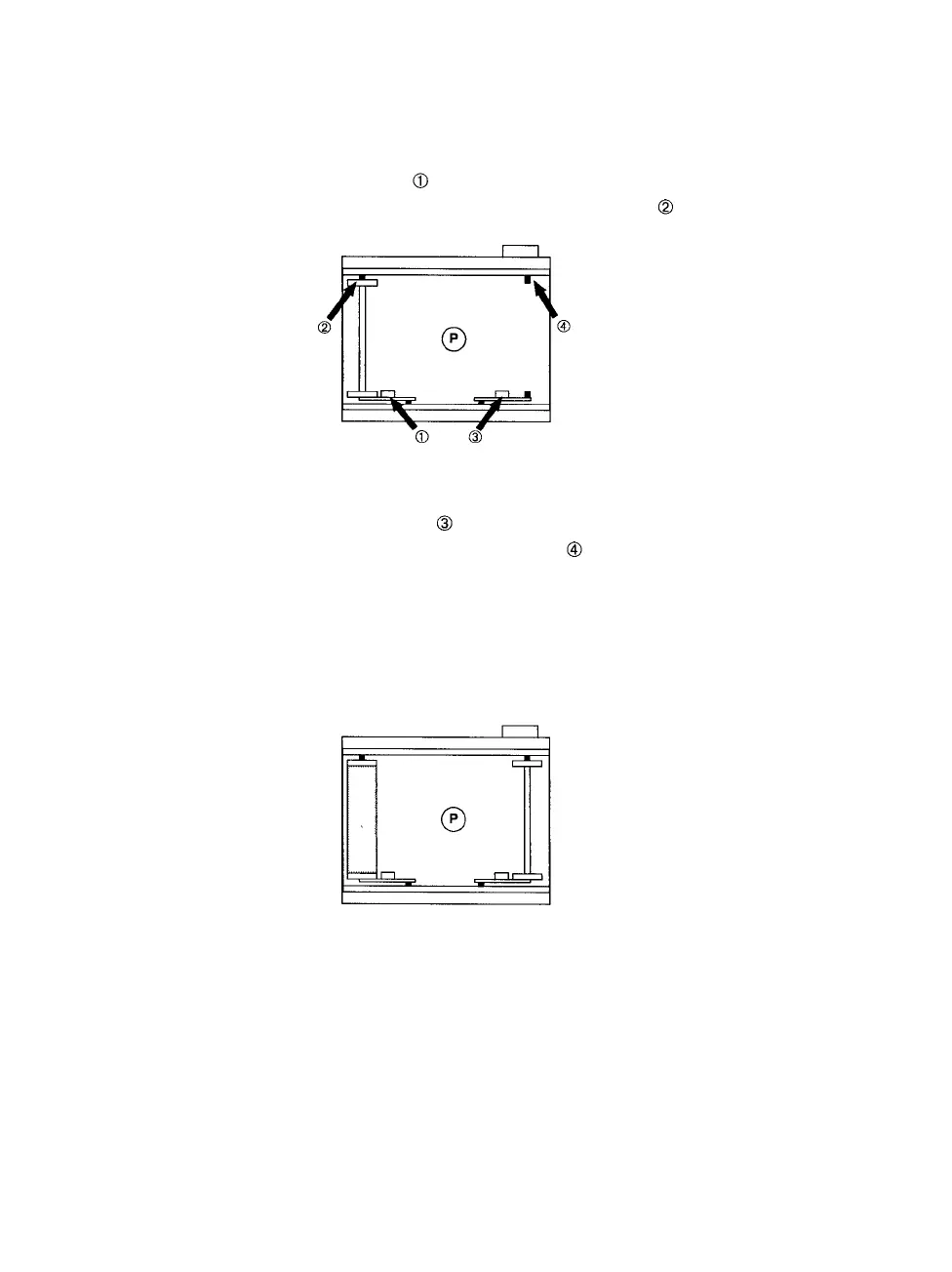
Step 1: Remove the empty spool from the left side of the cartridge.
Lift
the
left
metal
tab ( in
Figure
6) to
loosen
the
spool,
then
remove the spool from the left upper film stud ( ).
Figure 6. Remove the empty film spool.
Step
2:
Lift
the
right
metal
tab ( in
Figure
6) and
insert
the
empty
spool onto the right upper film stud ( ). Lower the tab and
insert the lower film stud into the spool.
Step
3:
Insert
a new
roll
of
film
into
the
left
side
of the
cartridge.
Seat
the new roll on the left upper film stud, then lower the left
tab and
seat
the
bottom
end of the new
roll
of
film
on the
bot-
tom film stud.
Figure 7.
6 • PCR II Plus 120/220 Camera Module



 To Next Page