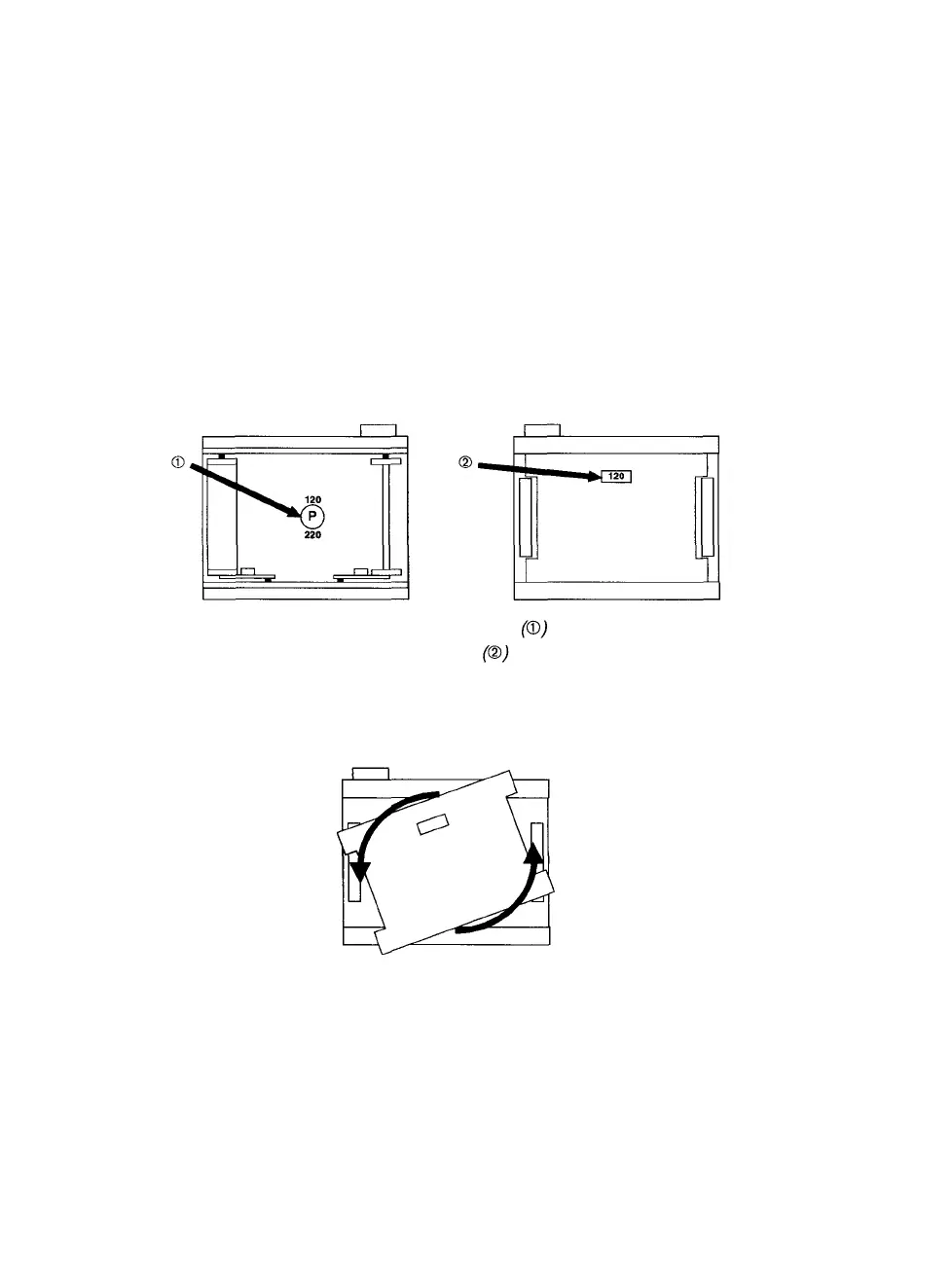
Changing Between 120 and 220 Film
The 120/220 camera module can use either 120 or 220 roll film. You
need to change the position of the film cartridge pressure plate to
match the type of film you are using. Change the pressure plate posi-
tion before you complete the film loading procedure or when the car-
tridge is empty. Follow this procedure:
Step 1: Remove the film cartridge from the 120/220 module.
Step 2:
With your fingertips, push in the pressure plate selector dial
(® in Figure 3). This lifts the pressure plate up and away
from the other side of the cartridge.
Figure 3 The pressure plate selector dial and pressure plate
in position for 120 film A window in the pressure plate
displays the current film size
Step 3: While pushing the selector dial, rotate it 180 degrees.
Figure 4 Push in the pressure plate selector dial and rotate it 180 degrees
4 • PCR II Plus 120/220 Camera Module



 To Next Page