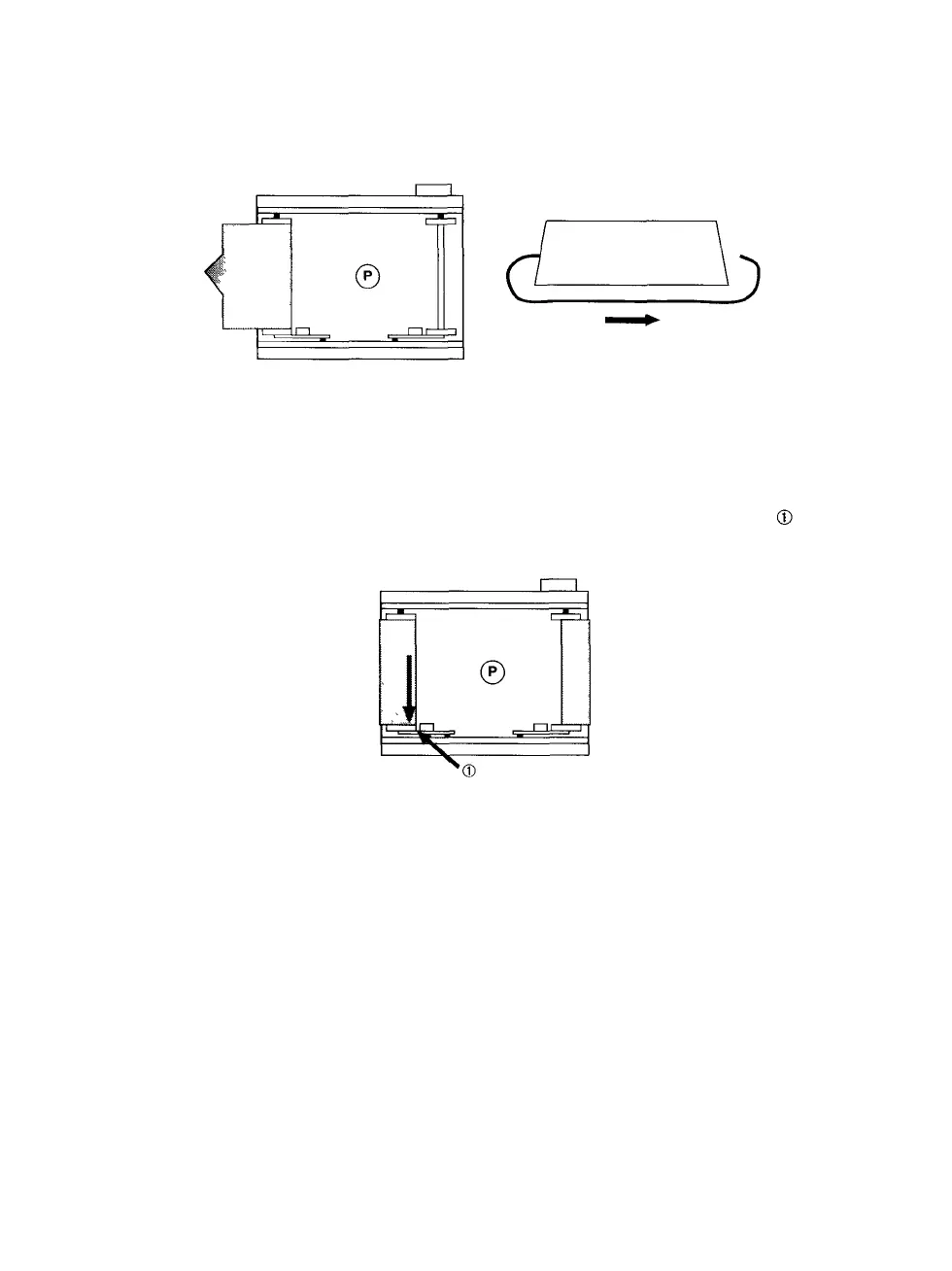
Step 4: Unwrap the new roll of film and feed it around the cartridge.
See Figure 8. The tab in the roll of film fits into a slot on the
empty spool.
Step 5:
Figure 8.
Turn the film advance knob to wind the film securely onto
the empty spool. Advance the film until an arrow printed on
the film backing appears. See Figure 9. Stop when the arrow
lines up with the arrow stamped on the left metal tab ( in
Figure 9).
Figure 9.
Step
6:
Place
the
film
cartridge
into
the
opening
of the
film
cassette.
Close the back cover, hold it in place, and push both of the
back cover latches in to close them.
PCR II Plus 120/220 Camera Module • 7



 To Next Page