72 Agilent 7100 Capillary Electrophoresis System User Manual
4 LAN Configuration
Manual Configuration
With Telnet
Whenever a TCP/IP connection to the 7100 CE instrument is possible (TCP/IP
parameters set by any method), the parameters may be altered by opening a
Telnet session. Please refer to “Using Default” on page 67 for establishing an
initial LAN connection.
1 Open the system (DOS) prompt window by clicking the Windows START
button and select "Run...". Type "cmd" and press OK.
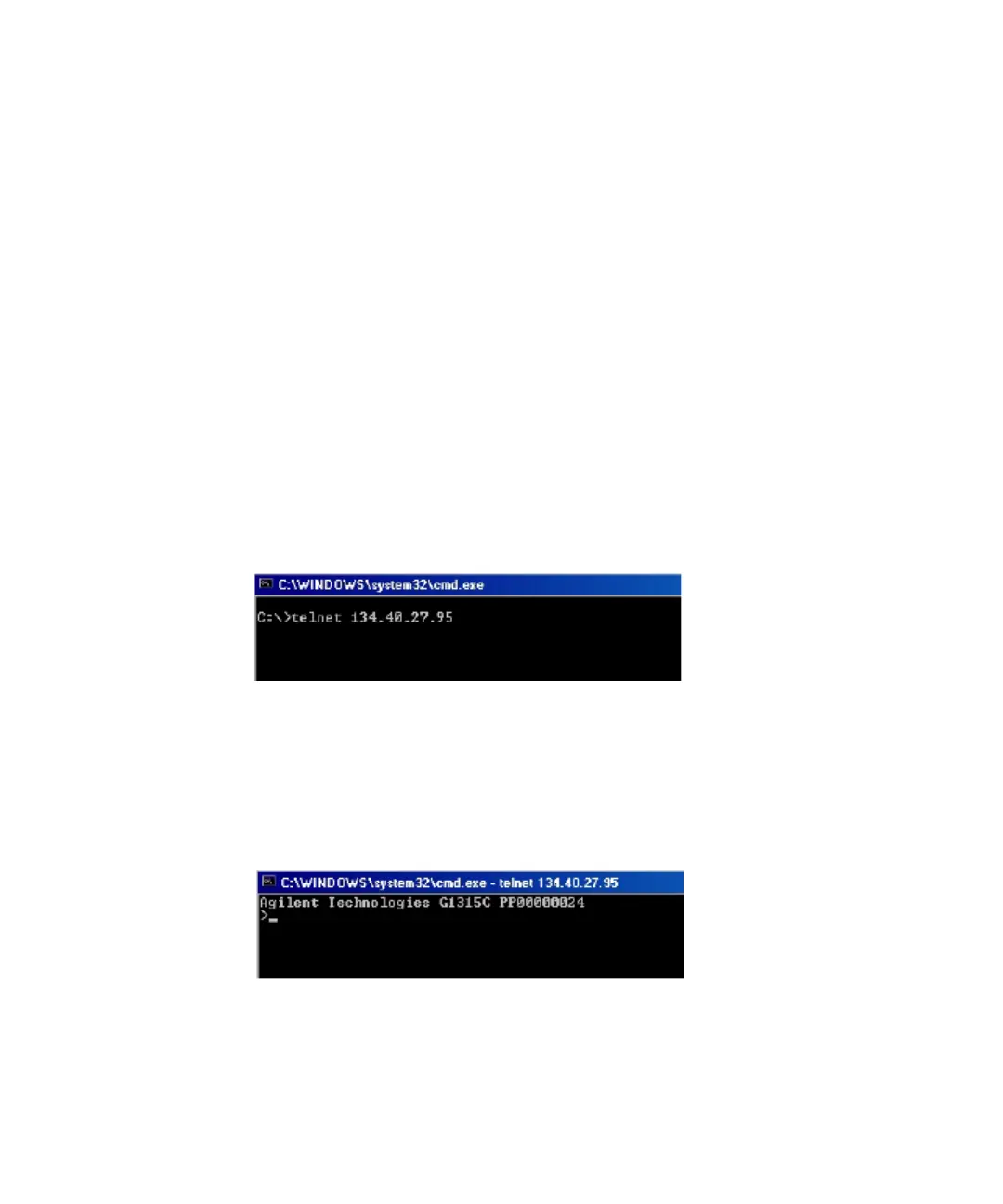
2 Type the following after the system (DOS) prompt:
•
c:\>telnet <IP address>
or
•
c:\>telnet <host name>
Figure 8 Telnet - starting a session
where <IP address> may contain the assigned address from a Bootp cycle, or
the default IP address (see “Configuration Switch” on page 64).
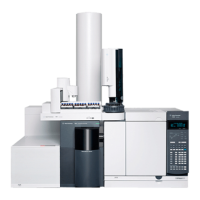
If the connection is established successfully, the instrument responds with the
following:
Figure 9 A connection to the instrument has been made





 To Next Page