In AED mode, the system displays only one ECG waveform from the multi-function pad. The
AED information area in the middle of the screen displays information such as AED defibrillation,
AED prompts, contact impedance indication (configurable), and the number of shocks.
4.3 AED Steps
4.3.1 AED Settings
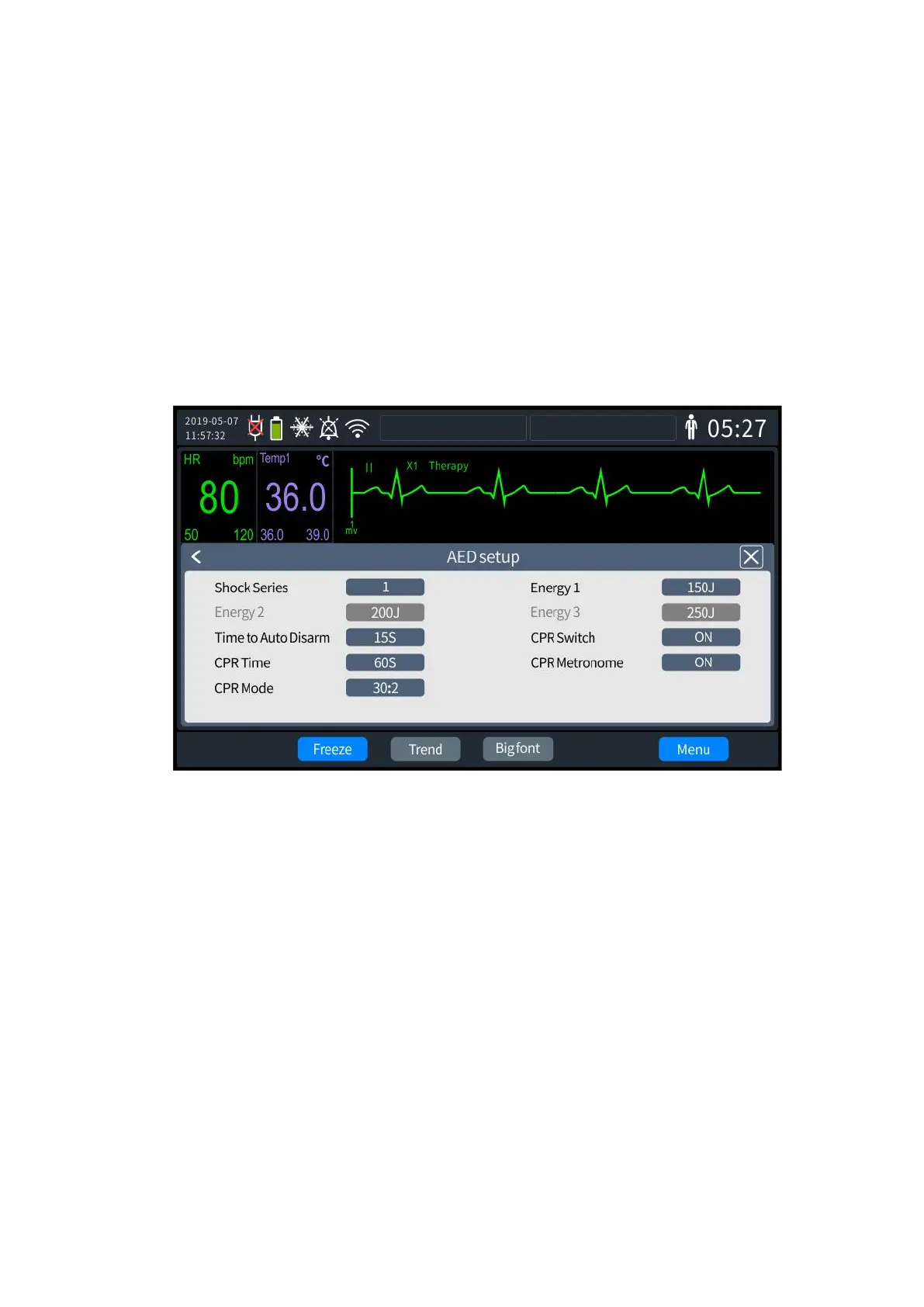
The AED-related information can be set as follows:
1. Press the knob to bring up the [Menu] screen and select [General Configuration] - [AED
settings]. The AED settings screen is shown in the following:
4- 2 AED settings
2. Select [Stacked Shocks] for the number of times "1~3".
3. Set shock energy for shocks 1-3, and the energy value can be set as 100, 150, 175, 200,
300 and 360.
4. Select [Auto Disarm Time] to set the hold time of shock energy, which can be set as 30s,
60s, 90s or 120s.
5. Select [CPR On/Off], which can be set to"On" or "Off".
6. Select [CPR Time], which can be set to 30s, 60s, 90s, 120s, 150s, and 180s.
7. Select [CPR beat], which can be set to "On" or "Off".
8. Select [CPR mode], and ventilation mode "30:2" and "15:2" can be set with continuous
pressing.
9. Once set up, exit the settings screen, and the Defibrillator Monitor will automatically
update to the latest settings.
Note: To set shock energy in child mode, you need to switch to child mode first.



 To Next Page