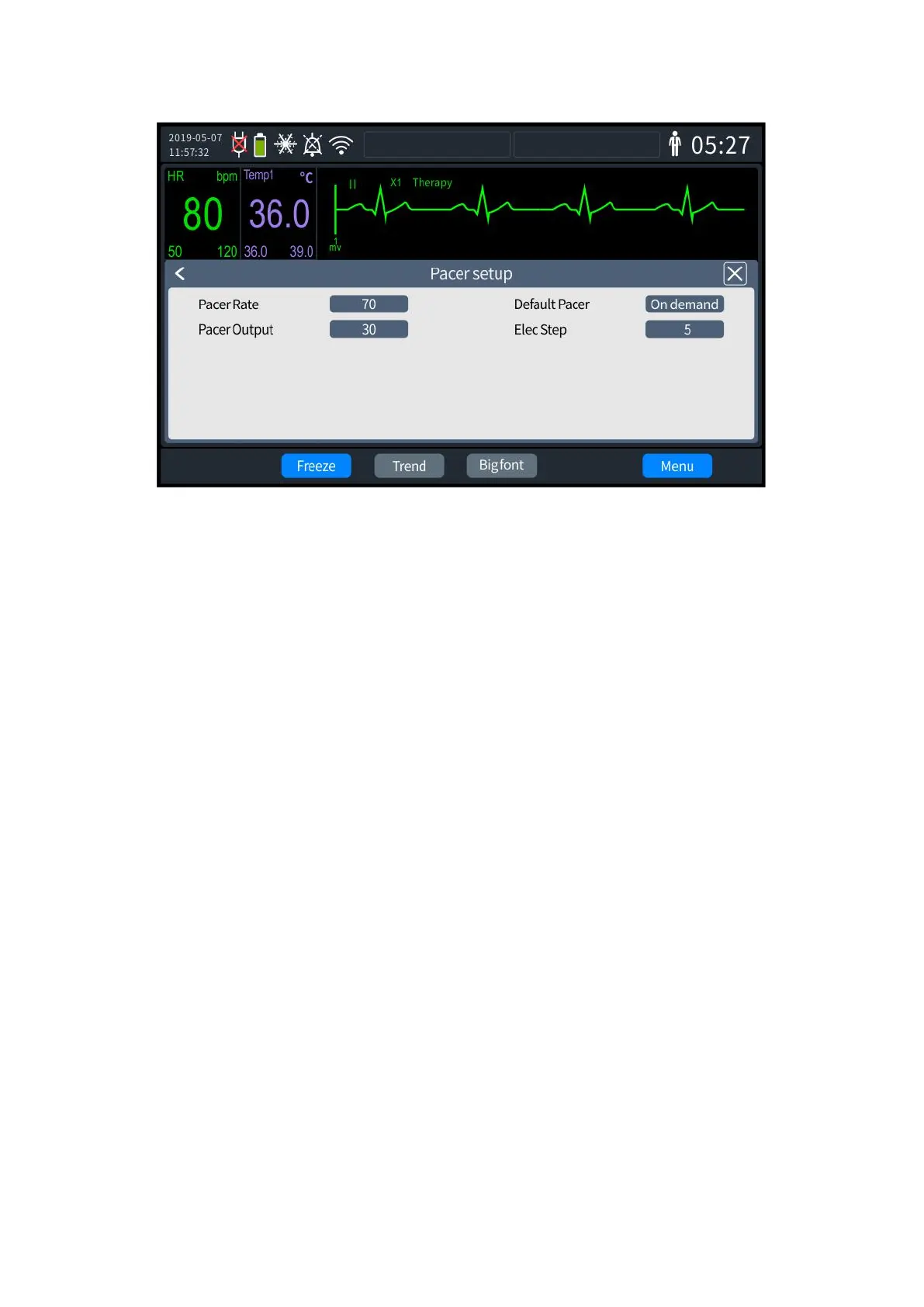
7- 2 pacing setting
2. Select [Pacing Rate] to set the required rate or set the pacer mode on the parameter
hotkey on the Defibrillator Monitor panel.
3. Select [Default Pacing Method] to set "Fixed" or "On-demand" pacing. The pacer mode
can also be set on the Defibrillator Monitor panel by using the hotkey.
4. Select [Pacing Current] to set the required current or set the pacer mode using the
parameter hotkey on the Defibrillator Monitor panel.
5. Once set up, exit the settings screen, and the Defibrillator Monitor will automatically
update to the latest settings.
7.4 Pacing Steps
1. Insert the pad cable into the therapy port on the right side of the defibrillator monitor,
and firmly insert it until it is placed.
2. Ensure that the multi-function pads are well packaged and within the expiration date.
3. Connect the pads to the pad cable.
4. Use the anterior-anterior or front-rear placement position to place the pads on the
patient.
5. If on-demand pacer mode is used, ECG monitoring using ECG leads is required. Connect
the ECG cable and place the ECG electrode. Refer to "6.4.1ECG lead monitoring." To obtain a good
ECG signal, ensure that there is a sufficient distance between the ECG electrode and the therapy
electrode.
6. Set the desired [Pacing Rate] and [Pacing Current].



 To Next Page