5. Once set up, exit the settings screen, and the Defibrillator Monitor will automatically
update to the latest settings.
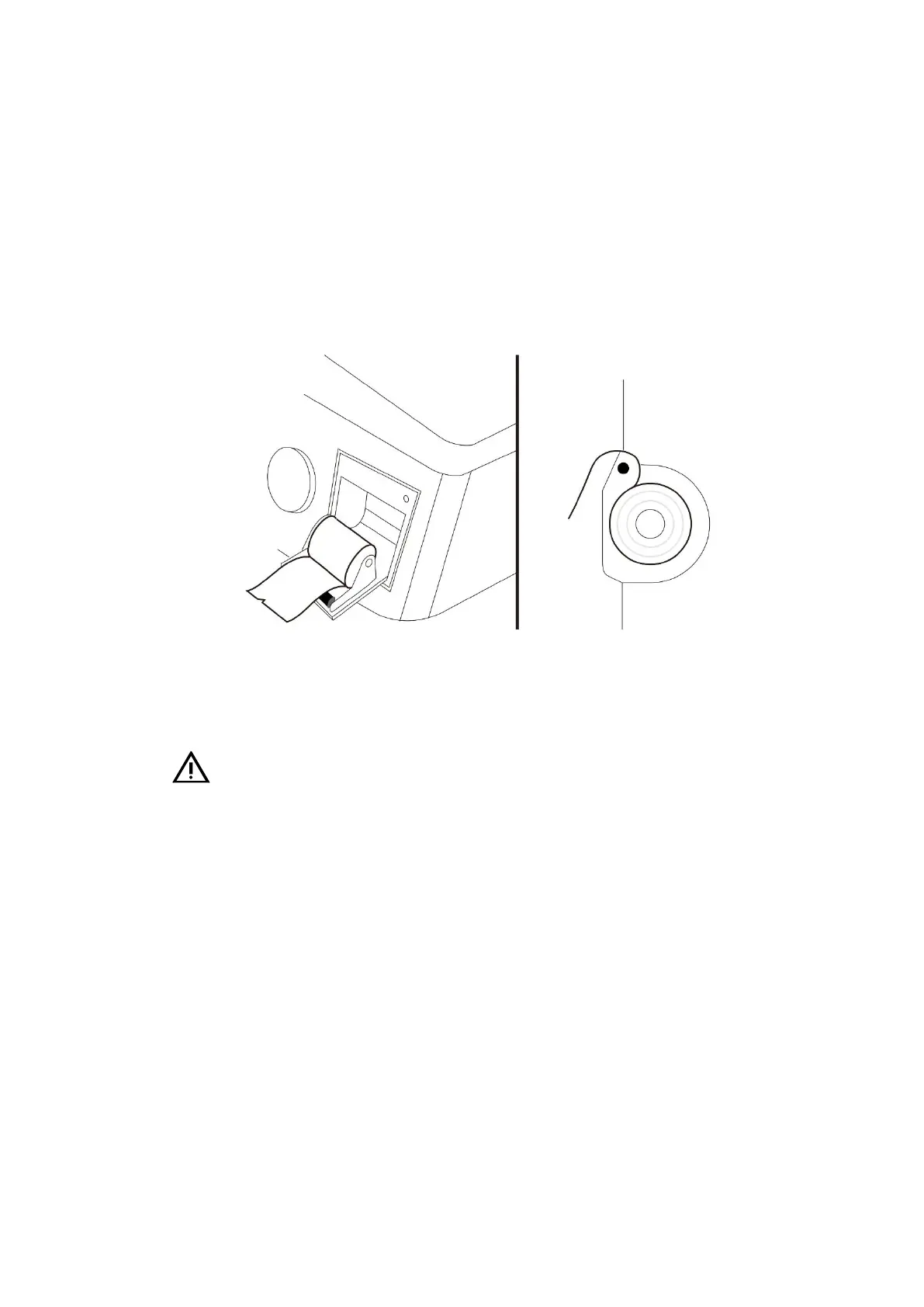
13.5 Recording Paper Loading
1. Open the recorder door by turning outward the handle on the upper right corner of the
recorder.
2. Load the recording paper into the paper tray with the paper head located outside the
paper outlet.
13- 2 Recording Paper Loading
3. Close the recorder door.
4. Check the position of the recording paper to ensure that it is aligned with the paper
outlet.
Caution:
• Thermal recording paper provided by our company must be used. Otherwise, it may
lead to recording failure, poor recording quality, or thermal printing head damage.
• Do not pull the paper outward by force during paper printing to prevent damage to the
recorder.
• Keep the recording door closed unless you are changing paper or troubleshooting.
13.6 Clear Paper Jam
When the sound of the recorder or the printing of the recording paper is abnormal, check
whether the recorder is jammed first. If it is jammed, follow the steps below to clear the jam:
1. Open the recorder door.
2. Pull out the recording paper and cut the wrinkled portion.
3. Reload the recording paper and close the recorder door.



 To Next Page