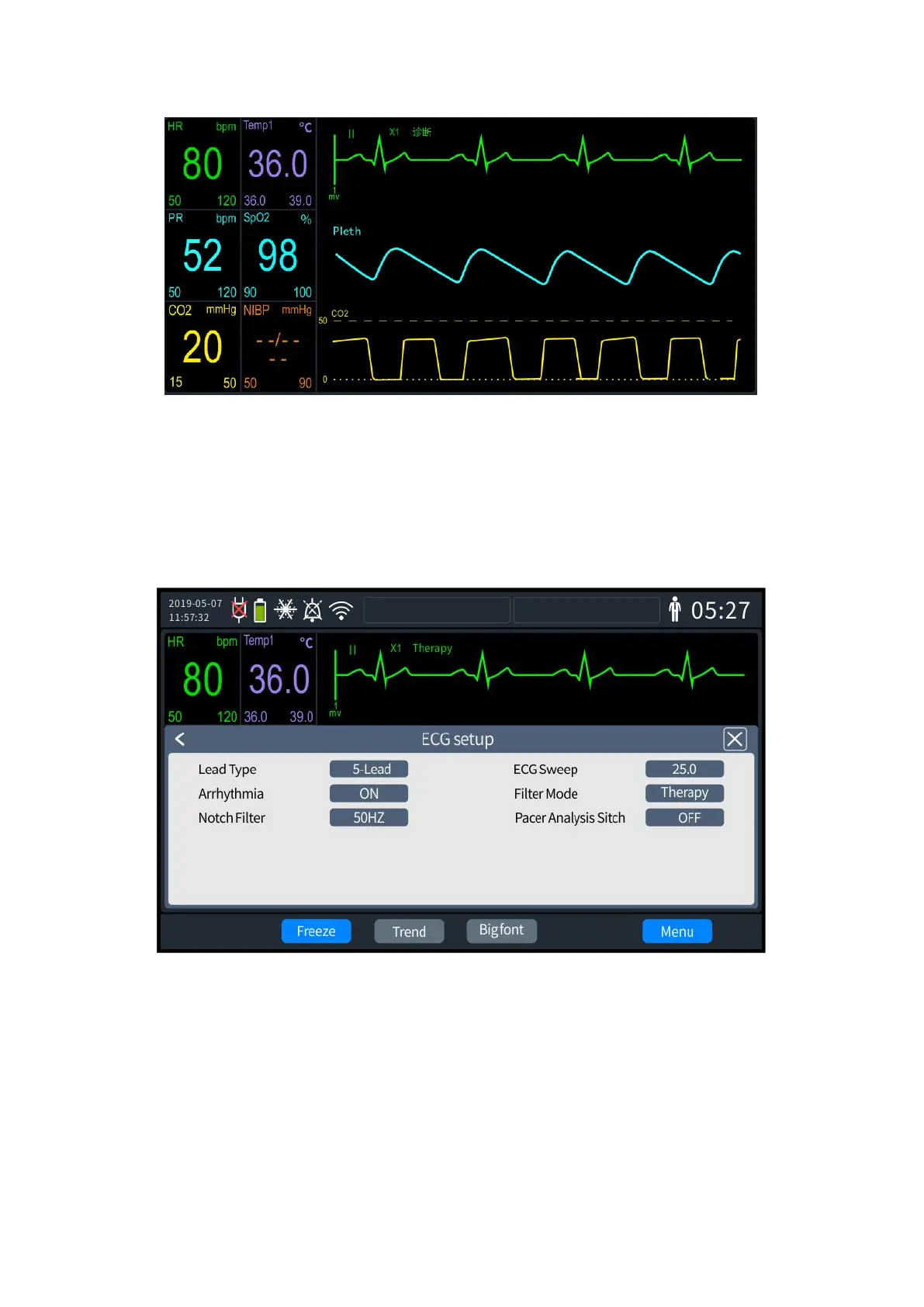
6- 1 ECG monitoring screen
6.3 ECG Monitoring Settings
ECG-related information can be set as follows:
1. Press the knob to bring up the Menu screen and select [General Configuration] - [ECG
settings]. The ECG settings screen is shown in the following figure.
6- 2 ECG settings
2. Select [Lead Type], which can be set to "3-Lead" and "5-Lead.
3. Select [ECG Waveform Speed], which can be set to "6.25," "12.5," "25.0" and "50.0".
4. Select [Filtering Way], which can be set to "Diagnostic", "Therapy" and "Monitor".
5. Select [Arrhythmia Analysis], which can be set to "On" or "Off".
6. Select [Power Frequency Limit], which can be set to "On" or "Off".
7. Select [Pacing Analysis], which can be set to "On" or "Off".
8. Once set up, exit the settings screen, and the Defibrillator Monitor will automatically



 To Next Page