Medium alarm: Yellow, with a blinking frequency of 0.4 Hz-0.8 Hz.
Low alarm: Yellow, steady on and not blinking
"beep-beep-beep--beep-beep-----beep-beep-beep--beep-beep"
(high alarm);
"beep-beep-beep" (medium alarm);
"beep" (low alarm);
When an alarm occurs, the alarm text prompt is displayed in the
corresponding alarm area
19.2 Alarm Settings
19.2.1 Alarm System Settings
For the system setting of alarm information, please refer to "3.3.1 Alarm Settings".
19.2.2 Alarm Level Settings
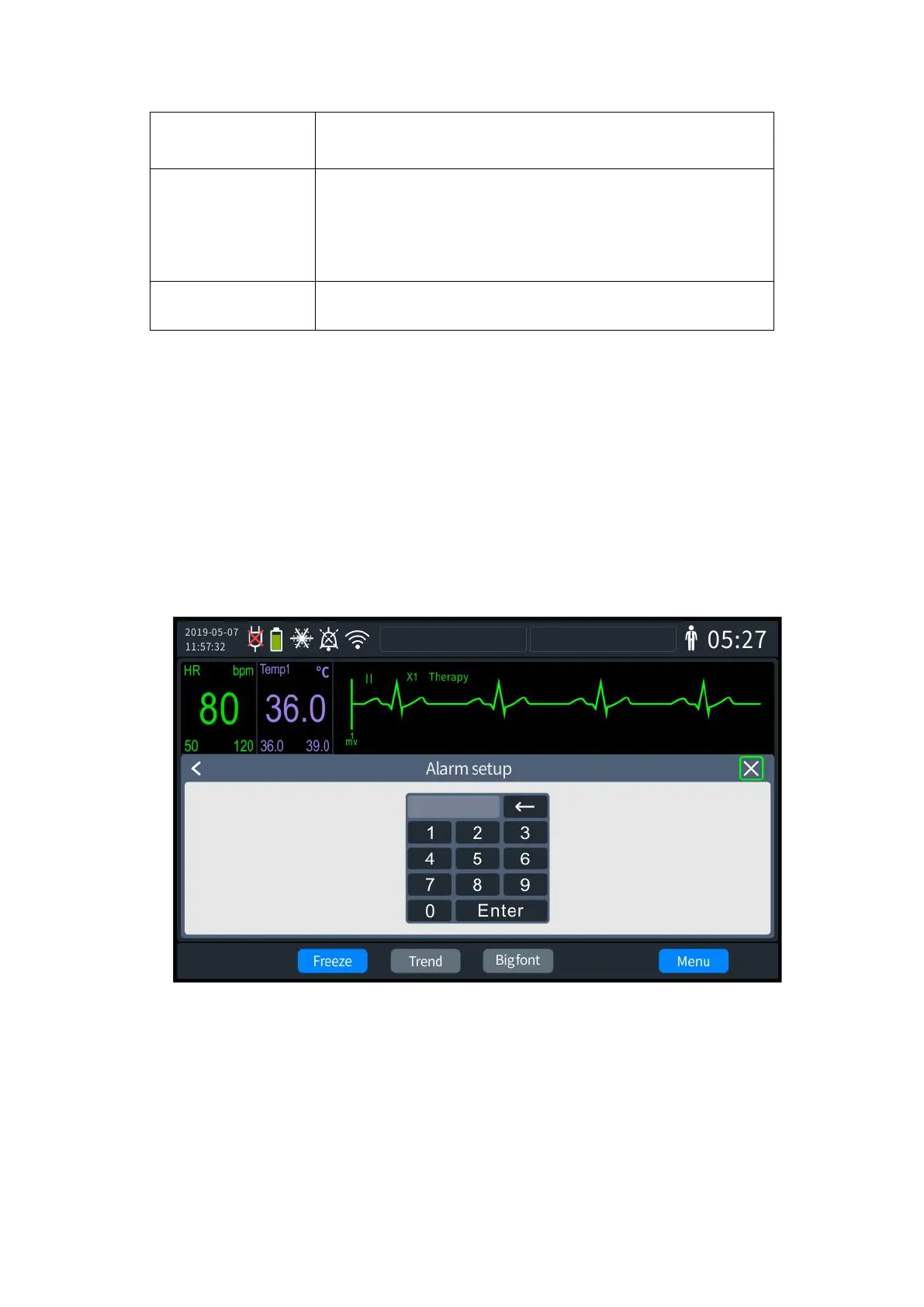
1) Press the knob to bring up the [Menu] screen and select [General Configuration] -
[Alarm settings]. At this point, Enter Password screen will be displayed. The factory default
password is "000000".
19- 1 Password for alarm settings
2) When the password is correctly entered, the Alarm settings screen is displayed, as
shown below



 To Next Page