7. Press the [Start] soft key to perform pacing, and a prompt"Pacing..." will appear in the
pacing information area of the defibrillator monitor.
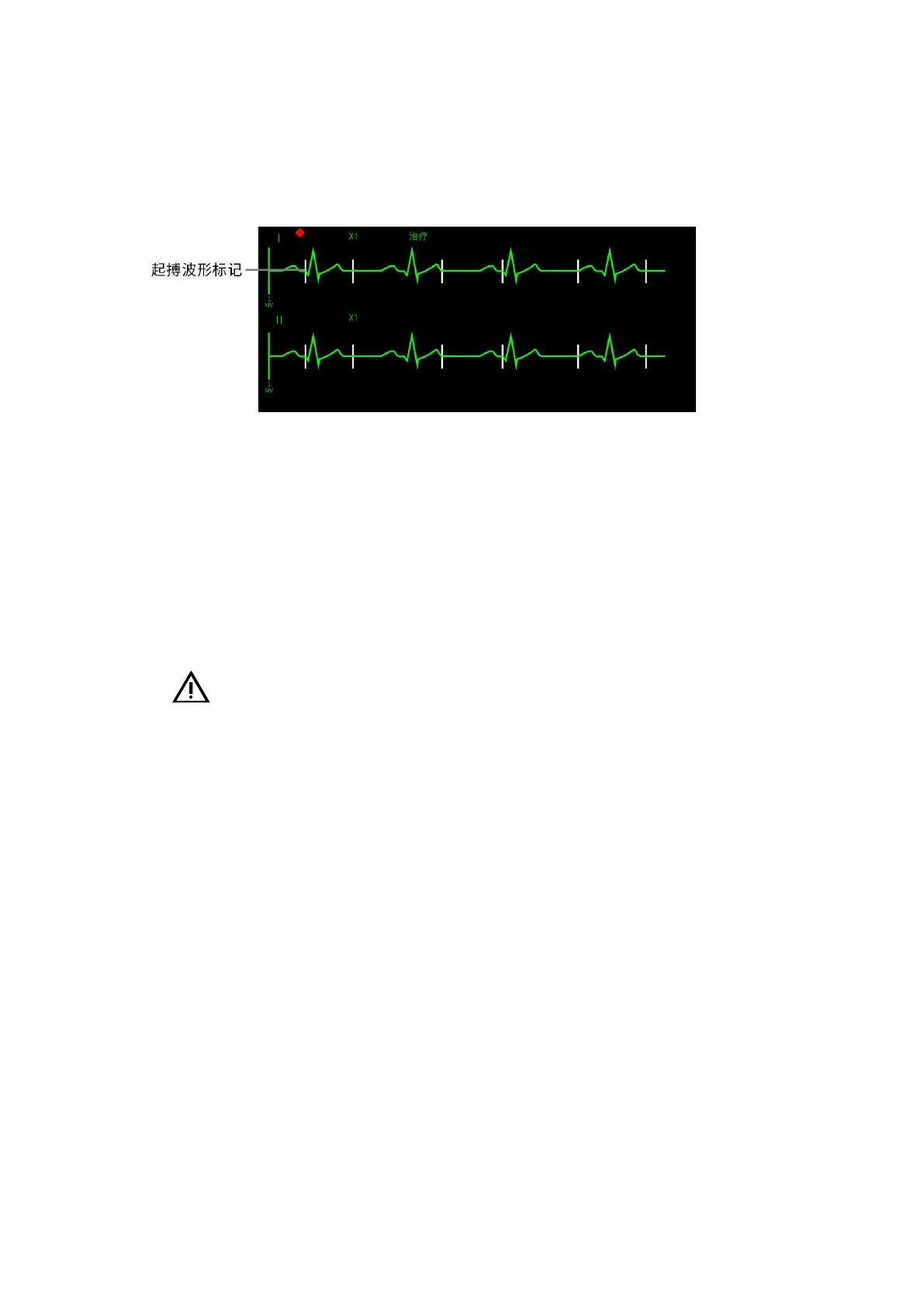
8. Verify that the white pace mark appears on the ECG waveform. As shown in the figure
below:
7- 3 Pacing Waveform Mark
6. Pacing current adjustment: increase the pacing current until a capture occurs (capture
is marked by a QRS complex following each pacing marker), and then lower the pacing current to
the lowest level to maintain the capture.
7. Verify that there is a pulse in the peripheral circulation.
8. To pause pacing and check the pulse rate of the patient, press, and hold the 4:1 soft key.
The Defibrillator Monitor delivers pace pulses according to 1/4 of the set rate. Release the [4:1]
soft key to resume delivering pace pulses at the set rate.
9. To stop pacing, press the [Pause] soft key.
Caution:
• Attention should be paid when applying multi-function pads to the patient to avoid the
risk of electrical shock during pacing.
• When using the pacing function via battery power, if the Defibrillator Monitor
generates a "Battery Low" alarm, connect the Defibrillator Monitor to an external power source
or install a fully charged battery.
• Monitoring or pacing operating modes may be unstable when using an electrosurgical
Knife or other electrosurgical units.



 To Next Page