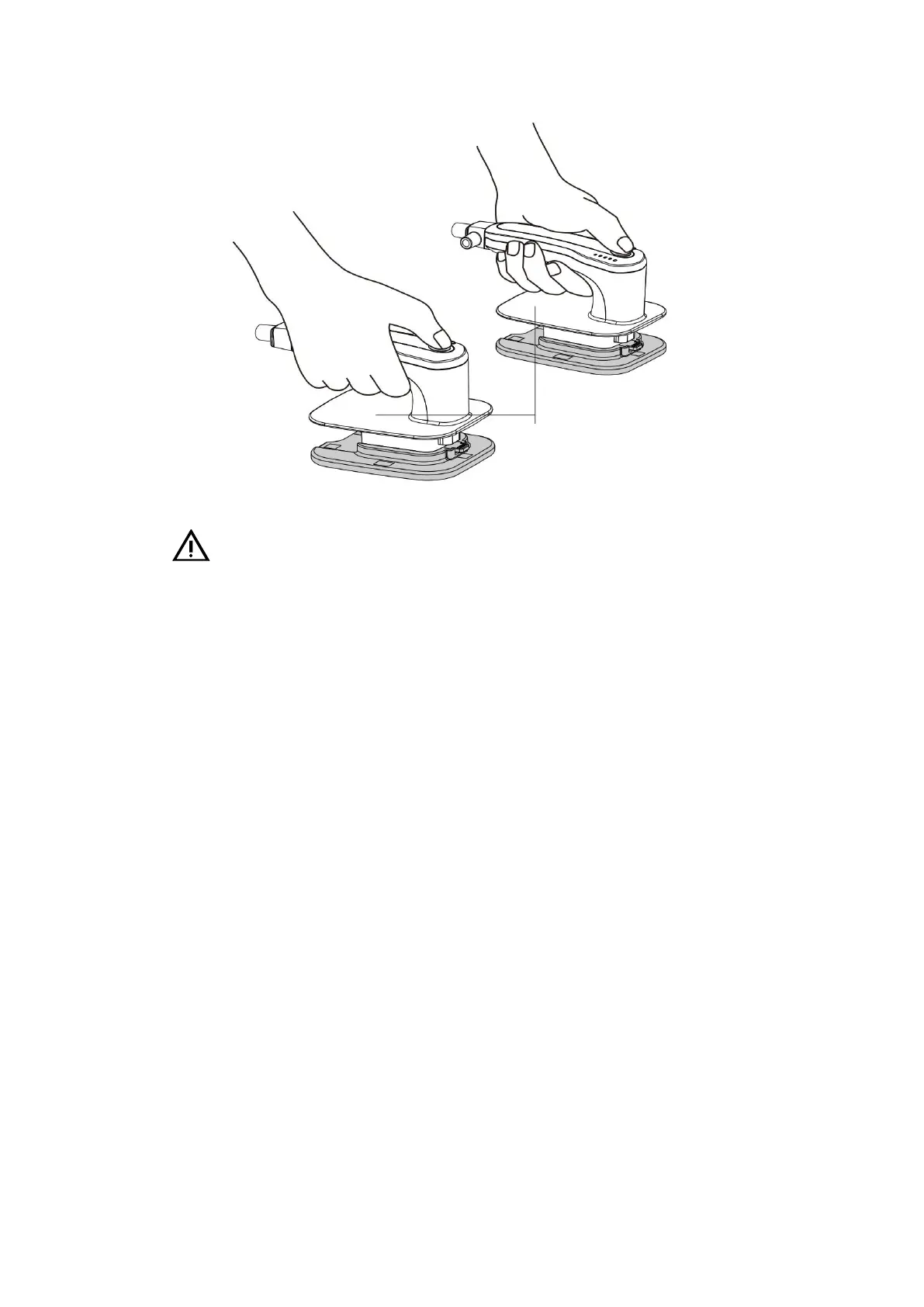
5- 4 multi-functional paddles
Warnings:
During defibrillation, avoid touching places other than the insulated parts such as the paddle
handle to prevent electric shock.
4. Start the Defibrillator Monitor and enter the manual defibrillation mode.
5. Select energy value: use the knob switch of the Defibrillator Monitor to set the required
energy value. If external paddles are used, the energy can be set by pressing the Energy Select
button on the paddles.
6. Charging.
• Press the Charge button on the panel or the paddles. When the Defibrillator Monitor is
charged, a charging progress bar is displayed in the operation prompt area, and the device
generates a charging tone. When the charging is complete, a charge completion tone will be
sounded.
• If the selected energy value needs to be changed during or after charging. The Energy
Select button allows you to select the desired energy value. After changing the energy value,
press the Charge button again to charge.
• Press the [Disarm] soft key to discharge the energy that is being charged or has been
charged. If the shock button is not pressed within the set automatic disarm time, the Defibrillator
Monitor will automatically be disarmed. The Auto Disarm Time can be set in the basic
configuration.
7. Electric shock.
• Shocks: confirm that the current patient needs a shock, and the Defibrillator Monitor
has been charged. Make sure that no one is in contact with the patient and that there are no
accessories or devices connected to the patient, and shout "stand away" loud and clear.
Do not touch this surface and
the parts below it



 To Next Page