PREPARATION AND BASIC USAGE
17
Charging the Supplied
Ni-MH Battery
Caution:
Never charge other type battery.
Especially, if the primary battery
(e.g., manganese or alkaline battery)
will be charged, it causes the fire or
explosion.
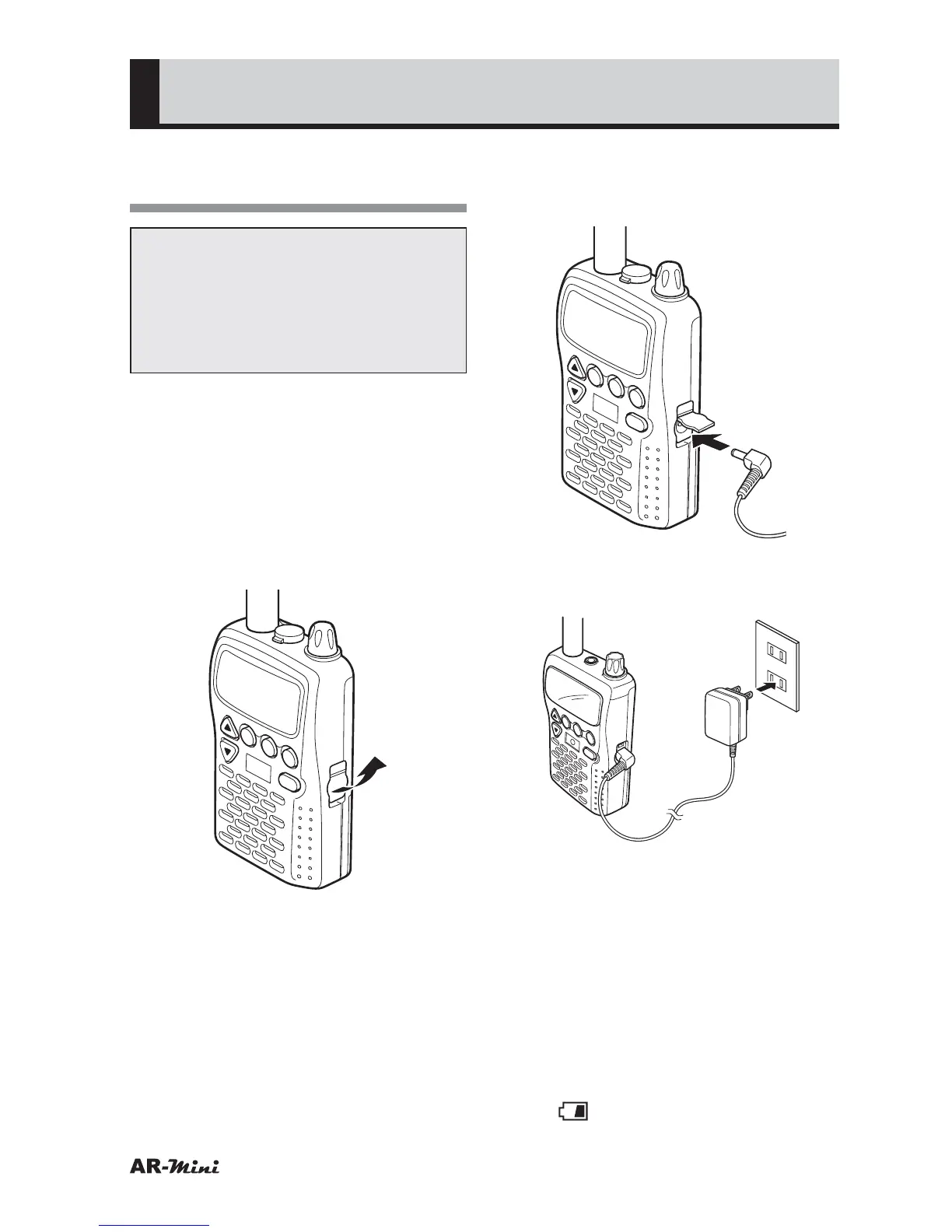
The supplied Ni-MH batteries are
changed by the AC adaptor AA-mini.
1
Turn the AR-mini off.
2
Make sure the AR-mini contains a
supplied Ni-MH batteries.
3
Remove the external DC jack
cover.
V/M
SCAN
MODE
PWR
ATT
DW
SKIP
COMMUNICATIONS RECEIVER AR-mini
SEL
PW
L.SRCH
TONEMW
4
Insert the DC output plug into the
external DC jack on the right side
of the AR-mini.
V/M
SCAN
MODE
PWR
ATT
DW
SKIP
COMMUNICATIONS RECEIVER AR-mini
SEL
PW
L.SRCH
TONE
MW
5
Insert the AC adapter power plug
into an AC outlet (100 V–240 V).
V/M
SCAN
MODE
PWR
ATT
DW
SKIP
COMMUNICATIONS RECEIVER
AR-mini
SEL
PW
L.SR
CH
TONE
MW
6
Press the PWR key to turn the
power on.
7
Hold down the FUNC key and
press the dial knob to enter the
setting mode.
8
Turn the dial knob to set the
setting mode number 30.
9
Hold down the FUNC key and turn
the dial knob to set CHARG.
• (
) is blinking.



 To Next Page