SETTING MODE
66
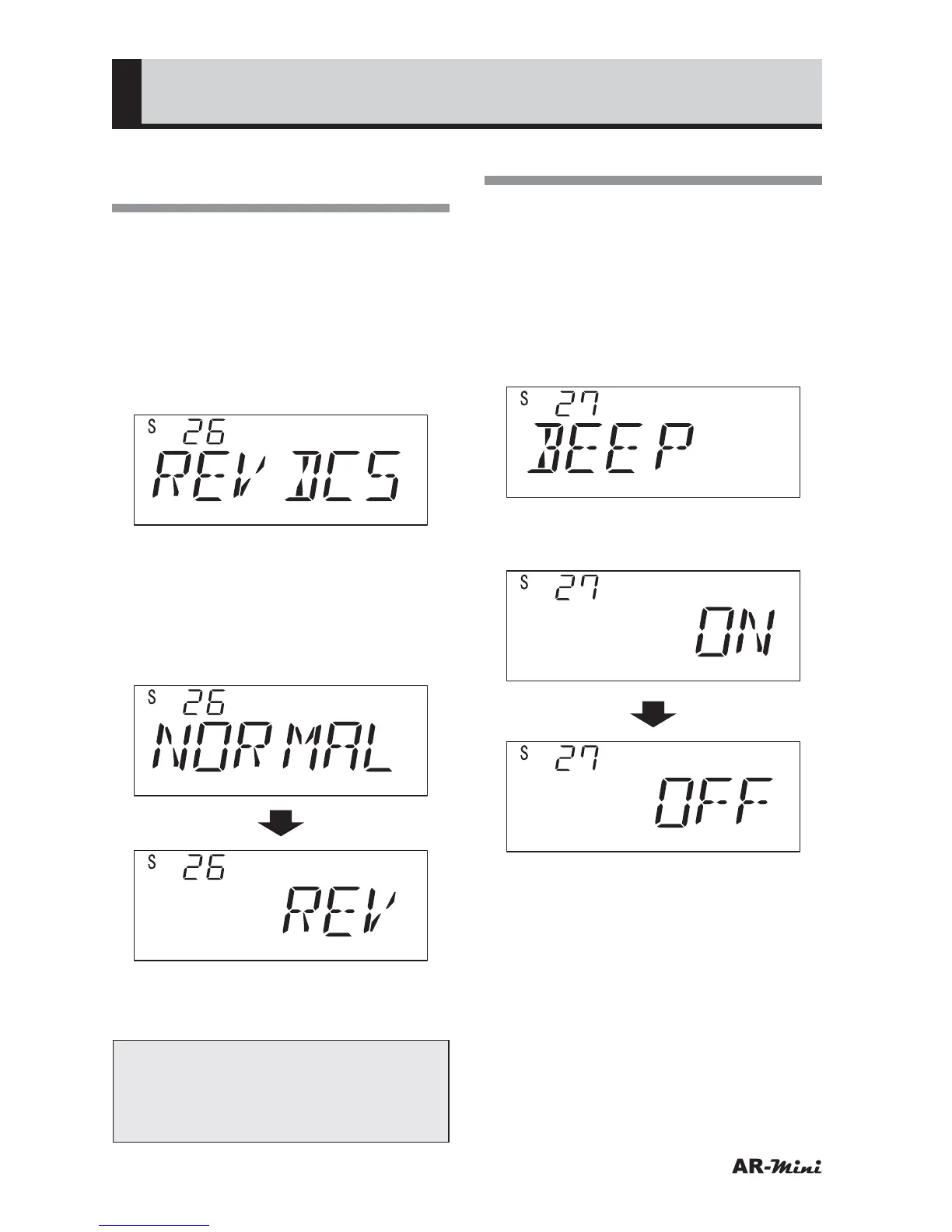
Setting the DCS Code
Phases
This setting is used for the phase of
DCS codes that have been set.
1
Hold down the FUNC key and
press the dial knob to enter the
setting mode.
2
Turn the dial knob to set the
setting mode number 26.
3
Hold down the FUNC key and turn
the dial knob to set the phase.
• When NORMAL is selected, a phase
of the DCS code is not reversed.
• When REV is selected, a phase f
the DCS code is reversed.
4
To return the original display, press
the dial knob or V/M key.
Tips:
This function has no icon. Therefore,
the setting status should be
confirmed in Setting mode.
Turing the Beep Off
This setting is used for turning the beep
off.
1
Hold down the FUNC key and
press the dial knob to enter the
setting mode.
2
Turn the dial knob to set the
setting mode number 27.
3
Hold down the FUNC key and turn
the dial knob to set OFF.
4
To return the original display, press
the dial knob or V/M key.



 To Next Page