BASIC OPERATION
30
Changing the AR-mini’s
Mode
AR-mini has the following modes
to receive the desired frequency
conveniently.
VFO mode
: This mode is the original
mode of AR-mini. In this mode, a
frequency is set directly by turning the
dial knob.
Memory mode
: In this mode, a
frequency can be stored in the memory
with specific names. Recall the memory
to receive the desired frequency.
Preset mode: In this mode, some
frequencies can be stored as preset
numbers.
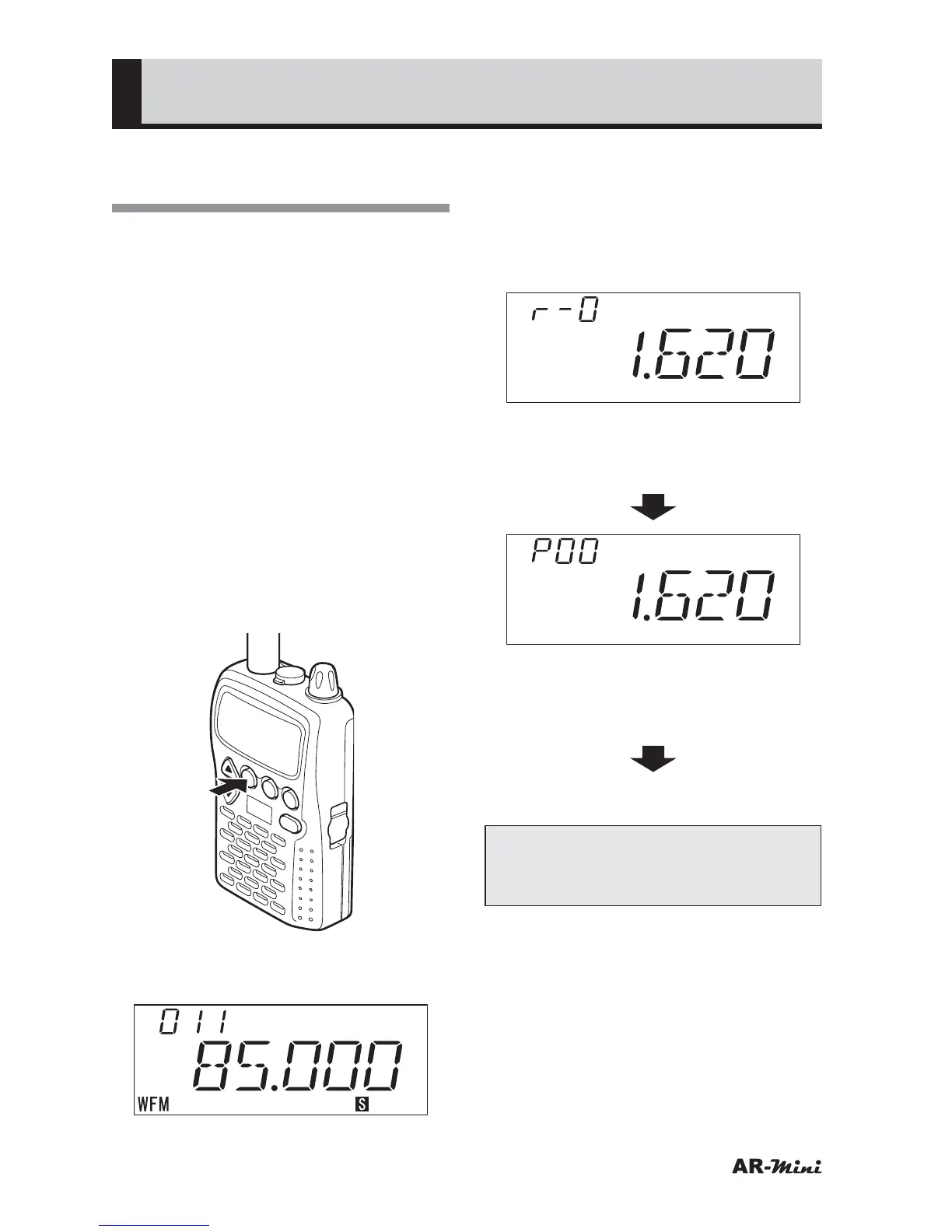
1
To set memory mode from VFO
mode, press the V/M key.
V/M
SCAN
MODE
PWR
ATT
DW
SKIP
COMMUNICATIONS RECEIVER AR-mini
SEL
PW
L.SRCH
MW
2
To return to VFO mode from the
memory mode, press the V/M key.
3
To set the preset mode from VFO
mode, hold down the FUNC key
and press the
c key.
• The modes are switched broadcast
radio mode, preset mode and VFO
mode.
(Preset channel mode)
• Hold down the FUNC key and
press the c key.
(Broadcast radio mode)
• Hold down the FUNC key and
press the c key.
VFO mode
Tips:
When no memory is stored in step 1,
low pitch tone beep is emitted.



 To Next Page