SETTING MODE
63
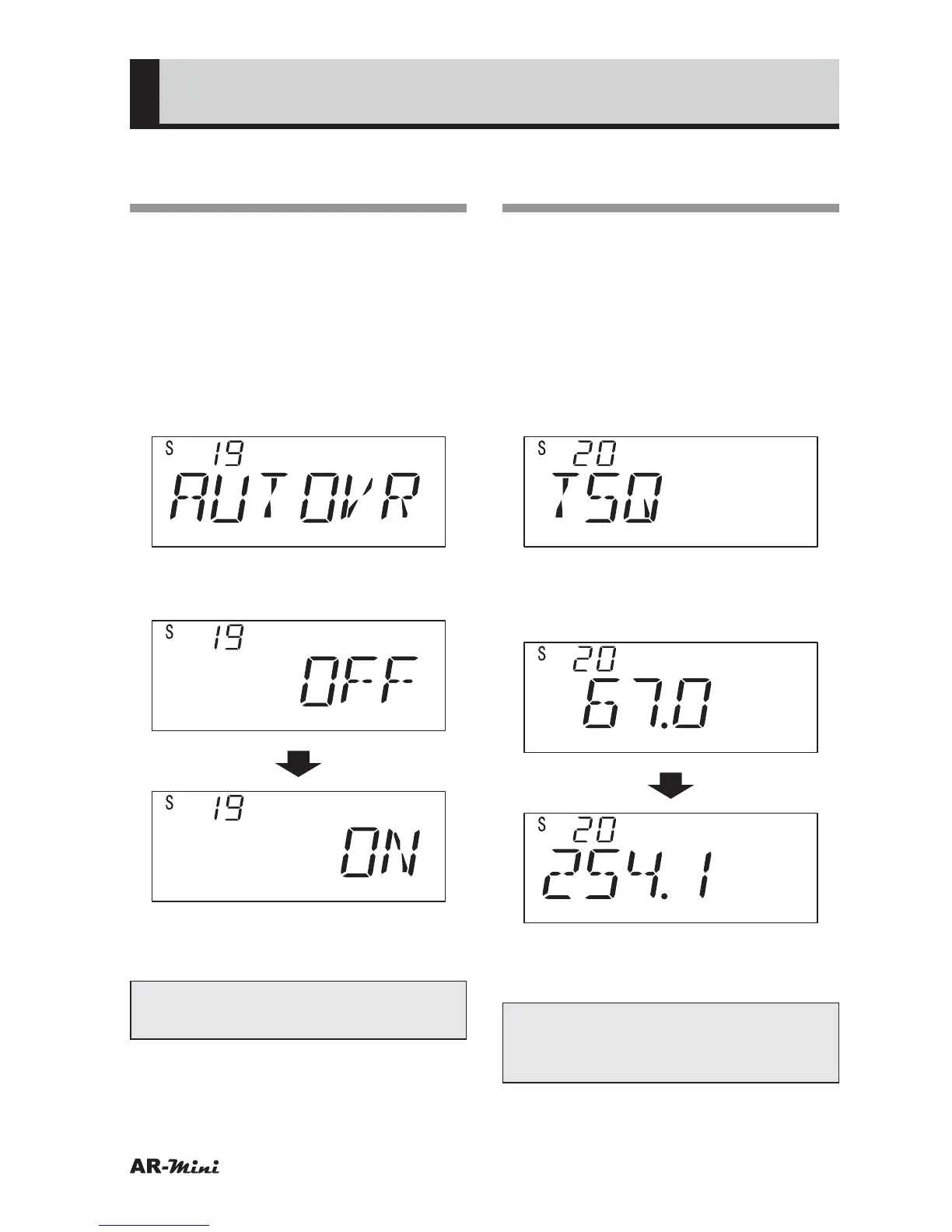
Increasing the Volume
Automatically in FM
This setting is used for automatically
increasing the volume to 6 dB in a FM
when 12.5 kHz step is set.
1
Hold down the FUNC key and
press the dial knob to enter the
setting mode.
2
Turn the dial knob to set the
setting mode number 19.
3
Hold down the FUNC key and turn
the dial knob to set ON.
4
To return the original display, press
the dial knob or V/M key.
Tips:
This setting is available only in FM.
Setting the Tone
Frequency
This is used for setting tone
frequencies, which are prepared across
50 signals.
1
Hold down the FUNC key and
press the dial knob to enter the
setting mode.
2
Turn the dial knob to set the
setting mode number 20.
3
Hold down the FUNC key and turn
the dial knob to select the tone
frequency.
4
To return the original display, press
the dial knob or V/M key.
Tips:
The tone frequencies are prepared
as following table;



 To Next Page