SETTING MODE
59
Confirming the Limit
Search Frequencies
This setting is used for confirming the
frequencies in a set limit search.
The upper frequency and lower
frequency are displayed in alternation
every second.
1
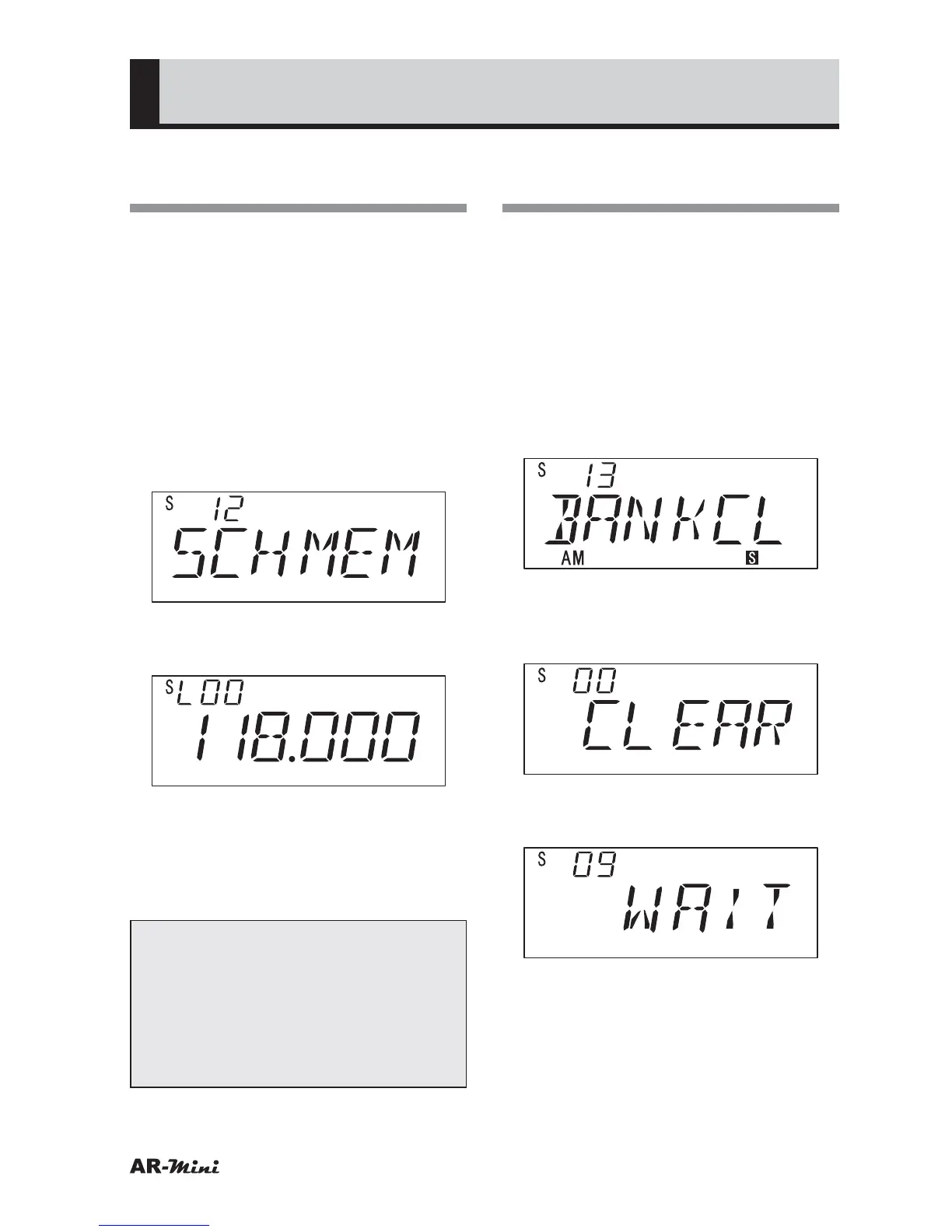
Hold down the FUNC key and
press the dial knob to enter the
setting mode.
2
Turn the dial knob to set the
setting mode number 12.
3
Hold down the FUNC key and turn
the dial knob to confirm.
4
Press the dial knob to setting
mode.
5
To return the original display, press
the dial knob or V/M key.
Tips:
• In step 3, the pair of limit search
frequencies is confirmed up to
2420.
• This procedure is only for
confirmation. The setting can not
be changed.
Erasing All Memory from
a Memory Bank
This setting is used for erasing all
memory from a memory bank. The
memories can be stored one memory
bank of memory banks.
1
Hold down the FUNC key and
press the dial knob to enter the
setting mode.
2
Turn the dial knob to set the
setting mode number 13.
3
Hold down the FUNC key and
turn the dial knob to select bank
number to be erased.
4
Hold down the FUNC key and
press the V/M key.
5
Press the dial knob.
• The memory stored in the memory
bank will be erased, and then next
memory bank number is displayed.
• If cancel this procedure, press the
V/M key to exit.



 To Next Page