SETTING MODE
68
Charging the Ni-MH
Battery
This setting is only available for
supplied Ni-MH batteries. Never use
this setting for other batteries.
1
Hold down the FUNC key and
press the dial knob to enter the
setting mode.
2
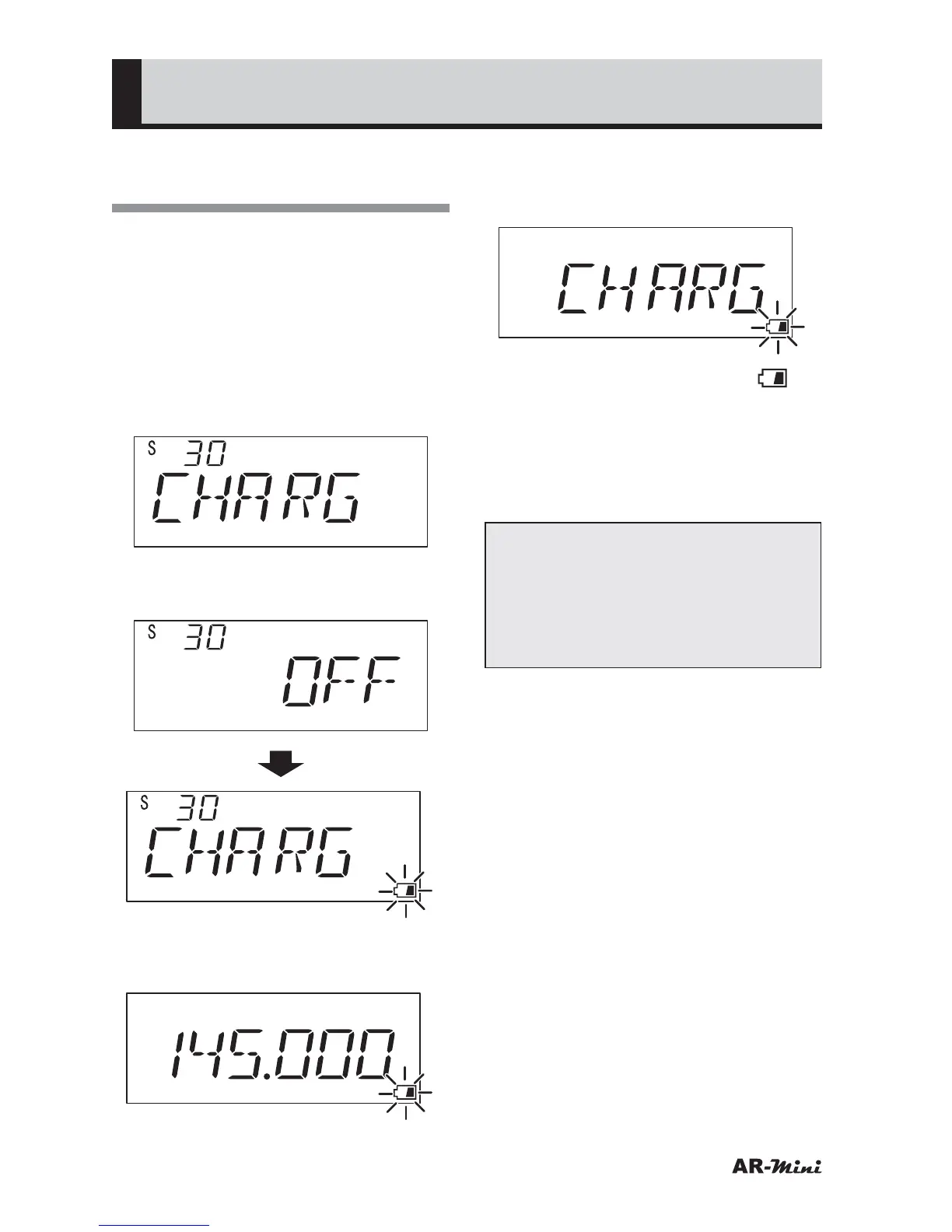
Turn the dial knob to set the
setting mode number 30.
3
Hold down the FUNC key and turn
the dial knob to set CHARG.
4
To return the original display, press
the dial knob or V/M key.
5
To charge the battery, turn the
power off by pressing the PWR key
for two seconds or more.
• “CHARG” is displayed and “ ” is
blinking.
6
Connect the AC adapter AA-mini
or DC adapter DC-mini.
• Refer to page 17, 21 to connect the
AA-mini or DC-mini
Note:
• Disconnect the AC adapter or DC
adapter approximately 20 hours
later.
• This function is canceled
automatically after 24 hours pass.



 To Next Page