PREPARATION AND BASIC USAGE
23
Connecting PC-mini
Caution:
Check that the USB driver is
properly installed before connecting
PC-mini to the PC.
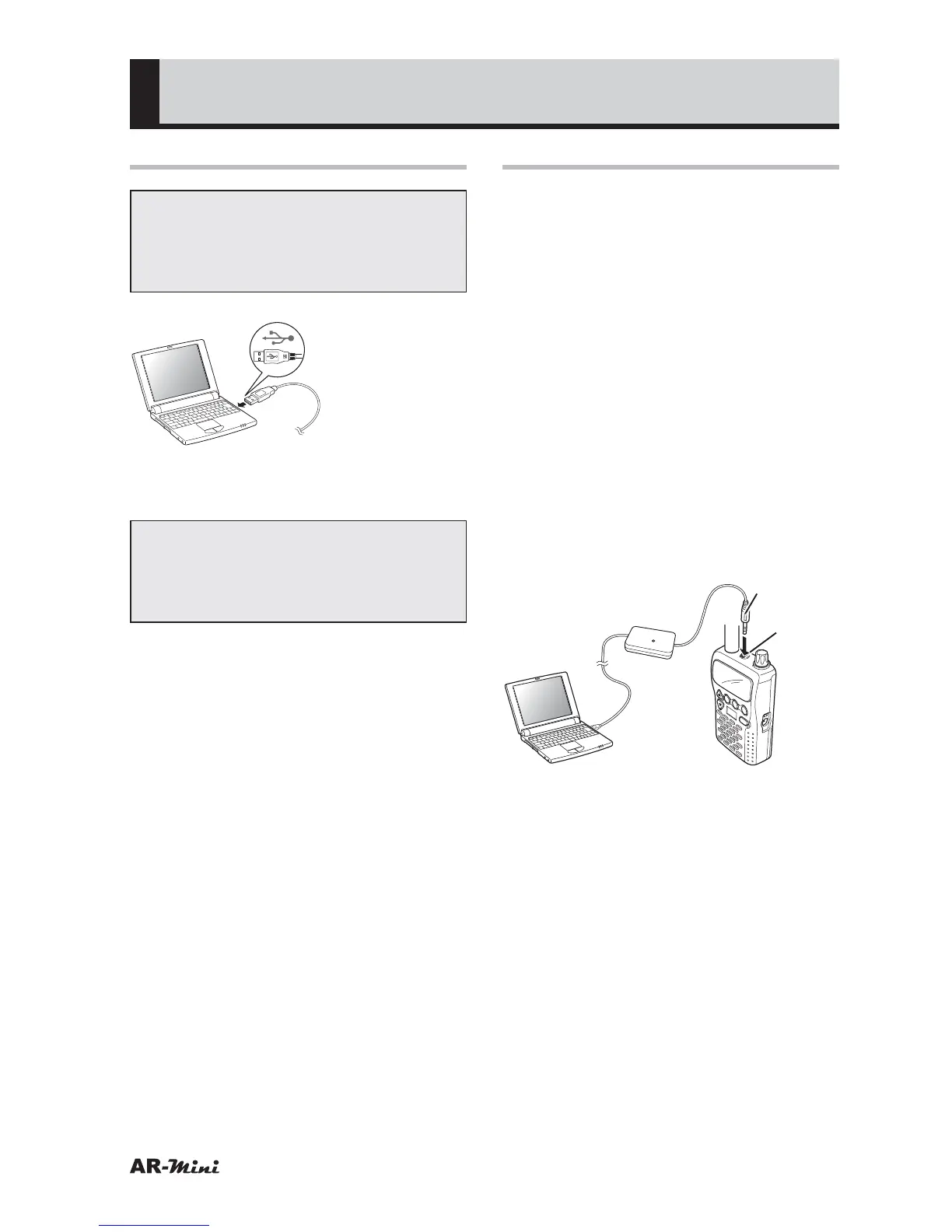
Connect PC-
mini to the
USB terminal
of the PC.
Connect PC-mini’s USB plug to the
USB terminal of the PC.
Note:
Ensure that the USB plug is properly
and firmly connected to the USB
terminal of the PC.
Connecting to AR-mini
1
Hold down the PWR key of the AR-
mini for at least 2 seconds to turn
off the power.
2
While holding down the FUNC
and
v key and the dial knob, hold
down the PWR switch for at least 2
seconds to turn on the power.
3
Confirm “PRG-M” will be
displayed.
• If “PRG-M” is not displayed, repeat
the procedure from step 1.
4
Remove the AR-mini earphone
cap.
5
Firmly insert the PC-mini 3.5 ø
plug into the AR-mini jack.
Jack
3.5 ø Plug
V/M
SCAN
MODE
PWR
ATT
DW
SKIP
COMMUNICATIONS
RECEIVER AR-mini
SEL
PW
L.SRC
H
TONE
MW



 To Next Page