BASIC OPERATION
26
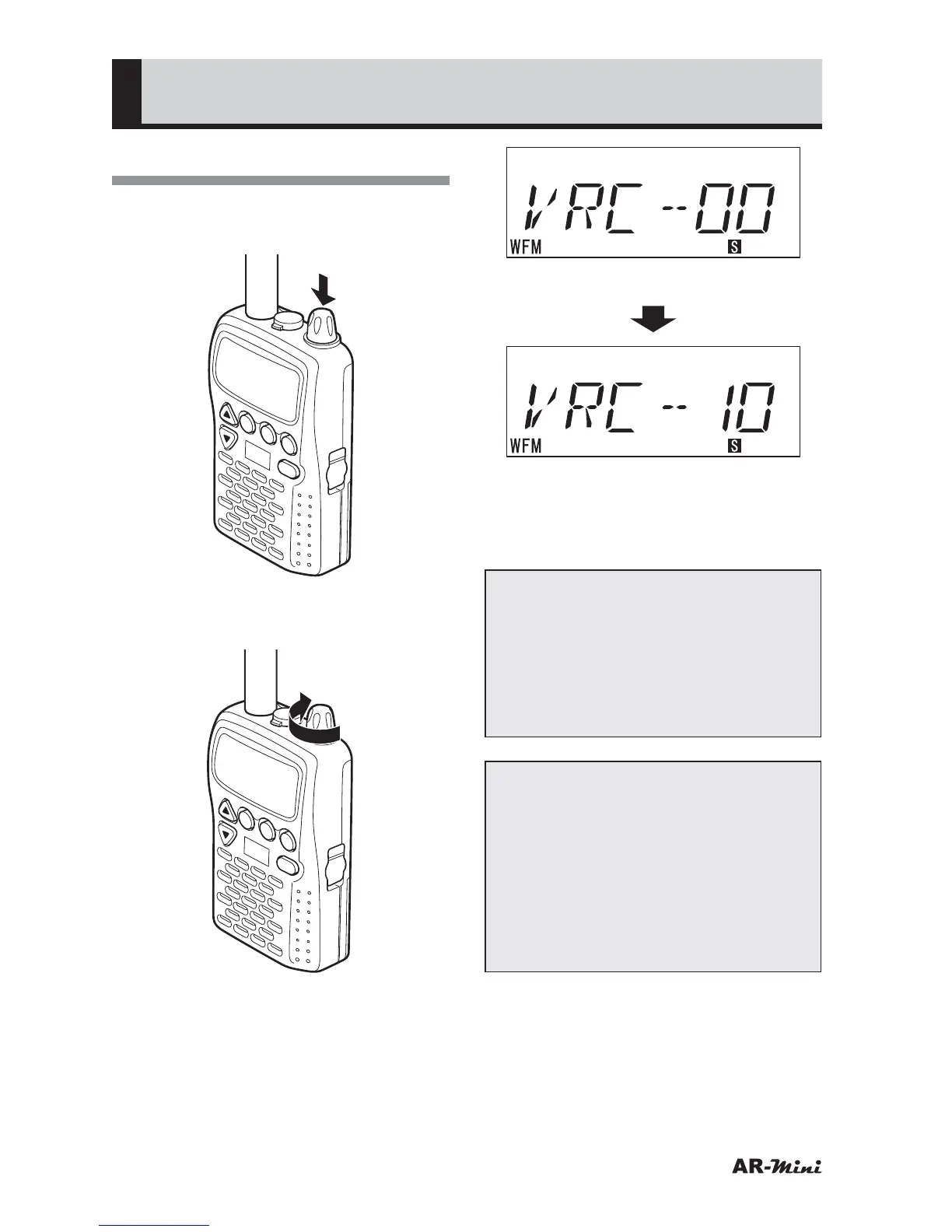
Adjusting the Volume
1
To adjust the volume, press the
dial knob.
V/M
SCAN
MODE
PWR
ATT
DW
SKIP
COMMUNICATIONS RECEIVER AR-mini
SEL
PW
L.SRCH
TONE
MW
2
To increase the volume, turn the
dial knob clockwise.
V/M
SCAN
MODE
PWR
ATT
DW
SKIP
COMMUNICATIONS RECEIVER AR-mini
SEL
PW
L.SRCH
TONE
MW
(Minimum volume level)
(Maximum volume level)
3
To decrease the volume, turn the
dial knob counterclockwise.
Note:
• Make sure the volume dose not
become large. Decrease the
volume when using the earphone
after using the internal speaker.
• Especially, decrease the volume
while driving or walking for safety.
Tips:
• The volume is changed by turning
the dial knob as follows;
00
➝ 01 ➝ (01) ➝ (01) ➝ 02 ➝ (02)
➝ (02) ➝ 03 ➝ (03) ➝ (03) ➝ 04 ➝
(04) ➝ (04) ➝ 05 ➝ ····· ➝ 10
• The displayed volume value is not
changed during 2 steps, however
the volume is changed.



 To Next Page