PREPARATION AND BASIC USAGE
22
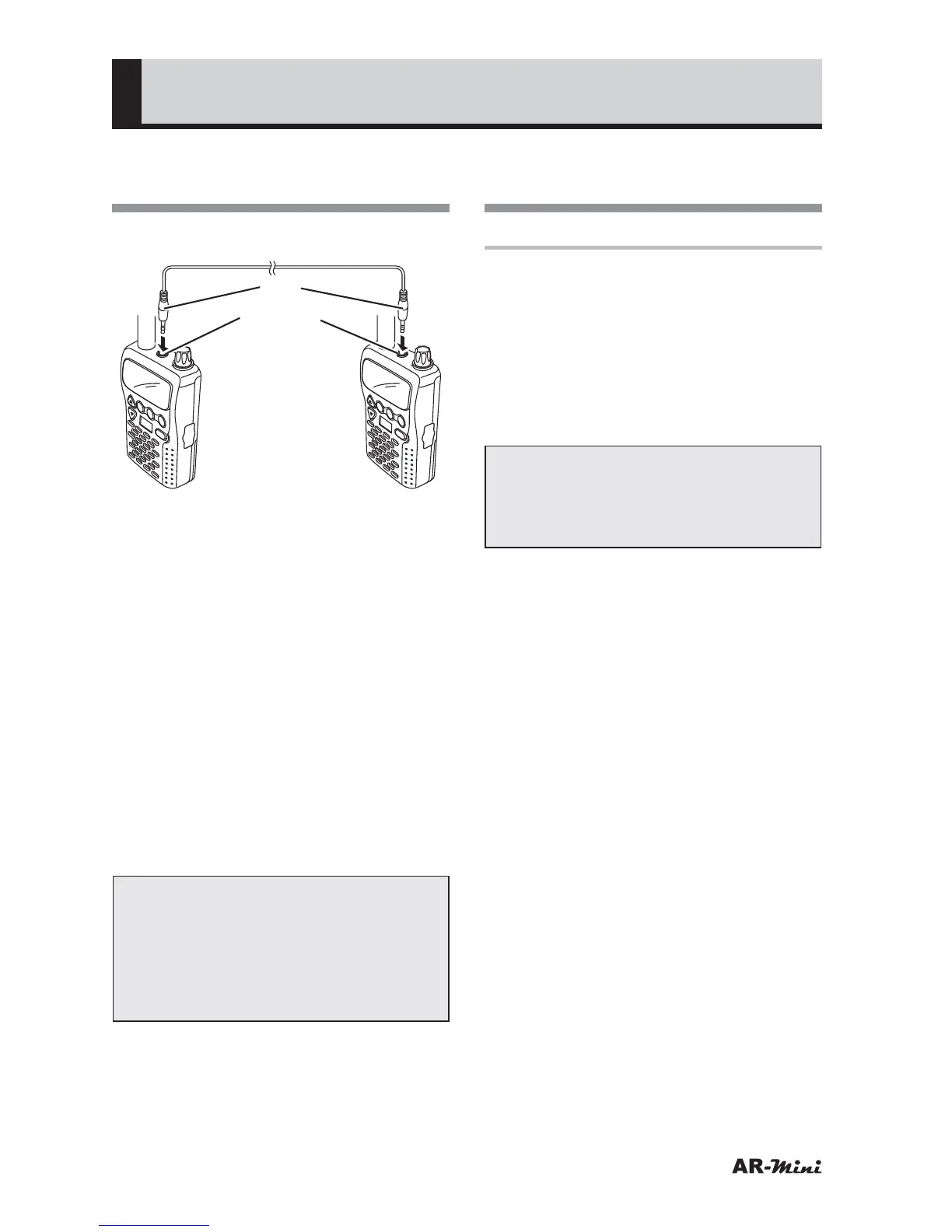
Using the CO-mini Clone
Cable
1
Turn the AR-mini off.
Plug
Earphone
jack
V/M
SCAN
MODE
PWR
ATT
DW
SKIP
COMMUNICATIO
NS RECEIVER AR-m
ini
SEL
PW
L.SRCH
TONE
MW
V/M
SCAN
MODE
PWR
ATT
DW
SKIP
COMMUNICATIONS
RECEIVER AR
-mini
SEL
PW
L.SRCH
TONE
MW
2
Remove the AR-mini earphone
jack cap.
3
While holding down the FUNC and
c key, turn on the power.
• “RX-TX” is displayed.
4
Press the SCAN key of receiving
side. (“R” is displayed)
5
Press the MODE key of
transmitting side. (“T” is displayed)
6
Confirm “PASS” is displayed when
the cloning is completed.
• If “NPASS” is displayed, the
cloning has been failed, repeat the
procedure from step 3.
Note:
• Do not pull out the plug with the
cable. The cable is disconnected,
and it may cause malfunction.
• Turn the power off before
connecting or removing the cable.
Using the PC-mini
Programing Cable
Preparations
◆ Installing the special software
: On the internet, access the
download screen on our company’s
homepage, download the software
according to the explanation.
URL: http://www.aorja.com/ar-mini/
@ Run the Downloaded file and set up.
Caution:
Although this software is provided
free of charge, do not make any
illegal copies.
◆ Installing the USB driver
PC-mini requires a special USB driver.
Before connecting PC-mini to the PC,
ensure that you have installed the USB
driver.
This USB driver can be downloaded
from the following URL.
URL: http://www.aorja.com/ar-mini/
CP210x_VCP_Win2K_XP_S2K3.
exe
or
URL: http://www.silabs.com/
* Download the VCP Driver kit.



 To Next Page